
ICARUS

- Платформа
- PC
- Дата выхода
- Размер файла
- 45.18 GB
- Просмотры
- 13 234
- Комментарии
- 4
- Языки
- English, French, German, Portuguese - Brazil, Russian, Spanish - Latin America
- Добавил
- Админ
Трейлер игры: ICARUS
Скриншоты


Описание
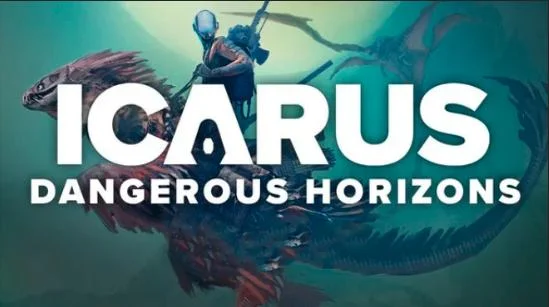
ICARUS — is a cooperative survival game where you will have the opportunity to explore an unfamiliar world rich in resources. The place of action imposes a lot of restrictions, which makes the gameplay even more unpredictable and exciting. You will make landings on the planet in order to capture all kinds of resources and technologies. Each hike comes with a certain risk. The shuttle’s time on the surface is strictly limited, and in case of the slightest delay, the ship will leave the planet without you.
NOTE. Uploaded version: 7 May 2025 [v2.2.53.136221] + Update v2.2.59.138676. This is Full release and latest version of game. The game is already Packaged in ISO File and ready to run the game after install, read the instruction below.
Game is updated, the following DLCs are included:
- Icarus: New Frontiers Expansion
- Icarus: Holdfast Outpost
- Icarus: Iceholm Outpost
- Icarus: Styx Expansion
- Icarus: Interior Decorations Pack
- Icarus: Tecton Outpost
- Icarus: Everbark Outpost
- Icarus: Cactus Outpost
- Icarus: Arcticus Outpost
- Icarus: Industrial Furniture Pack
- Icarus: Art Deco Furniture Pack
- Icarus: Creature Comforts Pack
- Icarus: Pet Companions Pack
- Icarus: Zebra Rescue Mission
About This Game
This turn of events will end with the permanent death of the hero, as a result of which you will have to start over. All actions must be carefully planned, because any surprise can lead to fatal consequences. Even with a clear plan, be prepared for any unpredictable twists and turns that will force you to improvise and come up with solutions on the fly. Returning with the loot to the orbital station, use the resources obtained to improve technology. They will facilitate the mining process and significantly minimize risks while on the planet.
Системные требования
Минимальные
- ОС:
- Windows 10 (64-bit versions)
- Процессор:
- Intel i5 8400
- ОЗУ:
- 16 GB RAM
- Видеокарта:
- Nvidia GTX 1060 6GB
- Диск:
- 70 GB available space
- DirectX:
- Version 11
- Сеть:
- Broadband Internet connection
Рекомендуемые
- ОС:
- Windows 10 (64-bit versions)
- Процессор:
- Intel i7-9700
- ОЗУ:
- 32 GB RAM
- Видеокарта:
- NVIDIA RTX 3060ti
- Диск:
- 70 GB available space
- DirectX:
- Version 11
- Сеть:
- Broadband Internet connection
Инструкция по установке
Пошаговый процесс установки для TENOKE
-
Смонтируйте .iso-образ — в Windows 10/11 он подключается из контекстного меню, в остальных случаях подойдёт Daemon Tools или похожая программа.
-
Запустите
setup.exeс диска и установите игру — сборки Tenoke взломаны заранее, нужна только установка. -
Если на диске есть папка
Tenoke, скопируйте её содержимое в каталог установленной игры. -
Запустите игру с ярлыка на рабочем столе (от имени администратора).
Информация
- Разработчик
- RocketWerkz
- Издатель
- RocketWerkz
- Платформа
- PC
- Дата выхода
- Размер файла
- 45.18 GB
- Статус
- Сцена (ISO)
Скачать игру
Полная игра
v2.2.53.136221 Сцена (ISO) TENOKE
59c760b611457bab94bd878ae82a03c8
dd69bf9cd2c8521d7e59609525eed23f4910536f37d1b528042625bb905e123c
Контрольные суммы подтверждают целостность именно этого файла. Это не абсолютная гарантия от вредоносного ПО — всегда проверяйте загруженные файлы.
Торрент-файл готов
Другие версии этой игры
- ICARUS v3.0.24.156115 (upd.21.08.20... 48.42 GB
- Icarus New Frontiers v2.0.3.116006 (upd.16.09.202... · RUNE 35.44 GB
- ICARUS v1.1.1.90762 upd.01.02.2022 · CODEX 23.6 GB
- Icarus Frostfall Outpost v2.3.28.147909 (upd.02.02.20... · TENOKE 36.25 GB
- Icarus Great Hunts Campaigns v2.3.12.143193 (upd.11.10.20... · RUNE 33.23 GB
- Icarus Dangerous Horizons v3.0.17.153756 (upd.06.07.20... · RUNE 7 GB
Похожие игры Серия «ICARUS»
5 частей 2023–2026


 Эта игра
ICARUS
2023



Отзывы и комментарии
Оценки
4,6 из 5 70 оценок
Архив хранил только оценки, без текста — читать пока нечего.
Hotfix Changelog v2.2.59.138676Fixed issue where players could not start many missions due to the the menu mission list lacking upgrades as if it was an open world mission board. Changelog v2.2.59.138512 New ContentAll Character Flag Rewards from Missions are now Account Flags, when loading in with a character a conversion process occursAdding Blueprints for All Account Blueprint Unlocks from Missions so they items are no longer hidden in the tech treeAdjusting quests to grant the correct account flags during missions as opposed to the character flags that where granted beforeSplit out some of the items granted from missions and spread them out amoungst the mission trees (for example one mission was granting 6 items before -> now the mission grants 2, and the other 4 are granted from other missions)
Changelog v2.1.9.118433 New ContentUnlocking Medic\'s Backpack in the workshopFix for aura component manager that now takes into account auras \'effects self\' flagAdjusting stats on the Biomore Backpack FixedFixed a number of typosFixed SMPL3 quests granting the old glassworking bench, instead of the updated modelUpdated textiles bench iconIgnore object collisions when spawning meteor deposits. Immediately end recording when cleaning up depositsUpdated Landshark item rewards to grant some ore, in addition to poison sacks. Additionally no longer drops caveworm scalesFixed Landshark dropping caveworm vestigeRemoving back button in the field guide as it was accessing an unfinished field guide feature
Changelog v2.1.8.118221 New ContentUnlocking Raw Wood SignsAdding Armor Icons into the Inventory Paper DollAdded binding to carcasses to drop themUpdated the usability of the light and G slot items. Items now have an icon for their respective slots, and G slot items have an in-world tooltip that changes to red if you are unable to pick them up Fixed/QoLT4 Anvil - disabled yellow/black decal material that was showing through wallsT4 Anvil - proper fix for yellow/black decals - using ITM shader and offset geometry to prevent Z fightingFixed a bug causing the C0NT4CT device to play audio when loading the game or approaching from multiple tiles awayUpdated respawn message to mention losing equipment instead of respawn penalty (as there is no XP lost on death)Updated death overflow bag highlightable, so it now shows as the remains of a fallen prospectorUpdated polar bear rug gfur setting to be more stable when physics are settlingRemoved physics on Gfur for grizzly and polar bear rugsHalved the spawn rate of voxel and plant based exotics in Open World, as these spawns add repeatedly so will increase each time if not gatheredUpdated all fish textures from the small texture group to the medium texture groupReplaced green mount tame icons with white iconsLowered opacity of light/g slot backgroundShow bulky slot icon on mount\'s bulky slot(s)Hide in-world bulky slot on shields (as these can go in normal inventory slots)Fixing issue where art deco vase destructible mesh was incorrect (it was the vault)Adding delivery pod door open and close. Hooking up close animation to play when leaving, Also adding fixing armour repair audio to data tablePrevent meteor showers from potentially occuring before the world has completely loadedFix light slot toggle for clients in improved hotbar UIUpdate in-game reference to Styx Expansion DLC to correctly be named Styx Expansion DLCFix light and bulky slot icons on items for inventories in crates.Fixed seed pouch not receiving picked up seeds after loading a prospect.Fixed seed pickup totals being shown incorrectly on HUD.Fixed/Re-enabled Take All button in seed pouch.Added hint to map screen to add or remove marker.Add building deconstruct hint to hammers
Changelog v1.3.11.114779 New ContentSetting up T3 Masonary Bench, Assets, Talents, Recipes, Icons, AnimationsT3 Masonary Bench Proxy Meshes Fixed CollisionAdded T3 Masonary Bench Proxy Meshes, Textures & MaterialSetting up T3/4 Anvil Benches, Assets, Talents, Recipes, Icons, Animations (Dev Locked for now)T4 Anvil - fix and reimport of output proxies to correct position and avoid stackingT4 Anvil - added destructible meshAdding Charcoal steel bloom alternate recipesAdjusting all arrow and bolt recipes to craft 5 arrows or bolts, reducing recipes cost for the higher tier arrows and boltsRemoving Tool / Weapon Recipes from the Machining Bench and Fabricator and placing them on the T3/T4 anvil BenchesRemoved unused references on T3 anvil destructable meshAdding T4 Anvil bench impact sound, start / loop / end event, BP imp and data table entryUsing parent class logic to replicate audio for anvil t3 instead of creating new logic. Simplified BP setupSet up start / loop / stop event to play when Anvil T3 is activated. Set replication to play for clientsAdded text for Forge, Foundry, and Masonry benchesUpdated name of the T3 Masonry Bench to Advanced Masonry Bench to differentiate it from the T2 bench