
Heavy Cargo The Truck Simulator

- Платформа
- PC
- Дата выхода
- Размер файла
- 8.55 GB
- Просмотры
- 1 650
- Комментарии
- 2
- Языки
- English, German, French, Italian, Spanish - Spain, Polish
- Добавил
- Добавил Админ
Трейлер игры: Heavy Cargo The Truck Simulator
Скриншоты


Описание
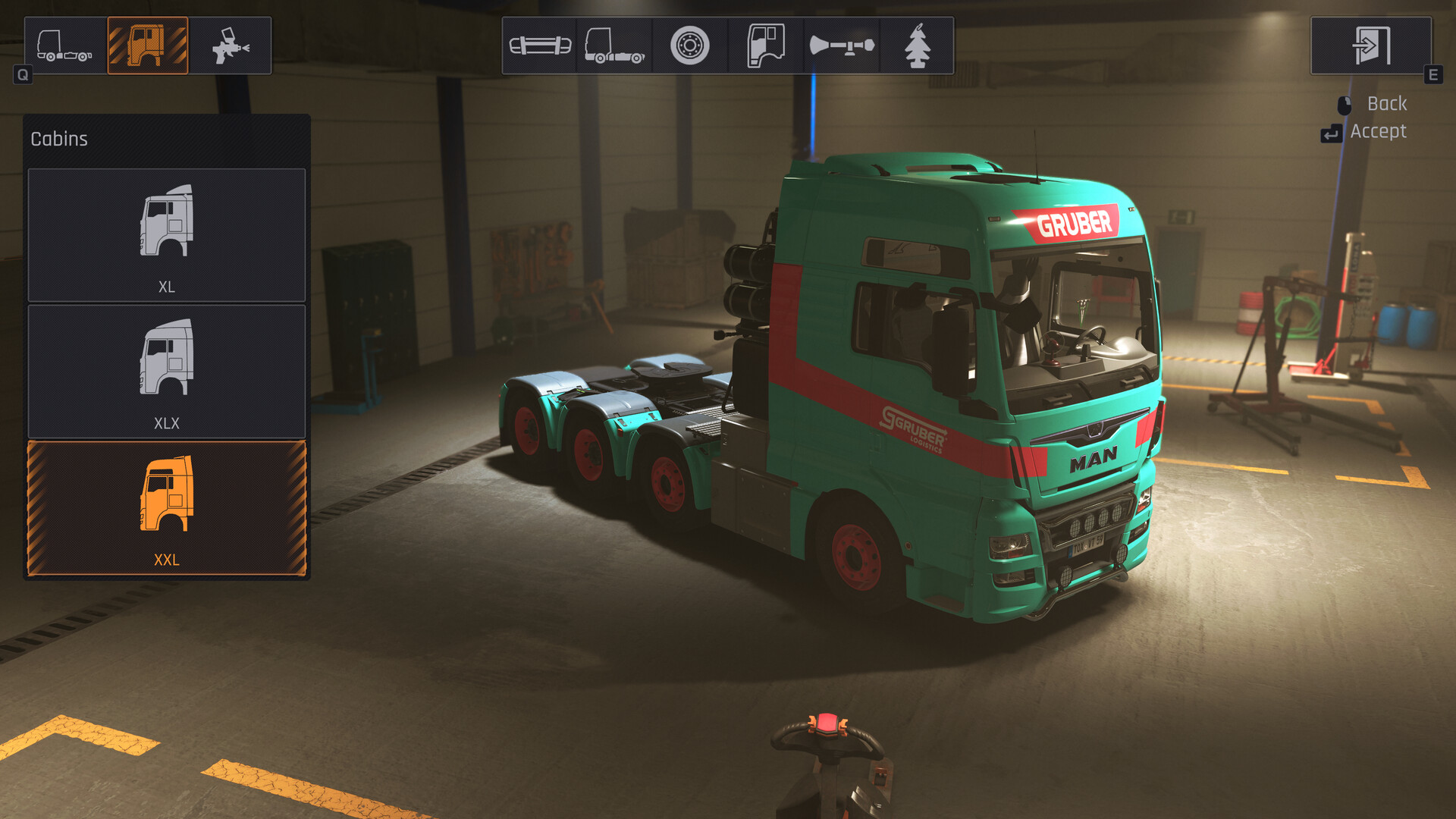
Heavy Cargo The Truck Simulator is an opportunity to feel like a real truck driver who is forced to transport goods across a huge open world. You will have to search for orders, load, unload and accompany various vehicles in convoys. You will be able to try out several types of trailers that a truck can transport. Users will experience the gameplay of a classic driver simulator that controls a large truck. Transport unique types of cargo, such as heavy and bulky cranes that need to be properly secured to the trailer. Develop the optimal route, taking into account the distance and quality of roads, as well as the terrain.
Complete about 30 presented missions in a single-player campaign, moving around the world in large vehicles. During the game, users will have to drive along European roads and towns, where the area of the entire map is about 200 square kilometers. It will be possible to explore new locations, from highways to narrow mountain serpentines and passes that are located on the outskirts of villages. Users will have to drive Scania and MAN models of cars, hauling trailers/semi-trailers based on real models.
NOTE. Uploaded version: 28 July 2026 [v1.3.0] + Update's. This is Full Release and latest version of game. The game is already Packaged in ISO File and ready to run the game after install, read the instruction below.
Included: The Truck Simulator Mission Pack
Ключевые особенности
- Transport rides with oversize
- Oversize transport journeys accompanied by preceding and following vehicles
- Tour preparation (dismantling of guard rails, laying of ground plates and much more)
- MAN trucks and various trailers/semitrailers based on real-life models (boiler bridges, rotor trailers, low-loaders)
- Spotting-vehicle (Sprinter class) MAN TGE
- Mobile cranes
- Truck loading cranes
Системные требования
Минимальные
- ОС:
- Windows 10 64 Bit
- Процессор:
- Intel Core i3 3.0 GHz
- ОЗУ:
- 8 GB RAM
- Видеокарта:
- NVidia GeForce GTX 780
- Диск:
- 50 GB available space
- DirectX:
- Version 11
Рекомендуемые
- ОС:
- Windows 10 64 Bit
- Процессор:
- Intel Core i5 3.4 GHz
- ОЗУ:
- 12 GB RAM
- Видеокарта:
- NVidia GeForce GTX 970
- Диск:
- 50 GB available space
- DirectX:
- Version 11
Инструкция по установке
Пошаговый процесс установки для SKIDROW
-
Возьмите .iso-образ и смонтируйте его в виртуальный привод — подойдёт любая программа, а в Windows 10/11 достаточно пункта «Подключить» в контекстном меню.
-
Запустите
setup.exeс виртуального диска и пройдите установку. -
Перенесите содержимое папки
SKIDROWс диска в корневую папку игры, заменяя существующие файлы. -
Играйте — запускайте игру с установленного ярлыка и при необходимости давайте ей права администратора.
Информация
- Разработчик
- tox 2 interactive GmbH
- Издатель
- Aerosoft GmbH
- Платформа
- PC
- Дата выхода
- Размер файла
- 8.55 GB
- Статус
- Сцена (ISO)
Скачать игру
Полная игра
bff95c677627a1434b721c05610d006a
fb77245d2456d1d259f4b359cc55b85991548bad877226fe0a7aee96b05ab029
Контрольные суммы подтверждают целостность именно этого файла. Это не абсолютная гарантия от вредоносного ПО — всегда проверяйте загруженные файлы.
Торрент-файл готов
Обзоры
Отзывов пока нет. Будьте первым!






Комментарии (2)
This update also includes a free DLC with 10 new missions and a new location. You can activate the DLC in the main menu. Force feedback is now also available on the consoles, including various setting options to customise this feature to your liking. This gives you more immersion when driving with a steering wheel. Of course, we continue to work on your feedback and have improved the launching behaviour of all vehicles, as well as the load transfer between trailer and towing vehicle for trailers with goosenecks. Internally, there have also been major changes to the data management of the NPCs in the game world, which has drastically reduced their susceptibility to errors in animations and materials. There are also around 40 other major and minor bug fixes in all areas of the game.
Heavy Cargo - The Truck Simulator v1.0.1 Update----------------------------------------------- Patch Notes Visual improvements to petrol stations at nightFilters in the map menu now also filter the icons on the map and no longer just the listsVarious improvements to the ‘Petrol tank for the home’ missionImproved adjustment options for steering wheelsMore fast travel points addedVarious improvements to mission ‘The last voyage’Improved appearance of the wind turbine bladesFast travel points and mission starting points are recognised more precisely by the navigation system and ensure less cumbersome routesCrane position in ‘Maximum excavation’ mission changed so that a change of position is no longer necessaryLower speed limit in some serpentines for AI vehicles to achieve more comprehensible behaviourPaths are now also updated in the map menu in addition to the sat nav when the route is left or travelled alongImproved display of various icons at different screen resolutionsInstructions for editing spots are no longer displayed during ongoing missionsChinese localisation addedCombined steering wheel and mouse input significantly improvedAdded more settings in the options that were previously PC exclusiveMemory leak fixed which could lead to crashes during longer journeys without exiting/entering and/or opening any menuFixed another memory leak which only occurred in the PC version and could lead to a crashFlickering sat nav in TGE correctedWindscreen wipers only work when the engine is runningAdded missing button display in the controller overlay for ‘Look backwards’ and ‘Look forwards’ in conjunction with toggle and right stickMissing unit of measurement added to Mission Info windowIncorrect asphalt decal at starting point of ‘Custom made’ mission correctedFixed incorrect navigation path in the mission ‘’Custom made‘’flickering spot marking of height measurement task in Velslow correctedToo short background of radio/song title UI element extendedVarious speed displays in the navigation device corrected