
Office Simulator
- Платформа
- PC
- Дата выхода
- Размер файла
- 1.01 GB
- Просмотры
- 2 614
- Комментарии
- 1
- Языки
- English, French, Italian, German, Spanish - Spain, Simplified Chinese, Portuguese - Brazil, Japanese, Korean, Russian, Turkish, Portuguese - Portugal
- Добавил
- Добавил Админ
Статус версии
- Текущая версия
- Build 23966048
- Текущая сборка
- 24115098
- Последняя сборка
- 24115098
- Последнее обновление Steam
Трейлер игры: Office Simulator
Скриншоты


Описание
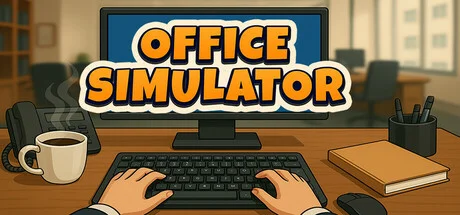
Office Simulator is a business simulation game from Tzn Games that puts you in the corporate life. Starting out as an intern doing basic office tasks like filing paperwork and handling emails, you’ll work your way up the ladder to run your own company. You can upgrade your office with productivity-boosting items, and keep your employees happy by serving them coffee their mood affects productivity. As you progress, you’ll be able to hire assistants to delegate work, decorate your office space, and expand your business.
Gameplay involves bidding on the market and assigning projects to your team while meeting your character’s basic needs like energy (through coffee) and bathroom breaks. Whether you want to become a supportive boss or just climb the corporate ladder, this casual sim will let you experience office life without the burnout.
NOTE. Uploaded version: 2 July 2026 [Build 23966048]. This is Full Release and latest version of game. The game is already Packaged in ISO File and ready to run the game, read the instruction below.
Системные требования
Минимальные
- ОС:
- Windows (64-bit) 10
- Процессор:
- i5 3550 / RYZEN 5 2500X
- ОЗУ:
- 4 GB RAM
- Видеокарта:
- NVIDIA GTX 1050 / AMD R9 270X
- Диск:
- 5 GB available space
- DirectX:
- Version 11
Рекомендуемые
- ОС:
- Windows (64-bit) 10
- Процессор:
- i5 7600K / Ryzen 5 2600x
- ОЗУ:
- 8 GB RAM
- Видеокарта:
- NVIDIA GTX 1060 / AMD RX 480
- Диск:
- 5 GB available space
- DirectX:
- Version 11
Инструкция по установке
Пошаговый процесс установки для TENOKE
-
Смонтируйте .iso-образ — в Windows 10/11 он подключается из контекстного меню, в остальных случаях подойдёт Daemon Tools или похожая программа.
-
Запустите
setup.exeс диска и установите игру — сборки Tenoke взломаны заранее, нужна только установка. -
Если на диске есть папка
Tenoke, скопируйте её содержимое в каталог установленной игры. -
Запустите игру с ярлыка на рабочем столе (от имени администратора).
Информация
Скачать игру
Полная игра 6
a9929844aef940c111badb571fd68bfc
9e2ae004eea005b18cd4fc8083c727e187efa7771bc69464e615950e232b38cf
Контрольные суммы подтверждают целостность именно этого файла. Это не абсолютная гарантия от вредоносного ПО — всегда проверяйте загруженные файлы.
Торрент-файл готов
Обзоры
Письменных отзывов об этой игре пока нет.
Оцените этот репак в форме ниже — и ваш комментарий станет первым отзывом здесь.






Комментарии (1)
Steam Cloud support added – your save files will now be stored in the cloud and synced across devices. (On first launch after the update, your existing saves will be uploaded to the cloud. If any conflicts occur, choose the Cloud version to keep your latest progress.)Steam Achievements are now live – complete challenges and show off your milestones.The game now continues running in the background. Time, tasks, and progress won’t pause when the window is unfocusedMinor improvements and optimizations for a smoother experience.