
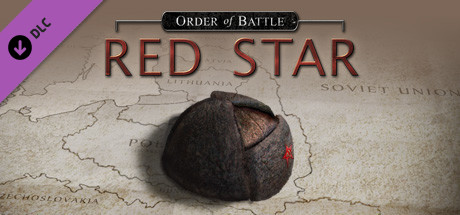
Order of Battle: Red Star
- Платформа
- PC
- Дата выхода
- Размер файла
- 2.30 GB
- Загрузки
- 4
- Просмотры
- 6 349
- Комментарии
- 1
- Языки
- English, French, German, Spanish - Spain, Russian
- Добавил
- Добавил Админ
Режимы игры и совместимость
Режимы игры
- Одиночная игра
- Мультиплеер
Трейлер игры: Order of Battle: Red Star
Скриншоты


Описание
About This Game
In total, the addition adds 13 scenarios as part of the new campaign. Some of them are relatively fast, others take a very long time. On average, you spend about an hour and a half on each card, so the add-on is fully justified by the hours of gameplay. Keep in mind that not all of the scenarios you can get through the first time, so a week or two of fresh gameplay are provided to you. The addition adds a certain number of new specializations for the Red Army. If you have not played Order of War before, then specializations are something like a technology tree with nice bonuses, points for which the player gets after completing each mission.Ключевые особенности
- Lake Khasan 1938 (border conflict, with Japan, Manchuria)
- Khalkin Gol, main Japanese attack in June 1939 (border conflict with Japan, Mongolia)
- Khalkin Gol, Soviet counter-strike in early August 1939 to defeat the Japanese
- Grodno, September 1939 (vs. Poland)
- Invasion of Karelia, start of the Winter War vs. Finland, late 1939
- Summa 1939, Finnish attacks after the 1st Soviet attempt to defeat this key part of the Mannerheim Line failed
- Summa 1940, player leads the second major attempt to break through at Summa
- Viipuri 1940, concludes the Winter War
- Rasainiai, first battle in summer 1941 vs. strong German attacks
- Smolensk, player needs to defend the region of Smolensk
- Yelnya, first planned Soviet offensive of the war near Smolensk
- Rostov, first liberation of a bigger Soviet city, albeit only temporarily
- Moscow, player has to stop German attacks, then lead the Soviet counter-offensive
Системные требования
Минимальные
- ОС:
- Windows Vista / 7 / 8 / 10
- Процессор:
- Pentium 4 or equivalent
- ОЗУ:
- 2 GB RAM
- Видеокарта:
- 512 Mb DirectX 9 video card with shader model 2.0
- Диск:
- 1 GB available space
- DirectX:
- Version 9.0c
- Звуковая карта:
- DirectX compatible
Инструкция по установке
Пошаговый процесс установки для PLAZA
-
Смонтируйте .iso-образ в виртуальный привод (Daemon Tools, PowerISO или встроенное монтирование Windows) — либо запишите его на болванку, если так привычнее.
-
Запустите
setup.exeс подключённого диска и установите игру как обычную программу Windows. -
Скопируйте всё содержимое папки
PLAZAс образа в папку с установленной игрой, соглашаясь на замену файлов. -
Запустите игру с ярлыка на рабочем столе или из установленного .exe — всегда от имени администратора.
Информация
- Разработчик
- The Artistocrats
- Издатель
- Slitherine Ltd.
- Платформа
- PC
- Дата выхода
- Размер файла
- 2.30 GB
- Статус
- Сцена (ISO)
Скачать игру
Полная игра 6
9e4280b76ba099d29945d17acc17fff9
5a78eb735df74891c6afd54a7a1366247a7075de0603c4ac2078e3738c10479d
Контрольные суммы подтверждают целостность именно этого файла. Это не абсолютная гарантия от вредоносного ПО — всегда проверяйте загруженные файлы.
Торрент-файл готов
Обзоры
Письменных отзывов об этой игре пока нет.
Оцените этот репак в форме ниже — и ваш комментарий станет первым отзывом здесь.






Комментарии (1)