
Spells and Secrets

- Platform
- PC
- Release Date
- File Size
- 2.55 GB
- Downloads
- 11
- Views
- 1,018
- Comments
- 2
- Languages
- English, German, French, Italian, Spanish - Spain, Japanese
- Added by
- Added by Admin
Game trailer: Spells and Secrets
Screenshots

Description
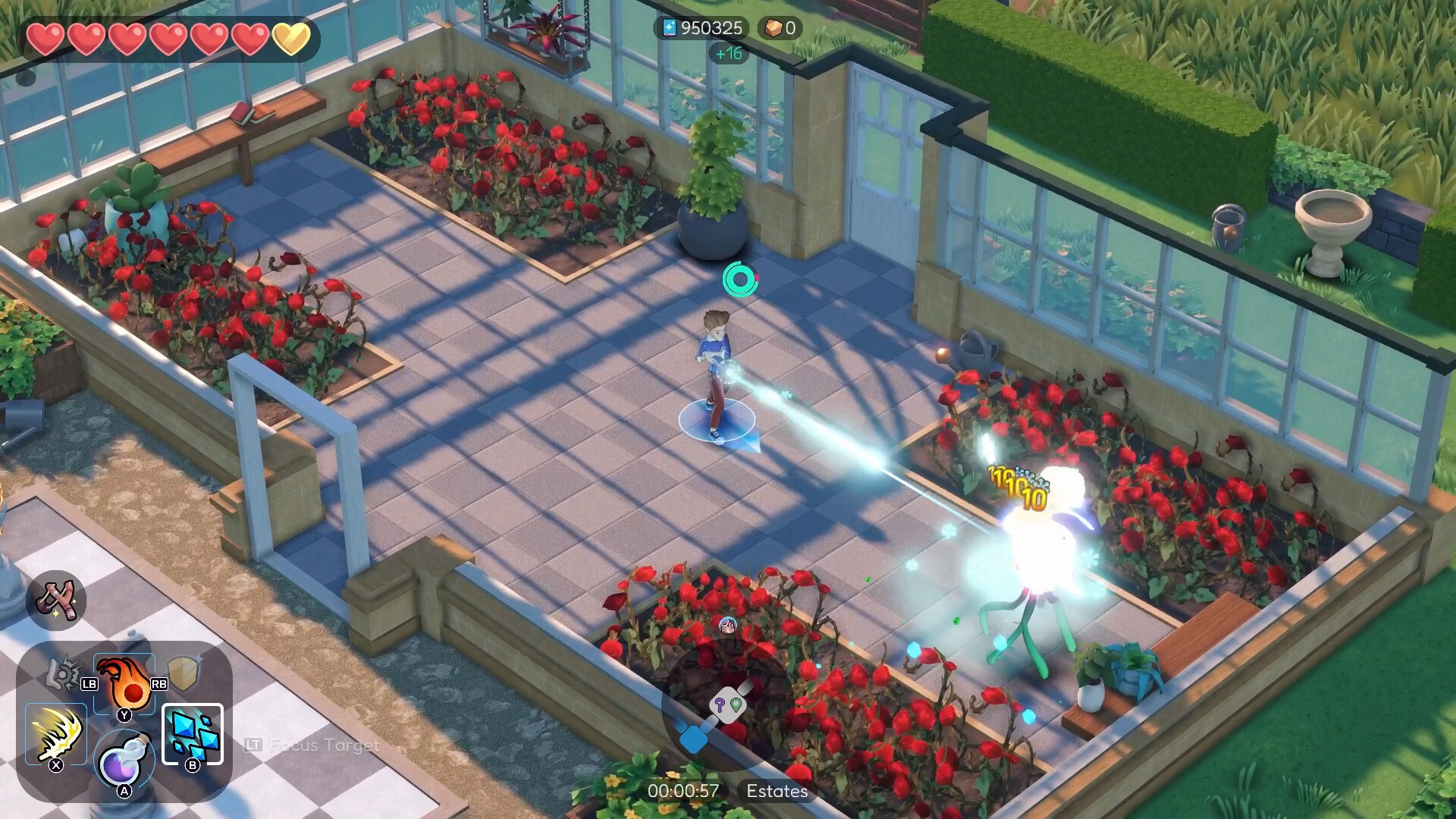
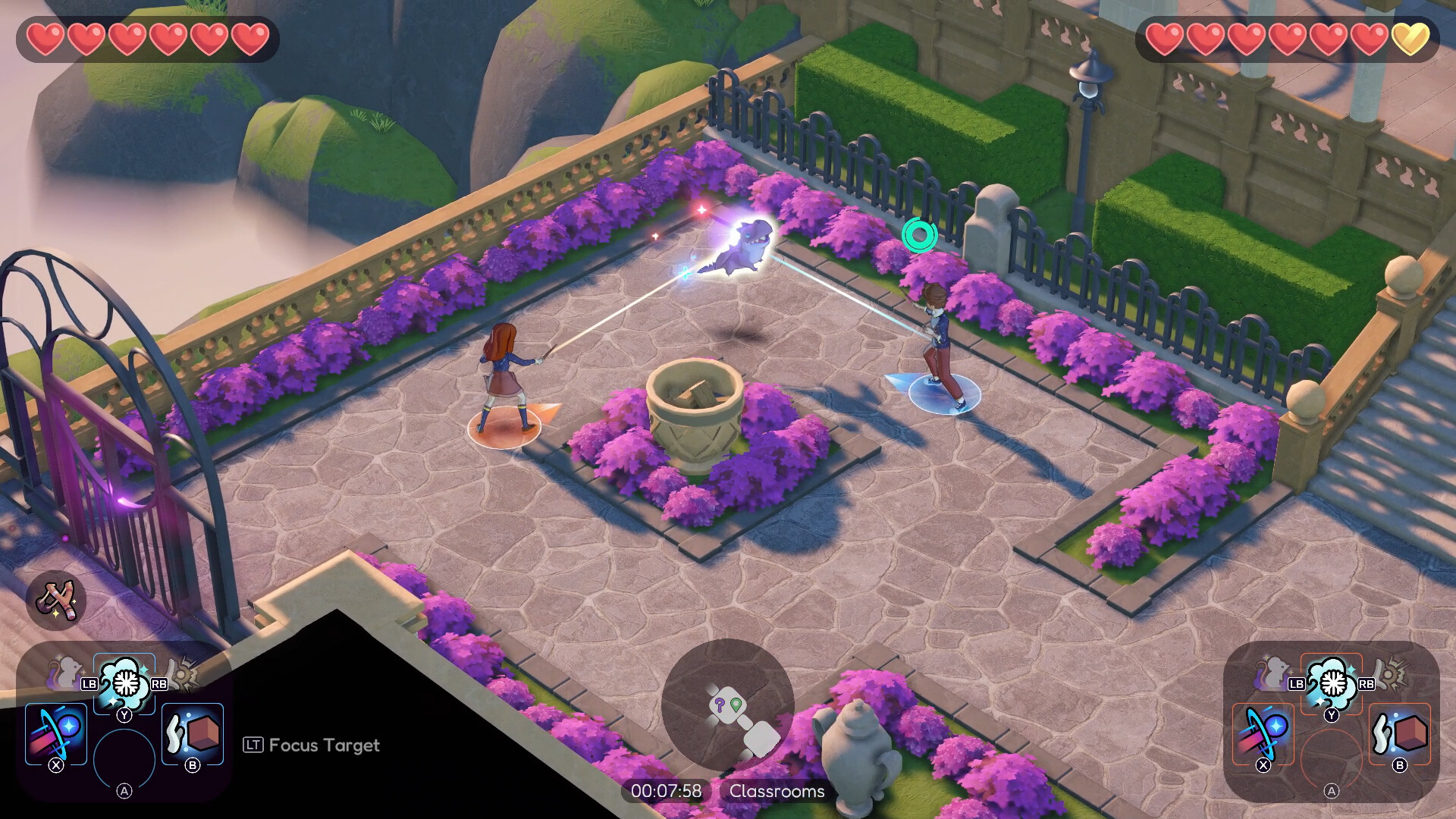
Spells and Secrets is an action-adventure game with roguelike elements that will allow you to unleash your inner wizard! Embark on a magical journey through the world of Greifenstein, a prestigious wizarding academy, and creatively use your spells to defeat the evil magical creatures that threaten the school. Create your own student wizard look by choosing your body type, clothing, and even facial features from an extensive list of options. Unleash your magical powers and solve puzzles with the numerous spells at your disposal. Whether you prefer to play alone or with a friend, Spells and Secrets offers local co-op and online play via Steam-Remote.
As a freshman at Greifenstein Academy, you’ll explore the ever-changing school castle, rescue and help your classmates, and uncover the secrets hidden within. On the very first day of school, a mysterious incident will occur that will lead to chaos, and it is up to you to unravel the mystery and save the day. If you love exploring fantasy worlds and solving mysteries, Spells and Secrets is the perfect game for you. So don’t wait any longer — join this magical adventure and become a real wizard.
NOTE. Uploaded version: 11 November 2023 [Build 12660625] + Update v1.01. This is Full release and latest version of game. The game is already Packaged in ISO File and ready to run the game after install, read the instruction below.
System Requirements
Minimum
- OS:
- Windows® 10
- Processor:
- Intel® Core™ i5-3470 or AMD Ryzen™ 3 1200
- RAM:
- 8 GB RAM
- Graphics:
- GeForce GTX 1050 3 GB or AMD Radeon™ RX 560 4 GB
- Storage:
- 30 GB available space
- DirectX:
- Version 12
- Sound Card:
- DirectX compatible
Recommended
- OS:
- Windows® 10
- Processor:
- Intel™ Core i7-3770 or AMD Ryzen™ 5 1600
- RAM:
- 8 GB RAM
- Graphics:
- GeForce GTX 1060 6 GB or AMD Radeon™ RX 590
- Storage:
- 30 GB available space
- Sound Card:
- DirectX compatible
Installation Guide
Step-by-step setup process for TENOKE
-
Mount the .iso image — Windows 10/11 mounts it from the right-click menu, otherwise use Daemon Tools or a similar tool.
-
Run
setup.exefrom the disc and install the game — Tenoke builds are already cracked, installation is all it takes. -
If the disc contains a
Tenokefolder, copy its contents into the installed game directory. -
Launch the game from the desktop shortcut (as administrator).
Game Info
- Developer
- Alchemist Interactive, rokaplay
- Publisher
- rokaplay
- Platform
- PC
- Release Date
- File Size
- 2.55 GB
- Status
- Scene (ISO)
Download Game
Full game
df7524a0b9d54f4b4bb20ebb38e94368
cf5ce463a6f08bb8a6081e3cdddc8566131dd5ef4746276efc89a8c91af883fb
Checksums verify the integrity of this specific file. They are not an absolute malware guarantee — always scan downloaded files.
Torrent file ready
Reviews
No reviews yet. Be the first to share your thoughts!



Comments (2)
Bug FixesLocal Co-Op: Fixed an issue that allowed one player to heal the other with the Partner spell while they were transformed into a creature.Local Co-Op: Fixed an issue that could cause faction leader dialogues to trigger out of order when entering the faction area for the first time while playing with a friend.Local Co-Op: Fixed an issue that caused consumables picked up and used by player 2 to not count towards progress with the Dreamdancer student faction.Fixed an issue that allowed teleportation between rooms during the different phases of the final boss fight.Fixed the mechanics of the “Super Compact Instant Tent†artefact for Timewarp not matching its description and intended design.This artefact no longer grants agile in addition to it granting manaflow. Fixed an issue that caused some story related steam achievements to not be properly unlocked.Loading a character that has already unlocked the related in-game awards should retroactively unlock the affected Steam achievements. Fixed an issue that caused the game to be stuck in an infinite loading screen when trying to load a severely outdated character save file.Fixed an issue with most artefact descriptions in the collection not using localized texts, displaying them as English in any language.Fixed an issue with descriptions of Rootling variants in the collection being mixed up.Fixed a typo in the German title of the mana recovery upgrades. Known IssuesLocal Co-Op runs are saved and loaded in single-player instead of being able to be continued in local Co-Op.We are working on a solution that will allow you to choose and continue a saved local Co-Op run with a partner when loading it.A local Co-Op session saved in the Castle or Hub will also save your friend’s spell loadout and load it if you continue to play in local Co-Op. Local Co-Op requires two controllers to be enabled and doesn’t support mouse & keyboard.We are working on a solution that will allow you to enable local Co-Op regardless of connected input devices.This solution will also allow you to assign any connected input devices to be used by any player while local Co-Op is enabled, including mouse & keyboard.
Torrent uploaded, latest version Build 12660625