
Rail Route
- Platform
- PC
- Release Date
- File Size
- 1.53 GB
- Views
- 1,960
- Comments
- 3
- Languages
- English, German, Russian, French, Spanish - Spain, Czech, Hungarian, Polish, Simplified Chinese, Dutch, Japanese, Korean
- Added by
- Added by Admin
Game trailer: Rail Route
Screenshots


Description
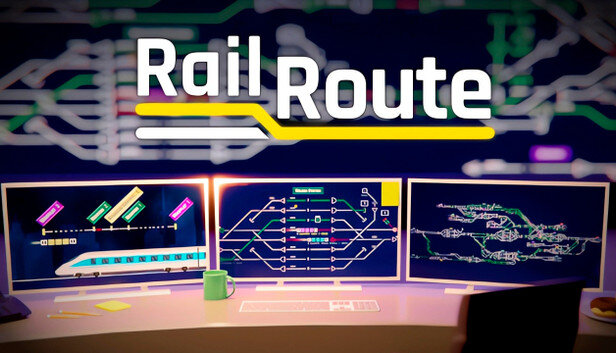
Rail Route is an economic simulator in which the user will encounter railway dispatching. Training will help you understand difficult mechanics and terms. The passage begins with a small railway system with limited terrain. The player will have to expand the paths, increase profits by creating new roads, shortening them and using different chips. To improve business, you can accept new train contracts, modernize trains and modify the railway network. This will help you make profits faster, transport more clients and achieve your goals. The gamer controls the trains with his own hands, watching them from above. Everything is displayed in a minimalist style with a top-down view. The map is divided into tens and hundreds of squares on which you can set paths and stops. The scenario editor allows you to create original schedules for levels, make endless maps and quests.
NOTE. Uploaded version: 04 August 2025 [v2.3.22] + Update v2.3.23 (upd.26.10.2025). This is Full Release and latest version of game. The game is already Packaged in ISO File and ready to run the game after install, read the instruction below.
Key Features
- Ability to build useful components, buildings and new road networks.
- In case of correct actions, the user earns rewards, experience points and funds.
- Wrong actions are accompanied by mission failure and replay.
- As the process progresses, access to research, technology and interface improvements opens up.
- An automation system that helps you be less distracted by trivial actions.
- Timed maps are puzzles with pre-designed train schedules and track layouts. The user needs to deliver each train to its destination.
System Requirements
Minimum
- OS:
- Windows 7 SP1 64-bit
- Processor:
- Intel Core i5-2400 or AMD Phenom II X6 1100T
- RAM:
- 4 GB RAM
- Graphics:
- GeForce GTX 750 Ti or Radeon HD 7950
- Storage:
- 4 GB available space
- DirectX:
- Version 11
Recommended
- OS:
- Windows 10 64-bit
- Processor:
- Intel Core i5-3470 or AMD Ryzen 3 1200
- RAM:
- 8 GB RAM
- Graphics:
- GeForce GTX 960 or Radeon R9 280X
- Storage:
- 4 GB available space
- DirectX:
- Version 11
Installation Guide
Step-by-step setup process for TENOKE
-
Mount the .iso image — Windows 10/11 mounts it from the right-click menu, otherwise use Daemon Tools or a similar tool.
-
Run
setup.exefrom the disc and install the game — Tenoke builds are already cracked, installation is all it takes. -
If the disc contains a
Tenokefolder, copy its contents into the installed game directory. -
Launch the game from the desktop shortcut (as administrator).
Game Info
- Developer
- Bitrich.info
- Publisher
- Bitrich.info
- Platform
- PC
- Release Date
- File Size
- 1.53 GB
- Status
- Scene (ISO)
Download Game
Full game
c09f432e9d1914a2105b7266aea4d14f
6e720ef76829ee02a4f59c9e8cfc606755ffc62e6a4587aa48e9dc16fb98d7f7
Checksums verify the integrity of this specific file. They are not an absolute malware guarantee — always scan downloaded files.
Torrent file ready
Reviews
No written reviews for this game yet.
Rate this repack in the form below and your comment becomes the first review here.






Comments (3)
Hotfix 2.3.21 UPDATE: Hide train alerts when precision key is pressedUPDATE: Map in Curated Map Pack DLC small improvements FIX: Grabbed object leftover clashed with newly rebuilt one at the same place - i.e. signal not active after save&loadFIX: Red flag (possible delay warning) in Active Contracts was wrongly calculated - total time over passed stations & accumulated delay overflowing to next segment was not taken into account
Hotfix 2.0.17 FIX: After converting a track to an autoblock, it doe not shows the correct speed color until you hover it again with the track itemFIX: Contract icons in the configuration view was drag-ableFIX: Double-click was sometimes needed in Mac instead of single clickFIX: Improved the game performance by 10 fpsFIX: Set departure time button was opening the upgrades panel even when it\'s does not have toFIX: Train timeline sometimes is being shown empty with useless black background Note: displayed version is 2.0.17.1 as the previous version suffered a build error.
Hotfix 2.0.10 UPDATE: Added captions & subtitles toggle to first welcome modalUPDATE: Button keybind hints now also show bindings with a modifierUPDATE: Localizations (de: achievements; es: achievements; fr: achievements; ja-JP: achievements; ko: achievements; nl: achievements; pl: achievements; ru: achievements; zh-Hans: achievements)UPDATE: Localizations (de: all; ko: achievements, ui; cs: research, tutorials, ui; es: research, tutorials, ui; nl: research, tutorials, ui; zh-Hans: research, tutorials, ui; fr: tutorials, ui; hu: ui; ja-JP: ui; pl: ui; ru: ui)UPDATE: Subtitles enabled by defaultUPDATE: Unbound gamepad (controller) binding for \"Toggle bindings shown\" by default to avoid conflict with precision key binding FIX: Accept/decline contract sound was wrongly positionedFIX: All sensors controlling the signal were triggered when train finished shunting at the sensor (now: execution order taken into account)FIX: Also trains reused on tracks were counted to Coach yard achievementFIX: Building and train bottom bar sizes incorrect after changing UI scalingFIX: Building or bulldozing a sink of a platform in editor led to leave some trains not spawnable with a `Train not found` error messageFIX: Changing the ui scale setting with a controller would move the bar a big amount making it impreciseFIX: Error on setting a train in editor to spawn from a platform that has no sinkFIX: Modifier binding was not shown when keyboard has single binding but gamepad doesnt and Xbox or Playstation specific bindings where shownFIX: Rotate construction gamepad binding changed to resolve interference with open contract menu bindingFIX: Sink stayed allocated after contract was rejected & trial train disposed when about to leave station of origin towards the sink. Now trial train is never disposed en route.FIX: Some keybinds could not be rebound due to input type mismatchFIX: Some mini tutorial were failing without showing an appropriate dialog that says that, now there is a dialog to make it clearFIX: Stabling sensor rule tooltips did not showFIX: Welcome screen did not activate navigation when using controller input and language option was not selectable