
Mirthwood



- Platform
- PC
- Release Date
- File Size
- 7.02 GB
- Views
- 1,431
- Patch Notes
- 3
- Comments
- 10
- Languages
- English, Japanese, Simplified Chinese, French, Italian, German, Spanish - Spain, Polish, Russian, Portuguese - Brazil, Traditional Chinese
- Added by
- Maryachi Newcomer
Play modes & compatibility
Play modes
- Single-player
Compatibility
- Controller support
Version Status
- Current Version
- v1.1.9
- Current Build
- 26463556
- Latest Build
- 26463556
- Last Steam Update
Game trailer: Mirthwood
Screenshots


Description
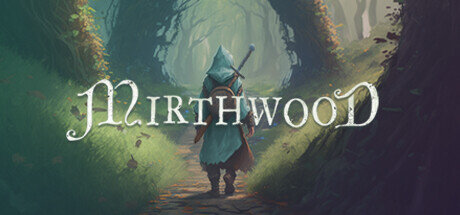
Mirthwood — forward to dangerous but exciting adventures! After all, this is a fascinating medieval fantasy setting with many epic battles. Where you can set up your homestead, start farming or start trading. But maybe you want to become an adventurer? Game description. This project is presented in the form of an atmospheric life simulator, supplemented with RPG elements. At the same time, the developers offer their players an incredible medieval sandbox. In which only they can decide who to be! Modernize your own homestead, set up a farm on it and engage in relaxing activities. In addition, do not forget about animal husbandry, upgrading objects, crafting items and equipment.
Key Features
- A stunning hand-drawn world with rich music.
- Opportunity to travel through 6 unique areas.
- Real-time combat and unusual limited stories.
System Requirements
Minimum
- OS:
- Windows 10 64 bit
- Processor:
- Dual-core CPU @ 2Ghz
- RAM:
- 8 GB RAM
- Graphics:
- NVIDIA GTX 1080, AMD Radeon RX 5700
- Storage:
- 8 GB available space
Installation Guide
Step-by-step setup process for TENOKE
-
Mount the .iso image — Windows 10/11 mounts it from the right-click menu, otherwise use Daemon Tools or a similar tool.
-
Run
setup.exefrom the disc and install the game — Tenoke builds are already cracked, installation is all it takes. -
If the disc contains a
Tenokefolder, copy its contents into the installed game directory. -
Launch the game from the desktop shortcut (as administrator).
Game Info
- Developer
- Bad Ridge Games
- Publisher
- V Publishing
- Platform
- PC
- Release Date
- File Size
- 7.02 GB
- Status
- Scene (ISO)
Update Available
v1.1.9Upgrade to v1.1.9 step by step — 2 updates, without re-downloading the full game
TENOKE
-
Base download v1.1.1p1
You get this version with the full game download below
-
v1.1.4p2 Install first
-
v1.1.5p1 Not available yet
-
v1.1.9 Install lastUPLOADY
Mirthwood.Update.v1.1.9
NITROFLAREMirthwood.Update.v1.1.9
RAPIDGATORMirthwood.Update.v1.1.9
RAPIDGATOR #2Mirthwood.Update.v1.1.9
The update chain is incomplete: the following required releases are not available on this page yet — v1.1.5p1. Install only the updates listed above, or wait until the full game download is updated.
How to apply these updates
Apply the updates one by one in this order — do not skip steps.
-
Install in this order: Update v1.1.4p2 → Update v1.1.9
-
For each update: extract its archive, run
setup.exeinto your existing game folder, copy the included release files into the game folder and confirm replacement. -
Launch the game and check the new version in the main menu.
Download Game
The download below is the base version v1.1.1p1. To reach v1.1.9, apply the updates in the chain above.
Full game 8
v1.1.9 Scene (ISO) TENOKE
c5924041c40f63b0cffb1076ff076a04
1dcaa40175a28a18881ffbc68c82137345dc5f4268127a0b7fc9237684c496f0
Checksums verify the integrity of this specific file. They are not an absolute malware guarantee — always scan downloaded files.
Torrent file ready
Patch Notes
Official changelists for the builds of this game



Reviews and comments
Ratings
4.3 out of 5 32 ratings
The archive stored scores, not text — there is nothing written to read yet.
Patch 1.1.4p1- Fix some bugs with jousting pausing and returning to main menu- Fix an issue with NPCs getting stuck as chat target- Fix skins when equipping a helmet in the vanity slot over a full face cover helmet- Prevent some other quest NPCs from dying- Fix issue with Celestial Stag- Fix animal relationship menu bug- Update localization for some Jousting text- Fix Jousting calendar localization- Fix Shelter Management UI header text issue- Update French localization from user CdriX
Patch 1.0.88p1 Some improvements, mostly to help new players with the early game, and bug fixes - Add new interactable highlight on trees, rocks, herbs, loot & pickups- Add new step to \"Humble Beginnings\" quest, \"Craft a Hoe at the Anvil\" for better clarity- Add new visual indicator when player is hidden behind terrain- \"Steal\" interact text is red to help make it more obvious- Improve some text sizing and scaling to make various text more readable- Slightly improve chat and combat voice sounds for female characters- New default settings automatically applied for Steam Deck (improved performance & battery)- Fix an issue with animals maturing faster than intended, and growing larger but not changing to the adult visuals- Fix various causes of interaction issues for NPCs such as using upgraded tools or picking up eggs (particularly spouse/children or hired farmhands)- Fix some doorways/ramps that blocked NPC movement- Let NPCs go through gates
Co-Op & Children Arrive! Hey folks, today we\'ve released and update that brings local co-op and children to Mirthwood! Everything in solo mode can now be enjoyed with company, including marriage and starting a family. Players will retain their own levels, skills, and inventories when switching between co-op and single-player modes, maintaining each player’s unique attributes. This marks the first phase of co-op implementation, with full online co-op also planned for this year. Here are some of the additions in this update: Co-OpLocal Co-op Play. Play together with your friends locally or using Steam Remote Play. Drop-in/Drop-out Local co-op Players can marry their co-op partner Player 2 retains own inventory and levels their own skills New “Downed†state, Revive mechanic Shared camera centered between Player 1 and 2 (dynamically zooms out as players move apart) ChildrenIf the player is married, they can try for a child with their partner Players will need to procure a Crib in order to attempt having a baby Children generate appearance & traits from a mix of their parents Children grow in stages (baby, toddler, youth, adult) In later stages, children will have requests for the player In later stages, children will occasionally help on the farm Upon reaching adulthood, children will leave the farm and move into a nearby town OtherNew Guest House farm structure New child themed items New attack direction indicator and enemy lock on indicator Various combat adjustments Minor optimization improvements We hope you enjoy the update and playing together. And remember, we\'re working on more ways to play together soon. Join the Discord to hangout and give us your feedback! There\'s still much more planned for Mirthwood this year!
1.0.66- Added new celebratory Trophy Stand item to traveling merchant (for Best Indie Games Summer Showcase 2025 inclusion)- Minor backend changes for future content
Fix issue with timers after year 1 (animal breeding, producing, growing up too quickly, etc)Add message that the animal was delivered to farm when buying animalsAdd a hint about holding X/down d-pad to call mount when buying horsesAdd whistle sound when calling mountChange animal relationship menu icon to a pawPlayer now respawns at the nearest unlocked campsite or the farmRespawn enemies when re-loading: Mistress of the Moor, wolves for In the Wolves Den, bandits in UnmaskedFix Seriel letting you talk to him and complete Unmasked earlyFix Banished Gate able to hide before being completedPrevent roll/dodge while drawing the bowChanged Rat to 5hp, and fixed the hitbox sizeFixed scroll issue in Trade/Crafting menusAuto select list elements on hover or key input at crafting menuDim items that can\'t be crafted in crafting menusFixed issue while using the sickle on crops outside the farmFix for grass reappearing under placed objectsHide main cursor when hand cursor is shownOptimize Murkwater Marsh to load less unnecessary objects and reduce stutteringSmoother loading of the farm, avoid loading it while in Brightoak to reduce stutter in townFix resources/enemies able to instantly respawn
Can you update it please? Thank u!
Quote: Lean
Patch 1.0.24f update pls.. thanks so much!
game is updated now
Patch 1.0.15fWith this patch, we have turned on the v-sync option in the settings menu. If your GPU is using application based vsync, this will help with your stabilization issues. In-game vsync settings should no longer interfere with native GPU settings.-Fix Wardrobes reloading with only 5 slots-Fix fences on Farm being able to link to player placed fences (caused issues loading them later),-Fix fence posts visible from 2nd floor-Fixed placed Binding Stones not being saved-Refreshed Binding Stones (can get them again if any were lost)-Reset Bandits for \'The Bandit Blockades\' & \'Barren Rock Bandits\' (fix if can\'t complete because missing kills)-Prevent finding chest before talking to Elara in Voice From the North quest-Potential fix for crashing when fast traveling-Fix Grain Mill queue not saving progress-Update Mill queue to allow for 5 items-Revert Steel to cost to 1 Iron Bar-Fix crevice in Plains that player could fall into-Fix Ranger/Toxicologist skill cards, Craftsman properly use less items when crafting (no preview yet, 5% less)-Fix Riddles quest Stranger not moving for \"Follow the Stranger\"-Fix chests/barrels reloading state when placed (dupe/delete item bug)-Fix Large Cypress not being able to be picked up-Fix Skeleton Cage not being able to be picked up-Updated localization changes-Turn vsync back on in in-game settings