
Tactical Breach Wizards
- Platform
- PC
- Release Date
- File Size
- 3.32 GB
- Views
- 1,518
- Comments
- 5
- Languages
- English
- Added by
- Added by Admin
Version Status
- Current Version
- Build 22422871
Game trailer: Tactical Breach Wizards
Screenshots


Description
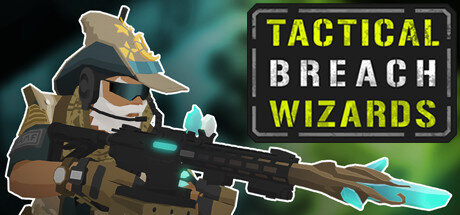
Tactical Breach Wizards is a tactical role-playing adventure with an isometric camera that allows you to better assess the situation in the location to make the most successful decisions. The user will be transported to an alternative universe, where a distant futuristic future has arrived. The gamer takes control of a group of soldiers who have magical abilities that allow them to be combined with shots from firearms. The single-player campaign is a set of tasks to clear laboratory rooms where illegal experiments take place.
During the course of the story, the player will become acquainted with a large number of diverse personalities who are present to advance the storyline, which will take about 8 hours of game time to fully complete all available tasks and other content. Defeated enemies, such as guards, scientists and their subjects, can drop valuable loot in the form of rare equipment that you can equip on your own virtual protégés to improve their performance. There is also an ability upgrade. The gamer independently chooses which skills to use on this or that character, gradually selecting the most effective combinations to destroy the enemy in turn-based combat, which gives time for reflection.
NOTE. Uploaded version: 23 March 2026 [v1.0] + Update v20260320 Build 22422871. This is Full Release and latest version of game. The game is already Packaged in ISO File and ready to run the game after install, read the instruction below.
System Requirements
Minimum
- OS:
- Windows 7
- Processor:
- Intel Core 2 Duo E4700 2.6 GHz or AMD Phenom 9950 Quad Core 2.6 GHz
- RAM:
- 8 GB RAM
- Graphics:
- 1GB ATI Radeon HD 5770, 1GB NVIDIA GeForce GTX 460 or better
- Storage:
- 2 GB available space
Installation Guide
Step-by-step setup process for TENOKE
-
Mount the .iso image — Windows 10/11 mounts it from the right-click menu, otherwise use Daemon Tools or a similar tool.
-
Run
setup.exefrom the disc and install the game — Tenoke builds are already cracked, installation is all it takes. -
If the disc contains a
Tenokefolder, copy its contents into the installed game directory. -
Launch the game from the desktop shortcut (as administrator).
Game Info
- Developer
- Suspicious Developments Inc
- Publisher
- Suspicious Developments
- Platform
- PC
- Release Date
- File Size
- 3.32 GB
- Status
- Scene (ISO)
Update Available
v20240823Upgrade to v20240823 without re-downloading the full game
TENOKE
-
Base download v20260320
You get this version with the full game download below
How to apply this update
-
Download the update archive from the links in this section — it is much smaller than the full game, so the download will be quick.
-
Extract the archive (RAR/ZIP) with WinRAR or 7-Zip to a short, Latin-only path like
C:\Games\GameName. -
Run
setup.exeinside the update folder and install the update into your existing game folder — the one that already holds the installed game. Do not install into a new folder. -
Copy the updated files included with the release and confirm replacement when prompted, then launch the game and check the new version in its main menu.
Download Game
The download below is the base version v20260320. To reach v20240823, apply the updates in the chain above.
Full game 7
53a121c000a91d2ff3e6888793fbdeb2
11ded9ea3cdfc98334d316893d620d778cc0d39908ceb87f16091d54672f5d92
Checksums verify the integrity of this specific file. They are not an absolute malware guarantee — always scan downloaded files.
Torrent file ready
Reviews
No written reviews for this game yet.
Rate this repack in the form below and your comment becomes the first review here.





Comments (5)
We just rolled out a new patch! Here\'s what\'s changed:Fixed Riot Block colliding with itself when knocked back.Fixed missing titles on Mission Polaroids on Steamdeck.Defenestrating an enemy with Forced Entry perk now triggers \"Defenestrate an enemy immediately after using Broom Breach\" confidence goal.Fixed Chain Bolt sometimes failing to trigger \"Defenestrate an enemy immediately after using Broom Breach\" confidence goal.Fixed \"Defenestrate X hostiles in one turn\" Confidence Goal only counting defenestrations by Jen.Added warning when hovering the Confirm Perks button while some wizards still have points remaining.Fixed jumping to stage The Asset not prompting for Save Slot.Fixed some sound effects ignoring volume settings in Mission Complete scenes.If you hit any issues, please hit Esc in game and report them there - helps us fix them faster.
Added menu option to skip Map stages.Updated Heavy Turret\'s description to indicate it does 3 damage and 2 knockback to the center tile on Default difficulty.Fixed Heavy Turrets being called Protected Turrets on their nametags.Removed erroneous description of Heavy Turrets doing extra damage to objects knocked into themUpdated confidence goal in Villa Medil - Desk Job to match Heavy Turret\'s damage.Fixed turrets blocking pathing after being knocked out of level.Fixed \"Defenestrate % of hostiles\" goal sometimes counting the same enemy multiple times.Fixed selecting new Map items while already reading another item\'s details.Fixed screenshots of Perks stages attached to bug reports.
Steam Deck and Gamepad update live for all! And we\'re 20% off! We\'ve just released an update that makes big improvements to the game\'s controls on gamepad and its UI on Steam Deck and smaller screens. Also, we\'re 20% off in the Winter Sale! Also, we have trading cards, profile backgrounds and emotes now! You can see them in the Points Shop. Here\'s what\'s in it and how to access it: Improved targeting controls on gamepadFor abilities that target enemies directly, like most of your standard attacks, you can now cycle through the possible targets with the shoulder buttons on gamepad, rather than needing to use the cursor. Redesigned ability buttons and team panels for text clarityWe now have an optional Large UI mode, enabled by default on Steam Deck. It changes how we show you the name of the ability you\'re selecting, and what it costs to use, so that this info can be in nice big clear text. You can still switch back to the old UI, even on Steam Deck. Bigger textAll text that was near or below the minimum guidelines for Steam Deck is now significantly bigger in Large UI mode. We also tightened up the team portraits area and objectives panel so that these don\'t sprawl out and take up too much of the screen at the larger text size. D-pad menu navigationIn every context where it makes sense, you can use the d-pad to navigate menus nicely now. Community ItemsLook! This could be you, except you probably have more Tactical Breach Wizards achievemens than I do. As always, Steam trading cards are found just by playing, and the things you unlock with them can also be bought for Steam Points in the Points Shop. If you see anything awry in-game, please let us know with the in-game menu. If it\'s on or before the 20th, we might even see and fix it before we knock off for the holidays.
Patch: 2024-08-23-1-Vanilla Patch NotesFixed display of \"Have a Rabid Enemy Deal Damage\" goal.Fixed display of Defenestration Percentage goal.Fixed Chapel Cleansers grenades never landing when killed by mildfire.Added hard-mode Intel pickups to Exit Strategy - Heavies and Lockdown - Downtown to enable Confidence Goals on Hard difficulty.Fixed a bug causing Spectral Skull to repeatedly break the same window.Fixed misspellings of Darrell\'s name.
Patch NotesFixed a bug that would prevent completing levels after changing scenes while Commentary is playing.Fixed an issue that could cause WIZTAC outfits not to show in the Outfits menu, shortly after launch.