
Squirreled Away
- Platform
- PC
- Release Date
- File Size
- 1.41 GB
- Views
- 3,610
- Comments
- 2
- Languages
- English, French, German, Spanish - Spain, Simplified Chinese, Japanese, Korean
- Added by
- Admin
Screenshots


Description
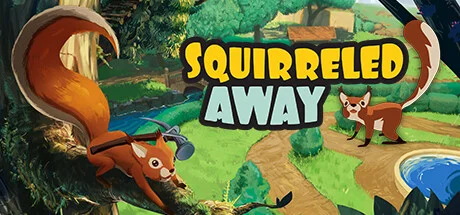
Squirreled Away puts players in the shoes of a nimble squirrel as they navigate a sprawling urban park. Trees serve as both pathways and playgrounds, while branches act as natural bridges between different areas. The setting encourages movement through varied terrain, inviting players to run across rooftops, leap from fence to fence, and glide between towering oak trees.
In Squirreled Away single-player or in three-player co-op, players explore, collect, and build in an environment designed for discovery. Collecting materials plays a central role in progression, with acorns, twigs, and other items found becoming resources for building a customizable tree house. Every corner of the park has something useful to find, whether hidden under fallen leaves or in forgotten corners. Items can be repurposed, traded, or used to decorate living spaces, turning them into customizable tree houses.
The freedom to experiment with placement and design adds a creative dimension to the experience. Encounters with other park inhabitants add variety. Some animals provide challenges, while others provide opportunities for collaboration. Completing tasks leads to rewards, such as new decorations or expanded building options. Each interaction provides new reasons for further exploration, revealing details that add depth to the setting. Inventory and resource management determine the pace of the title.
NOTE. Uploaded version: 15 July 2025 [Build 19176705]. This is Full Release and latest version of game. The game is already Pre-Installed and ready to run the game, read the instruction below.
System Requirements
Minimum
- OS:
- Windows 10 or later
- Processor:
- Intel Core i3-4130 or equivalent
- RAM:
- 4 GB RAM
- Graphics:
- NVIDIA GeForce GTX 760 or equivalent
- Storage:
- 3 GB available space
Installation Guide
Step-by-step setup process
-
No installation is needed — this release is fully pre-installed and ready to play, so you can skip setup wizards and long updates entirely.
-
Extract the archive (RAR/ZIP) to a short, Latin-only path like
C:\Games\GameNameusing WinRAR or 7-Zip — and never launch the game from inside the archive, as that is the top cause of launch failures. -
Launch the game via Run Me!.bat (or the main
.exefile) in the game folder. If nothing happens, right-click it and choose Run as administrator.
Game Info
- Developer
- Far Seas
- Publisher
- Amplifier Studios
- Platform
- PC
- Release Date
- File Size
- 1.41 GB
- Status
- Not specified
Download Game
Full game 7
Build 19176705 TENOKE
41fe74fb4b5d060c52662937277edaa3
90c7b292f4832f7e4f64543e92d6935b500438ee800d28870bdc38943f7c7270
Checksums verify the integrity of this specific file. They are not an absolute malware guarantee — always scan downloaded files.
Torrent file ready





Reviews and comments
Ratings
4.9 out of 5 278 ratings
The archive stored scores, not text — there is nothing written to read yet.
Patch Notes: v. 1.1.2 Telly-porter added Main menu is now more performant New default graphics settings for Steam Deck \"Take me to the River\" achievement fixed Various minor UI fixes.
The Telly-porter Update is here!Today we\'re introducing the Telly-porter and adding performance improvements!New feature: Telly-porter!This new utility item enables you to transport between any two places where a Telly-porter is built.Example:Place a Telly-porter in your cozy squirrel home and place another one in a different part of the park (ie. an area with beautiful pink trees, as seen below).Adjust the telly-porter to show the channel matching the location you want to go to.Jump into the Telly-porter to instantly travel to the other location.Easy as that! To make it easier to know where you\'ll end up, the Telly-porter shows the location on the screen. Each Telly-porter also has a number, which matches the channels you can tune into.In the example above, the Telly-porter in the house is number 1, and the Telly-porter in the area with the pink trees is number 3, so setting the channel to 3 will take you to where Telly-porter 3 is located.