
Mini Cozy Room Lo-Fi



- Platform
- PC
- Release Date
- File Size
- 2.91 GB
- Views
- 4,162
- Patch Notes
- 1
- Comments
- 3
- Languages
- English, Japanese, Simplified Chinese, Traditional Chinese, Korean, French, Italian, German, Portuguese - Brazil, Spanish - Spain, Russian
- Added by
- antonella.lami Newcomer
Version Status
- Current Version
- v1.07.00
- Current Build
- 25925640
- Latest Build
- 25925640
- Last Steam Update
- Mini Cozy Room : Lo-Fi - Ambient Pack
- Mini Cozy Room : Lo-Fi - Piano Pack
- Mini Cozy Room : Lo-Fi - Lo-Fi Hip Hop Pack
- Mini Cozy Room : Lo-Fi - Jazz Pack
- Mini Cozy Room : Lo-Fi - Classic Pack
- Mini Cozy Room : Lo-Fi - nawhij Pack
- Mini Cozy Room : Lo-Fi - Hairstyle Pack
- Mini Cozy Room : Lo-Fi - Lo-Five Pack
- Mini Cozy Room: Lo-Fi (for Mac) Playtest
- Mini Cozy Room : Lo-Fi - Halloween Pack
Game trailer: Mini Cozy Room Lo-Fi
Screenshots


Description
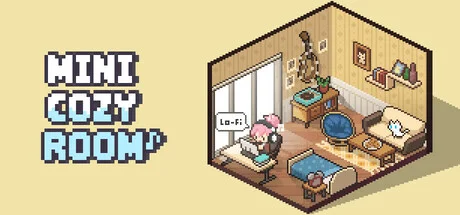
Mini Cozy Room Lo-Fi, a collaborative creation by Tesseract Studio and Nugem Studio, published by Tesseract Studio, drifted into existence on March 30, 2025, as a casual sanctuary that beckons players into a realm of calm and creativity. Imagine a world where the clamor of life fades, replaced by the gentle hum of lo-fi beats and the soft glow of a workspace you mold with your own hands. There’s no grand tale here, no epic quest only the quiet promise of a personal retreat, a cozy nook where adorable avatars and loyal pets stand as silent companions. This isn’t a game of conquest; it’s an invitation to breathe, to build, to be.
The casual gameplay unfolds with a soothing rhythm, as players decorate their virtual space with an array of rooms, furniture, and trinkets, each choice a brushstroke on a canvas of comfort. Over 160 lo-fi tracks fill the air, their mellow tones weaving a tapestry of tranquility, while ambient sounds like rain on a window or a crackling fire deepen the immersion. Productivity tools, from Pomodoro timers to resizable notes and to-do lists, transform this retreat into a gentle ally for focus, a space that cradles your tasks without judgment. Mini Mode shrinks it all to a taskbar whisper, a constant companion that hums alongside your day, pixel perfect and light as a feather.
Tesseract Studio and Nugem Studio craft this experience with charming pixel graphics and a soundtrack that soothes the soul, immersing players in a haven where time slows and stress dissolves. The effortless blend of decoration and utility ensures a journey that’s as restorative as it is delightful, a digital escape for the weary. For those yearning to carve out a slice of peace, download the latest version and step into Mini Cozy Room Lo-Fi, a 2025 release that whispers serenity in every note and nook.
System Requirements
Minimum
- OS:
- Windows 10 (64-bit)
- Processor:
- Intel Core i3-2100 / AMD FX-6300
- RAM:
- 4 GB RAM
- Graphics:
- NVIDIA GTX 650 / AMD Radeon HD 7750 (DirectX 11 compatible)
- Storage:
- 2 GB available space
- DirectX:
- Version 11
Installation Guide
Step-by-step setup process for TENOKE
-
Mount the .iso image — Windows 10/11 mounts it from the right-click menu, otherwise use Daemon Tools or a similar tool.
-
Run
setup.exefrom the disc and install the game — Tenoke builds are already cracked, installation is all it takes. -
If the disc contains a
Tenokefolder, copy its contents into the installed game directory. -
Launch the game from the desktop shortcut (as administrator).
Game Info
- Developer
- Tesseract Studio, Nugem Studio
- Publisher
- Tesseract Studio
- Platform
- PC
- Release Date
- File Size
- 2.91 GB
- Status
- Scene (ISO)
Update Available
v1.07.00Upgrade to v1.07.00 without re-downloading the full game
TENOKE
-
Base download v1.02.04
You get this version with the full game download below
-
v1.06.00 Not available yet
-
v1.07.00 240.6 MB
The update chain is incomplete: the following required releases are not available on this page yet — v1.06.00. Install only the updates listed above, or wait until the full game download is updated.
How to apply this update
-
Download the update archive from the links in this section — it is much smaller than the full game, so the download will be quick.
-
Extract the archive (RAR/ZIP) with WinRAR or 7-Zip to a short, Latin-only path like
C:\Games\GameName. -
Run
setup.exeinside the update folder and install the update into your existing game folder — the one that already holds the installed game. Do not install into a new folder. -
Copy the updated files included with the release and confirm replacement when prompted, then launch the game and check the new version in its main menu.
Download Game
The download below is the base version v1.02.04. To reach v1.07.00, apply the updates in the chain above.
Full game 6
v1.07.00 Scene (ISO) TENOKE
ba974435dc1cb66cda4065f30f62ae26
5306ee2bf2c226fe2a2f9b2a61c33278cc212856bc15ee6cc39797ba86fece0b
Checksums verify the integrity of this specific file. They are not an absolute malware guarantee — always scan downloaded files.
Torrent file ready
Patch Notes
Official changelists for the builds of this game
Hotfix Update) 1.07.01
Build 25925640
Hotfix Update) 1.07.01
Build 25925640Reviews
No written reviews for this game yet.
Rate this repack in the form below and your comment becomes the first review here.






Comments (3)
Minor Update) 1.02.06Hello everyone,This is the development team of [Mini Cozy Room: Lo-Fi] A minor update has been released today.Here are the main changes:Main FeaturesAdded the ability to zoom in or out on notepad text for better readabilityAdded formatting options to the notepad (you can still use it the traditional way by disabling the visual editor)Changed the default notepad font weight to a thinner styleMaximum level cap expanded from 1000 to 2000. For players who previously reached level 1000 and earned additional experience, the accumulated experience will be retroactively appliedBug FixesFixed an issue where loading screen images would occasionally appear misaligned temporarily at game startupFixed an issue where delivery box hover effects would freeze before the box hits the groundFixed an issue where delivery boxes could be opened before hitting the groundFixed an issue where delivery boxes in other rooms wouldn\'t appear after restarting the gameFixed an issue where the game would occasionally crash when adding files larger than200MB to the local album lFixed an issue where the character\'s cheeks would remain red in certain actionsFixed an issue where facial expressions wouldn\'t show in wardrobe zoom modeFixed an issue where the play button wouldn\'t display properly in mini mode even after closing the embedded browser
Hotfix Update) 1.02.04Fixed an issue where MP3 files would not play when using local music playback.
Improved Russian translationsAdjusted sound balance for some ambient sounds (campfire, keyboard typing, night city, thunder, train, airplane engine)Now grants XP even when music is paused, as long as ambient sounds are playing Slight improvement to game launch speedAdded setting to close all pop-ups in Mini ModePomodoro timer settings now save properlyPressing the Enter key in the to-do list now moves to the next task or adds a new oneInteracting with room utility decor now opens pop-ups via toggle interactionInteracting with room activity decor now selects a random activityAdded a new music track (Lo-Fi Chill Track No. 33)Renamed \"Productivity Sound\" to \"Timer Sound\" in the options menuRenamed \"Accessory 2\" to \"Emotes\" in the outfit menuAdjusted animation speed for using laptop, drawing tablet, and playing gamesAdjusted the clock position in Room 1Fixed translations for several languages Fixed lingering visual effects after furniture placement animationFixed lingering effects after box delivery animationFixed issue where reopening a note would display the title as \"Empty\"Fixed untranslated Korean text shown when clicking on locked itemsFixed furniture displaying as \"no translate\" in some casesFixed white box appearing when switching to Mini Mode after applying white eyesFixed monitor position settings not saving when changed from initial settingsFixed misaligned text in the exit confirmation pop-upFixed red dot notification on new rooms appearing after every level up past level 100Fixed activity effect not disappearing after switching to a room without a character and selecting an activityFixed \"Always on Top\" setting appearing unchecked in UI after restarting the game, even when activeImproved Mini Mode to correctly display Emotes (previously \"Accessory 2\") graphics