
gogh Focus with Your Avatar
- Platform
- PC
- Release Date
- File Size
- 1.2 GB
- Views
- 4,669
- Comments
- 3
- Languages
- English, Simplified Chinese, Japanese, Korean, French, Italian, German, Spanish - Spain, Indonesian, Spanish - Latin America, Thai, Vietnamese, Portuguese - Brazil, Russian, Traditional Chinese
- Added by
- Added by Admin
Game trailer: gogh Focus with Your Avatar
Screenshots


Description
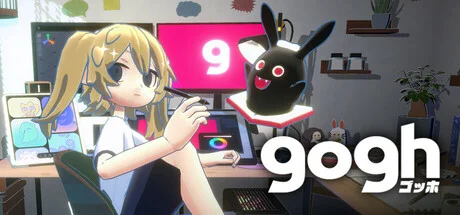
gogh Focus with Your Avatar is a casual indie sim that turns productivity into a cozy gaming experience. Create your own personal virtual room with customizable furniture, decorations, and the ability to add your own images to monitors and posters. The game features anime-style avatars that you can customize with different hairstyles and outfits, and who work alongside you during Pomodoro sessions. The quirky companion evolves as you complete tasks, adding motivation to the workflow. The process is accompanied by a lofi beat from Japanolofi Records and ambient ASMR sounds that sync with your avatar’s actions. Key features include Pomodoro and counting timers, to-do lists, changing weather and time of day, multiple room themes, and a virtual pet that grows depending on your productivity. The app is currently available for Windows, with Mac support planned for the near future.
NOTE. Uploaded version: 28 June 2026 [v2.13.1] + Update v3.1.0. This is Full Release and latest version of game. The game is already Packaged in ISO File and ready to run the game after install, read the instruction below.
System Requirements
Minimum
- OS:
- Windows 10 / 11
- Processor:
- Intel Core i5-1235U
- RAM:
- 8 GB RAM
- Graphics:
- Intel Iris Xe Graphics
- Storage:
- 3 GB available space
- DirectX:
- Version 11
Recommended
- OS:
- Windows 10 / 11
- Processor:
- Intel Core i7-6700 / AMD Ryzen 5 2600
- RAM:
- 16 GB RAM
- Graphics:
- NVIDIA GTX 1060 / Radeon RX580
- Storage:
- 3 GB available space
- DirectX:
- Version 11
Installation Guide
Step-by-step setup process for TENOKE
-
Mount the .iso image — Windows 10/11 mounts it from the right-click menu, otherwise use Daemon Tools or a similar tool.
-
Run
setup.exefrom the disc and install the game — Tenoke builds are already cracked, installation is all it takes. -
If the disc contains a
Tenokefolder, copy its contents into the installed game directory. -
Launch the game from the desktop shortcut (as administrator).
Game Info
Download Game
Full game 7
bda2e1fff6431782e2eda38bfb775cda
ebc8984e4c26c73c77265f77010e8ee14fcd61bcc3a8771a76d80c4fbaa3994e
Checksums verify the integrity of this specific file. They are not an absolute malware guarantee — always scan downloaded files.
Torrent file ready
Reviews
No written reviews for this game yet.
Rate this repack in the form below and your comment becomes the first review here.






Comments (3)
Update 2.9.1: The “g†Item for More Freedom in Room Customization Distributed as an apology following the \"Wall Display Shelf M\" fixThe “g†Item for More Freedom in Room Customization As an alternative to the “Wall Display Shelf M†that was fixed in the previous update, we’ve added a new item shaped “gâ€.By placing the “g†item, you can create a virtual floor or ceiling surface on a wall—or a virtual wall or ceiling surface on the floor. Once you place another item on the virtual surface, the “g†item will automatically become hidden, so you don’t need to hide it yourself. The “g†item will automatically reappear when you remove all items placed on the virtual surface. Once again, we hope you enjoy building freely with these official items! Other ImprovementsFixed an issue where, after returning from a multi-room, room data could sometimes fail to load for rooms using DLC Increased how often room backup data is saved
Update 2.2.0: Streamer Mode Automatically blocks non-streamable playlists so you can stream safely. Plus various improvements and bug fixes. Added Streamer Mode Added Community Guidelines display to the Multiplayer Room creation page Staggered player animation timing when entering Multiplayer Rooms Removed the “Not for streaming†indicator from local playlists Fixed an issue that prevented video recording on Mac
Hotfix 1.2.3Fixed an issue where some room items appeared dark after an image was appliedFixed an issue where some hairstyles were unavailable Other minor fixes