
Office Simulator
- Platform
- PC
- Release Date
- File Size
- 1.01 GB
- Views
- 2,613
- Comments
- 1
- Languages
- English, French, Italian, German, Spanish - Spain, Simplified Chinese, Portuguese - Brazil, Japanese, Korean, Russian, Turkish, Portuguese - Portugal
- Added by
- Added by Admin
Version Status
- Current Version
- Build 23966048
- Current Build
- 24115098
- Latest Build
- 24115098
- Last Steam Update
Game trailer: Office Simulator
Screenshots


Description
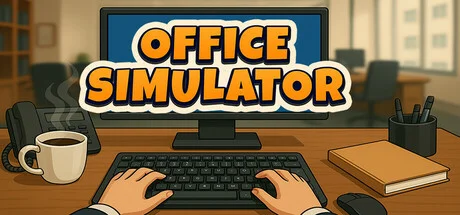
Office Simulator is a business simulation game from Tzn Games that puts you in the corporate life. Starting out as an intern doing basic office tasks like filing paperwork and handling emails, you’ll work your way up the ladder to run your own company. You can upgrade your office with productivity-boosting items, and keep your employees happy by serving them coffee their mood affects productivity. As you progress, you’ll be able to hire assistants to delegate work, decorate your office space, and expand your business.
Gameplay involves bidding on the market and assigning projects to your team while meeting your character’s basic needs like energy (through coffee) and bathroom breaks. Whether you want to become a supportive boss or just climb the corporate ladder, this casual sim will let you experience office life without the burnout.
NOTE. Uploaded version: 2 July 2026 [Build 23966048]. This is Full Release and latest version of game. The game is already Packaged in ISO File and ready to run the game, read the instruction below.
System Requirements
Minimum
- OS:
- Windows (64-bit) 10
- Processor:
- i5 3550 / RYZEN 5 2500X
- RAM:
- 4 GB RAM
- Graphics:
- NVIDIA GTX 1050 / AMD R9 270X
- Storage:
- 5 GB available space
- DirectX:
- Version 11
Recommended
- OS:
- Windows (64-bit) 10
- Processor:
- i5 7600K / Ryzen 5 2600x
- RAM:
- 8 GB RAM
- Graphics:
- NVIDIA GTX 1060 / AMD RX 480
- Storage:
- 5 GB available space
- DirectX:
- Version 11
Installation Guide
Step-by-step setup process for TENOKE
-
Mount the .iso image — Windows 10/11 mounts it from the right-click menu, otherwise use Daemon Tools or a similar tool.
-
Run
setup.exefrom the disc and install the game — Tenoke builds are already cracked, installation is all it takes. -
If the disc contains a
Tenokefolder, copy its contents into the installed game directory. -
Launch the game from the desktop shortcut (as administrator).
Game Info
Download Game
Full game 6
a9929844aef940c111badb571fd68bfc
9e2ae004eea005b18cd4fc8083c727e187efa7771bc69464e615950e232b38cf
Checksums verify the integrity of this specific file. They are not an absolute malware guarantee — always scan downloaded files.
Torrent file ready
Reviews
No written reviews for this game yet.
Rate this repack in the form below and your comment becomes the first review here.






Comments (1)
Steam Cloud support added – your save files will now be stored in the cloud and synced across devices. (On first launch after the update, your existing saves will be uploaded to the cloud. If any conflicts occur, choose the Cloud version to keep your latest progress.)Steam Achievements are now live – complete challenges and show off your milestones.The game now continues running in the background. Time, tasks, and progress won’t pause when the window is unfocusedMinor improvements and optimizations for a smoother experience.