
FANTASIAN Neo Dimension
- Platform
- PC
- Release Date
- File Size
- 11.0 GB
- Views
- 3,400
- Comments
- 1
- Languages
- English, Japanese
- Added by
- Added by Admin
Version Status
- Current Version
- Build 16995812
- Current Build
- 20313671
- Latest Build
- 20313671
- Last Steam Update
Screenshots


Description
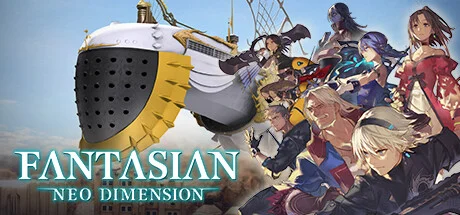
FANTASIAN Neo Dimension is a richly detailed RPG from Mistwalker Corporation, created by Final Fantasy veterans Hironobu Sakaguchi and composer Nobuo Uematsu. The game follows Leo, an amnesiac who must travel across dimensions using a mysterious warp device to regain his memories and save humanity from «Mechtheria», a mechanical infection that is stealing emotions and lives. This enhanced version features full English and Japanese voice acting, adjustable difficulty settings, 4K resolution support, and additional music from Final Fantasy battles. Combat revolves around skillfully manipulating attack trajectories to effectively defeat multiple enemies, and exploration spans over 150 visually stunning areas that uniquely combine hand-crafted physics dioramas and CG elements. Players will undertake various quests and find hidden items throughout their adventure across dimensions.
NOTE. Uploaded version: 21 May 2025 [v1.0 Build 16995812]. This is Full Release and latest version of game. The game is already Packaged in ISO File and ready to run the game after install, read the instruction below.
System Requirements
Minimum
- OS:
- Windows® 10 / 11 64-bit
- Processor:
- AMD Ryzen™ 3 1200 / Intel® Core™ i3-6100
- RAM:
- 8 GB RAM
- Graphics:
- AMD Radeon™ RX 460 / Intel® Arc™ A380 / NVIDIA® GeForce® GT 1030
- Storage:
- 15 GB available space
- DirectX:
- Version 11
Recommended
- OS:
- Windows® 10 / 11 64-bit
- Processor:
- AMD Ryzen™ 3 1200 / Intel® Core™ i3-6100
- RAM:
- 8 GB RAM
- Graphics:
- AMD Radeon™ RX 560 / Intel® Arc™ A580 / NVIDIA® GeForce® GTX 950
- Storage:
- 15 GB available space
- DirectX:
- Version 11
Installation Guide
Step-by-step setup process for RUNE
-
Mount the .iso file in a virtual drive — on Windows 10/11 double-clicking the image is enough.
-
Run the installer from the disc and install the game — the release is already cracked, so no manual file copying is required.
-
Use the desktop shortcut created by the installer to start the game.
-
If the game does not launch, copy the contents of the
RUNEfolder on the disc into the installed game folder and try again.
Game Info
- Developer
- Mistwalker Corporation
- Publisher
- Square Enix
- Platform
- PC
- Release Date
- File Size
- 11.0 GB
- Status
- Scene (ISO)
Download Game
Full game 6
c99df727585c57175bd9ee5e5e81ef2b
2f7fd4655a76c2c7c8acf97c57139b8d7dda25decad89c7a5ede73323c196591
Checksums verify the integrity of this specific file. They are not an absolute malware guarantee — always scan downloaded files.
Torrent file ready
Reviews
No written reviews for this game yet.
Rate this repack in the form below and your comment becomes the first review here.






Comments (1)
We have released a patch update to provide a smoother and more enjoyable gameplay experience. This update includes improvements to camera adjustment and controls, and a new feature related to difficulty settings.■ ChangesAdjustments to movement control with the analogue stick when the camera shifts during field movement.“Vibration” option has been added to settings, allowing controller vibration settings to be changed.“Camera Interpolation Time” option has been added to settings, allowing the speed at which the camera rotates when moving through the field to be adjusted. For a second or subsequent playthrough, “Custom Difficulty” can now be selected from the difficulty options. The length of time required to press and hold down the “Fast Forward” or “Skip” button has been reduced.