
Gurei
Free Download for PC · v1.081
- Platform
- PC
- Release Date
- File Size
- 475.48 MB
- Views
- 859
- Patch Notes
- 1
- Comments
- 0
- Languages
- English, Portuguese - Brazil, Simplified Chinese, Japanese, Traditional Chinese, Spanish - Latin America, Russian, French
- Added by
- Admin
Version Status
- Current Version
- v1.081
- Current Build
- 25563179
- Latest Build
- 25563179
- Last Steam Update
Game trailer: Gurei
Screenshots


Description
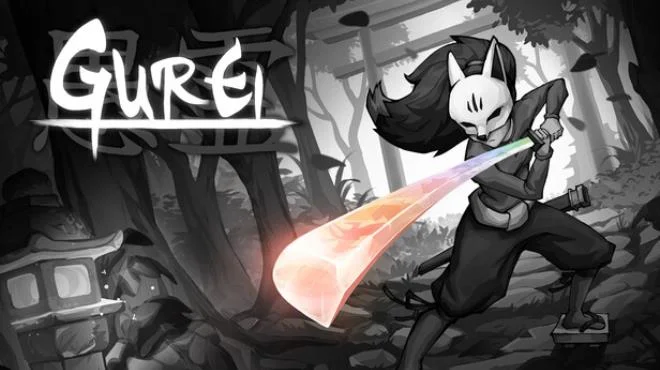
Gurei – immerse yourself in epic battles with challenging enemies designed in the style of fascinating Japanese mythology and steal their abilities! Choose your battles in any order, but remember that all bosses become stronger as you play. The developers of the project have strived to make it as unique as possible. That's why you'll see beautiful hand-drawn graphics and a variety of battles inspired by Japanese mythology. And once you defeat Kami, you'll immediately unlock their special power! So try to defeat them all to make your hero incredibly powerful. In fact, our protagonist is a human spirit who must battle mystical creatures of nature.
NOTE. This is Full Release and latest version of game. The game is already Packaged in ISO File and ready to run after install, read the instruction below.
System Requirements
Minimum
- Processor:
- Dual Core 2.4 GHz
- RAM:
- 2 GB RAM
- Graphics:
- 1GB VRAM / DirectX 10+ support
- Storage:
- 1 GB available space
Recommended
- Processor:
- Dual Core 3.0 GHz+
- RAM:
- 4 GB RAM
- Graphics:
- 2GB VRAM / DirectX 10+ support
- Storage:
- 1 GB available space
Installation Guide
Step-by-step setup process for TENOKE
-
Mount the .iso image — Windows 10/11 mounts it from the right-click menu, otherwise use Daemon Tools or a similar tool.
-
Run
setup.exefrom the disc and install the game — Tenoke builds are already cracked, installation is all it takes. -
If the disc contains a
Tenokefolder, copy its contents into the installed game directory. -
Launch the game from the desktop shortcut (as administrator).
Game Info
- Developer
- Lobo Sagaz studio
- Publisher
- Astrolabe Games
- Platform
- PC
- Release Date
- File Size
- 475.48 MB
- Status
- Scene (ISO)
Update Available
v1.081Upgrade to v1.081 without re-downloading the full game
TENOKE
-
Base download Build 24343846 (upd.23.07.2026)
You get this version with the full game download below
-
v1.081 34 MBUPLOADY
Gurei.Update.v1.081
NITROFLAREGurei.Update.v1.081
RAPIDGATORGurei.Update.v1.081
RAPIDGATOR #2Gurei.Update.v1.081
How to apply this update
-
Download the update archive from the links in this section — it is much smaller than the full game, so the download will be quick.
-
Extract the archive (RAR/ZIP) with WinRAR or 7-Zip to a short, Latin-only path like
C:\Games\GameName. -
Run
setup.exeinside the update folder and install the update into your existing game folder — the one that already holds the installed game. Do not install into a new folder. -
Copy the updated files included with the release and confirm replacement when prompted, then launch the game and check the new version in its main menu.
Download Game
The download below is the base version Build 24343846 (upd.23.07.2026). To reach v1.081, apply the updates in the chain above.
Full game 6
Scene (ISO) TENOKE
Torrent file ready
File checksums (MD5 / SHA-256)
f75b5d807dfd37c0b12908139d1bd415
f6c88892551d7987c7d5d150a596c1d1f7a2f0602620703031f002f6aec82682
Checksums verify the integrity of this specific file. They are not an absolute malware guarantee — always scan downloaded files.
Cloud mirrors
Patch Notes
Official changelists for the builds of this game


Reviews and comments
Ratings
4.1 out of 5 7 ratings
The archive stored scores, not text — there is nothing written to read yet.