
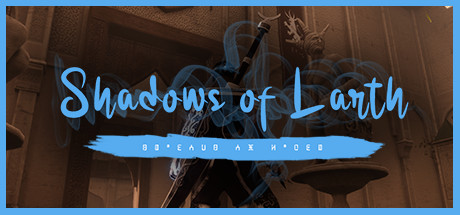
Shadows of Larth
- Platform
- PC
- Release Date
- File Size
- 5.86 GB
- Downloads
- 7
- Views
- 5,582
- Comments
- 0
- Languages
- english, french, german, spanish - spain, portuguese - brazil
- Added by
- Added by Admin
Game trailer: Shadows of Larth
Screenshots


Description
System Requirements
Minimum
- OS:
- Windows 7 SP1 or Windows 10 (64-bit)
- Processor:
- Intel Core i5-2300
- RAM:
- 8 GB RAM
- Graphics:
- GeForce GTX or Radeon HD with atleast 2 GB of Video Memory
- Storage:
- 7 GB available space
- DirectX:
- Version 11
- Sound Card:
- Any Sound Card
Recommended
- OS:
- Windows 7 SP1 or Windows 10 (64-bit)
- Processor:
- Intel Core i7
- RAM:
- 12 GB RAM
- Graphics:
- GeForce GTX or Radeon HD with atleast 4 GB of Video Memory
- Storage:
- 7 GB available space
- DirectX:
- Version 11
- Sound Card:
- Any Sound Card
Installation Guide
Step-by-step setup process for HOODLUM
-
Mount the .iso image into a virtual drive using Daemon Tools or a similar program.
-
Install the game by running
setup.exefrom the mounted disc. -
Copy the crack from the
HOODLUMfolder on the disc into the game folder and overwrite the existing files. -
Start the game from the installed desktop shortcut — grant administrator rights if asked.
Game Info
- Developer
- Zine FALOUTI
- Publisher
- Zine FALOUTI
- Platform
- PC
- Release Date
- File Size
- 5.86 GB
- Status
- Scene (ISO)
Download Game
Full game
0abe5eb44132db77db5b3eac13b67738
b87844f1e866f59dbaa08c9a4911b6addac76cfcb29ad2bdf4b9e32909c540f4
Checksums verify the integrity of this specific file. They are not an absolute malware guarantee — always scan downloaded files.
Torrent file ready
Reviews
No reviews yet. Be the first to share your thoughts!





Comments (0)
No comments yet. Be the first to leave one!