Project AETHER First Contact v1.01 (upd.19.03.2020) - CODEX

CODEX Full gameFree DownloadLatest version Torrent File
Game updated on 19-03-2020, 08:59. Current version: v1.01 (upd.19.03.2020).
About The Game
Project AETHER First Contact — this is an adventure strategic space game where you will control the complex AETHER mechanism, which is able to save the world from an alien invasion. The player will test his strength in battle, in more than 9 different levels. Each level at the end ends with a boss battle. The second robot may have the possibility of modernization, that is, thanks to the large assortment, you can improve the side of the weapon, thereby allowing you to gain an advantage over the enemies. The choice for the player in the game process is one hundred percent, that is, you can decide whether you will engage in battle with the enemy with weapons of long-range combat or melee. You can think over your tactics, because no one has canceled the strategy.
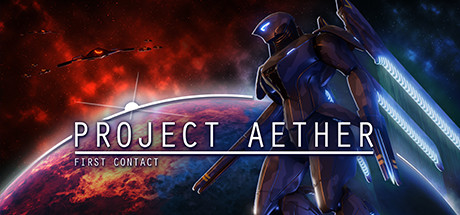
Game Details
- Title: Project AETHER First Contact
- Genre: Action, Strategy
- Developer: Sleepy Spider Studios
- Publisher: Sleepy Spider Studios
- Release year: 2020
- Available Languages: english
- Release Name: Project.AETHER.First.Contact-CODEX
- Game Version: v1.01 (upd.19.03.2020)
- Game Releaser: CODEX
- Size: 2 GB
System Requirements
MINIMUM:
OS: Windows 7/8/10Processor: Intel Core i3
Memory: 4 GB RAM
Graphics: GPU with 1GB VRAM
DirectX: Version 11
Storage: 4 GB available space
RECOMMENDED:
OS: Windows 7/8/10
Processor: Intel Core i5 or above
Memory: 8 GB RAM
Graphics: NVIDIA Geforce GTX 1060
DirectX: Version 11
Storage: 4 GB available space
Screenshots
Video
How to Install
1. The first thing we do is download the game’s installation files.
2. Mount or burn the ISO image in the disk emulator (UltraISO program).
3. During the installation, we specify the location on the disk where we want to install it.
4. Wait until the installation process is complete, a shortcut will appear on the desktop.
5. Download & install Update v1.01, in game folder.
6. Copy the contents of the folder «CODEX» in the folder with the game.
7. Start the game.
Download update only: Project.AETHER.First.Contact.Update.v1.01-CODEX [ 91.1 MB ]
2. Mount or burn the ISO image in the disk emulator (UltraISO program).
3. During the installation, we specify the location on the disk where we want to install it.
4. Wait until the installation process is complete, a shortcut will appear on the desktop.
5. Download & install Update v1.01, in game folder.
6. Copy the contents of the folder «CODEX» in the folder with the game.
7. Start the game.
Download update only: Project.AETHER.First.Contact.Update.v1.01-CODEX [ 91.1 MB ]
Download Project AETHER First Contact v1.01 (upd.19.03.2020) — CODEX
File Size: 2 GB
How to get your file — 3 quick steps
VPN detected. Our download does not accept VPN connections. Please disable your VPN to continue.
Re-check
1
Click download
Use any button below
2
Install Opera
On the page that opens
Switch to the tab that just opened — Opera installer is already there. After install, open this page in Opera and click Check install.
Opera not detected. Make sure it's installed and open this page in Opera browser, then click Check install again.
Opera is a free, official browser by Opera Software AS — safe to install. [ Opera Install Guide ]
Alternative Download Links
Alternative Mirrors
Searching mirrors…
Game Update History
- Project AETHER First Contact v1.0 → v1.01 [ 19.03.2020 ]
- Project AETHER First Contact → v1.0 [ 24.02.2020 ]



