
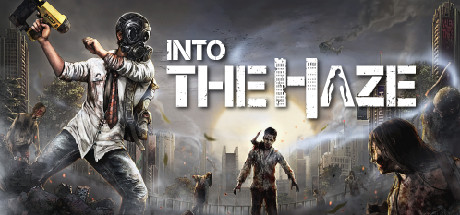
Into The Haze
Early Access Sold as an unfinished build. Features, content and saves can still change before the full release.
- Platform
- PC
- Release Date
- File Size
- 7.10 GB
- Downloads
- 12
- Views
- 8,425
- Comments
- 0
- Languages
- english
- Added by
- Added by Admin
Game trailer: Into The Haze
Screenshots


Description
Collect trash, build, craft or do anything to stay alive.
Key Features
- No holding hand, a survival game with permadeath set in the abandoned tower.
- Scavenge resources and look for food and water.
- Build and upgrade workbench and station to get access to new survival tools.
- Encounter multiple threats at once hunger, thirst, zombies, poisonous gas, and many more.
System Requirements
Minimum
- OS:
- 64-bit Windows 7/8/10
- Processor:
- 2.6 GHz Dual Core or better
- RAM:
- 4 GB RAM
- Graphics:
- NVIDIA® GeForce® GTX 970 or better
- Storage:
- 13 GB available space
- DirectX:
- Version 11
Recommended
- OS:
- 64-bit Windows 7/8/10
- Processor:
- 3.2 GHz Quad Core or better
- RAM:
- 8 GB RAM
- Graphics:
- NVIDIA® GeForce® GTX 1060 or better
- Storage:
- 13 GB available space
- DirectX:
- Version 11
Installation Guide
Step-by-step setup process for P2P Release
-
No installation is needed — this release is fully pre-installed and ready to play, so you can skip setup wizards and long updates entirely.
-
Extract the archive (RAR/ZIP) to a short, Latin-only path like
C:\Games\GameNameusing WinRAR or 7-Zip — and never launch the game from inside the archive, as that is the top cause of launch failures. -
Launch the game via Run Me!.bat (or the main
.exefile) in the game folder. If nothing happens, right-click it and choose Run as administrator.
Game Info
Download Game
Full game
c71eac1bff798cc030b4615fcffcd971
a52b748b00904289e992f7ed6e4171112c6fd86a0498d64bdb28ee5ee97fc96a
Checksums verify the integrity of this specific file. They are not an absolute malware guarantee — always scan downloaded files.
Torrent file ready
Reviews
No written reviews for this game yet.
Rate this repack in the form below and your comment becomes the first review here.




Comments (0)
No comments yet. Be the first to leave one!