
Aloof
- Platform
- PC
- Release Date
- File Size
- 105 MB
- Views
- 7,069
- Comments
- 0
- Languages
- English
- Added by
- Added by Admin
Game trailer: Aloof
Play Aloof
Screenshots


Description
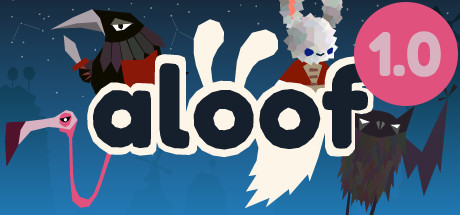
Aloof — is a puzzle similar to Puyo Puyo Tetris, but played completely differently. In the world of Aloof, players must defend small islands from enemy encroachment, parallel to the system of attack strategy. Players can expect several multiplayer modes, a cooperative campaign, PvP matches and 1×1 and 2×2 battles, and the opportunity to play with a local cooperative.
Key Features
- Invite a friend into your game and play Aloof together online
- You and your friend can freely move around between any game mode
- Co-op Campaign
- Player versus Player
- Offline Adventure (versus AI)
- Now has 23 levels!
- Levels are divided into easy, medium and hard
- Let the computer select a _random_ easy, medium, hard or just any level
System Requirements
Minimum
- OS:
- Windows 7 (SP1+) and Windows 10
- Processor:
- x86, x64 architecture
- RAM:
- 2 GB RAM
- Graphics:
- DX10, DX11, DX12 capable.
- Storage:
- 200 MB available space
Recommended
- OS:
- Windows 7 (SP1+) and Windows 10
- Processor:
- x86, x64
- RAM:
- 2 GB RAM
- Graphics:
- DX10, DX11, DX12 capable.
- Storage:
- 200 MB available space
Installation Guide
Step-by-step setup process for P2P
-
The game is distributed already pre-installed — you will not find an installer here, and none is needed.
-
Unpack the RAR/ZIP archive with WinRAR or 7-Zip, for example to
C:\Games\GameName. -
Launch the game via
Run Me!.bator the main .exe inside the extracted folder.
Game Info
Download Game
Full game
Download
aloof_v1_0-p2p
MD5:
1c4c1b8995b069570433a1a2e67ddb23
SHA-256:
37bd84c7c8e22086a49f7b9514c40d54d73f8c89dced557f3a104b61da18be93
Checksums verify the integrity of this specific file. They are not an absolute malware guarantee — always scan downloaded files.
Torrent file ready
Reviews
4.9
out of 5
264 ratings
264 of these carried over from our archive
No written reviews for this game yet.
Rate this repack in the form below and your comment becomes the first review here.





Comments (0)
No comments yet. Be the first to leave one!