Lady in Tomb v1.0 (upd.21.07.2021) - TiNYiSO

TiNYiSO Full gameFree DownloadFirst Release Torrent File
About The Game
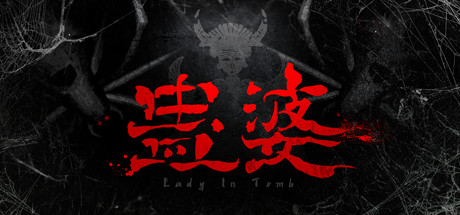
Lady in Tomb — Gu Lady is a third-person action game in the cartoon style. In the game you will have nightmares, and you have to solve puzzles. You will play Gu Jusyun, a Miao girl, to explore a tomb filled with monsters, puzzles and traps to save her younger sister. Character Model Improvements 4 human characters and 2 monster models have been updated, and there are 11 models that need to be updated.
All 350 scene models, 27 puzzle models and 113 props models were refined and reset, 255 textures were changed to 4K resolution, 182 materials were replaced with PBR materials. In the middle part and in the attic of the tomb the planning has been changed and the light effect has been optimized. The brightness is higher, the hierarchy is clearer, and the feeling of horror is stronger. The original mode of global dynamic lighting is changed to static lighting mode and plus dynamic lighting, which implements the smooth operation of 60 frames at 4K resolution.
Game Details
- Title: Lady in Tomb
- Genre: Action, Adventure, Indie, RPG
- Developer: Magyu Studio
- Publisher: LightOn Game
- Release year: 2021
- Available Languages: English, Simplified Chinese
- Release Name: Lady.in.Tomb-TiNYiSO
- Game Version: v1.0 (upd.21.07.2021)
- Game Releaser: TiNYiSO
- Size: 16.04 GB
System Requirements
MINIMUM:
Requires a 64-bit processor and operating system
OS: Windows 7 / 8 / 8.1 / 10 x64
Processor: Intel Core i5 4460/AMD FX-6300/R3 1300X or equivalent
Memory: 8 GB RAM
Graphics: NVIDIA GeForce GTX 960 / AMD Radeon R7 270X or equivalent
DirectX: Version 11
Storage: 4 GB available space
RECOMMENDED:
Requires a 64-bit processor and operating system
OS: Windows 7 / 8 / 8.1 / 10 x64
Processor: Intel Core i7 3770/ AMD R5 1500X or equivalent
Memory: 16 GB RAM
Graphics: NVIDIA GeForce GTX 1060/ AMD RX580
DirectX: Version 11
Storage: 4 GB available space
Requires a 64-bit processor and operating system
OS: Windows 7 / 8 / 8.1 / 10 x64
Processor: Intel Core i5 4460/AMD FX-6300/R3 1300X or equivalent
Memory: 8 GB RAM
Graphics: NVIDIA GeForce GTX 960 / AMD Radeon R7 270X or equivalent
DirectX: Version 11
Storage: 4 GB available space
RECOMMENDED:
Requires a 64-bit processor and operating system
OS: Windows 7 / 8 / 8.1 / 10 x64
Processor: Intel Core i7 3770/ AMD R5 1500X or equivalent
Memory: 16 GB RAM
Graphics: NVIDIA GeForce GTX 1060/ AMD RX580
DirectX: Version 11
Storage: 4 GB available space
Screenshots
Video
How to Install
1. The first thing we do is download the game’s installation files.
2. Mount or burn the ISO image in the disk emulator (UltraISO program).
3. During the installation, we specify the location on the disk where we want to install it.
4. Wait until the installation process is complete, a shortcut will appear on the desktop.
5. Copy the contents of the folder «TiNYiSO» in the folder with the game.
6. Start the game.
2. Mount or burn the ISO image in the disk emulator (UltraISO program).
3. During the installation, we specify the location on the disk where we want to install it.
4. Wait until the installation process is complete, a shortcut will appear on the desktop.
5. Copy the contents of the folder «TiNYiSO» in the folder with the game.
6. Start the game.
Download Lady in Tomb v1.0 (upd.21.07.2021) — TiNYiSO
File Size: 16.04 GB
How to get your file — 3 quick steps
VPN detected. Our download does not accept VPN connections. Please disable your VPN to continue.
Re-check
1
Click download
Use any button below
2
Install Opera
On the page that opens
Switch to the tab that just opened — Opera installer is already there. After install, open this page in Opera and click Check install.
Opera not detected. Make sure it's installed and open this page in Opera browser, then click Check install again.
Opera is a free, official browser by Opera Software AS — safe to install. [ Opera Install Guide ]
Alternative Download Links
Alternative Mirrors
Searching mirrors…
Game Update History
- Lady in Tomb → v1.0 [ 21.07.2021 ]




