
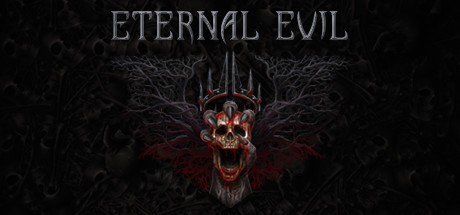
Eternal Evil
- Platform
- PC
- Age
- 18+
- Release Date
- File Size
- 33.8 GB
- Downloads
- 2
- Views
- 1,689
- Comments
- 0
- Languages
- English, Russian
- Added by
- Added by Admin
Game trailer: Eternal Evil
This game contains 18+ content
Its screenshots may show nudity or sexual scenes. Confirm that you are 18 or older to see them.
Description
Eternal Evil — quite creepy ghouls attack a small town. Well, well, you have to solve a lot of puzzles, study the situation, use different weapons and try to defeat as many enemies as possible. A real apocalypse is unfolding in a small town. Now all its inhabitants have irrevocably turned into bloodthirsty ghouls and will constantly attack the remaining survivors. And, despite the hopelessness of the situation, you can still stop everything. Try to understand who caused this terrible event, use powerful weapons, study objects, explore the world around you.
Key Features
- Dark atmosphere with blood and gore
- Intriguing story
- Variety of firearms
- Realistic shooting
- Challenging puzzles
- Evolving enemies
- 3 levels of difficulty
- Old school survival-horror experience
- Diverse locations
- ~15-20 hours to finish this game
- Inventory management
- Physics-based damage system and enemy dismemberment.
System Requirements
Minimum
- OS:
- Windows 7, 8, 10 (64-bit)
- Processor:
- Intel® Core™ i5-2520 or AMD FX™-6300 or better
- RAM:
- 6 GB RAM
- Graphics:
- NVIDIA® GeForce® GTX 760 or AMD Radeon™ R7 260x with 2GB Video RAM
- Storage:
- 31 GB available space
- DirectX:
- Version 11
Recommended
- OS:
- Windows 7, 8, 10 (64-bit)
- Processor:
- Intel® Core™ i7-3770 or AMD FX™-9590 or better
- RAM:
- 16 GB RAM
- Graphics:
- NVIDIA® GeForce® GTX 1060 or AMD Radeon™ RX 480 with 3GB VRAM
- Storage:
- 31 GB available space
- DirectX:
- Version 11
Installation Guide
Step-by-step setup process for P2P Release
-
No installation is needed — this release is fully pre-installed and ready to play, so you can skip setup wizards and long updates entirely.
-
Extract the archive (RAR/ZIP) to a short, Latin-only path like
C:\Games\GameNameusing WinRAR or 7-Zip — and never launch the game from inside the archive, as that is the top cause of launch failures. -
Launch the game via Run Me!.bat (or the main
.exefile) in the game folder. If nothing happens, right-click it and choose Run as administrator.
Game Info
- Developer
- Honor Games
- Publisher
- Honor Games
- Platform
- PC
- Release Date
- File Size
- 33.8 GB
- Status
- Pre-installed (Portable)
Download Game
Full game
7f6986fc798678c6ba8083356a5def82
185058cb1104ec749f2830e4bddbee7f5dbb541e78673f3826e295d1fb1a9865
Checksums verify the integrity of this specific file. They are not an absolute malware guarantee — always scan downloaded files.
Torrent file ready
Reviews
No reviews yet. Be the first to share your thoughts!



Comments (0)
No comments yet. Be the first to leave one!