
Dinkum
- Platform
- PC
- Release Date
- File Size
- 911 MB
- Views
- 5,920
- Patch Notes
- 2
- Comments
- 3
- Languages
- English, French, Italian, German, Russian, Spanish - Latin America, Indonesian, Japanese, Simplified Chinese, Traditional Chinese, Thai, Turkish, Portuguese - Brazil, Korean
- Added by



Play modes & compatibility
Play modes
- Single-player
- Multiplayer
- Co-op
Compatibility
- Controller support
Version Status
- Current Version
- v1.0.9
- Current Build
- 26095324
- Latest Build
- 26095324
- Last Steam Update
- Dinkum OST
Game trailer: Dinkum
Screenshots


Description
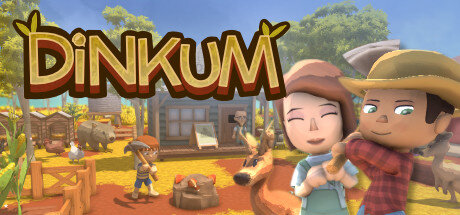
Dinkum — in the presented game project, you can start life from scratch on a tropical island near the Australian continent. You have to discover new lands, for example, eucalyptus thickets, hot desert areas and wonderful waterfalls. You will have to collect resources and necessary supplies, hunt wild animals, fish and attract more people to create your own settlement. Get ready to start a new honest life in Dinkum, build your new home. Explore tropical eucalyptus forests, scorching deserts. Gather valuable resources by hunting, mining, fishing and foraging to expand and customize your city.
System Requirements
Minimum
- OS:
- Windows 10 64-bit
- Processor:
- Intel Core i3-13100 / AMD Ryzen 3 4100
- RAM:
- 8 GB RAM
- Graphics:
- NVIDIA GTX 1650 4GB / AMD Radeon RX 570 4GB
- Storage:
- 2 GB available space
- DirectX:
- Version 11
- Network:
- Broadband Internet connection
- Sound Card:
- DirectX compatible
Recommended
- OS:
- Windows 10 64-bit
- Processor:
- Intel Core i5-12600K / AMD Ryzen 5 5600X
- RAM:
- 16 GB RAM
- Graphics:
- NVIDIA RTX 3060 12GB / AMD Radeon RX 6600 XT 8GB
- Storage:
- 2 GB available space
- DirectX:
- Version 12
- Network:
- Broadband Internet connection
Installation Guide
Step-by-step setup process for P2P
-
The game is distributed already pre-installed — you will not find an installer here, and none is needed.
-
Unpack the RAR/ZIP archive with WinRAR or 7-Zip, for example to
C:\Games\GameName. -
Launch the game via
Run Me!.bator the main .exe inside the extracted folder.
Game Info
- Developer
- James Bendon
- Publisher
- James Bendon
- Platform
- PC
- Release Date
- File Size
- 911 MB
- Status
- Pre-installed (Portable)
Update Available
v1.0.6Upgrade to v1.0.6 step by step — 2 updates, without re-downloading the full game
TENOKE
-
Base download v1.0.9
You get this version with the full game download below
-
v1.0.2 Install first
-
v1.0.6 Install last
How to apply these updates
Apply the updates one by one in this order — do not skip steps.
-
Install in this order: Update v1.0.2 → Update v1.0.6
-
For each update: extract its archive, run
setup.exeinto your existing game folder, copy the included release files into the game folder and confirm replacement. -
Launch the game and check the new version in the main menu.
Download Game
The download below is the base version v1.0.9. To reach v1.0.6, apply the updates in the chain above.
Full game 10
dce9b1b7916bf99943bbff965ef31e3b
b6836183763751fa6153069e5cb9aed2389d369a95608bfd023b5aa993e40e4b
Checksums verify the integrity of this specific file. They are not an absolute malware guarantee — always scan downloaded files.
Torrent file ready
Patch Notes
Official changelists for the builds of this game
October 22nd Hotfix Notice
Build 26095324
October 22nd Hotfix Notice
Build 26095324
Update: Spooky Event
Update: Spooky Event
Reviews
No written reviews for this game yet.
Rate this repack in the form below and your comment becomes the first review here.





Comments (3)
G’day! everyone! We’ve released a hotfix to address several issues, including a bug that caused infinite loading when saving the game after playing from an older save file. We’re continuing to work on resolving any additional bugs and known issues that have been reported, and we’ll share further updates through announcements as they become available. Please see below for the full details of this hotfix. Hotfix Schedule:April 30, 2025 – 06:00 (UTC)No downtime required.If you are currently playing the game, you may continue without interruption. However, to experience the updated gameplay with the applied fixes, we recommend exiting the game and installing the latest update before launching it again. Bug Fixes:Fixed a bug that would stop the game saving when loading an older save file.Fixed an issue that caused the terrarium to never exceed one cocoon when filled with low value bugs.Fixed an issue that occurred in Irwin’s shop when buying a Chook would cause the animal feeder to sell instead.Fixed a bug that caused the player to remain wet forever after walking through an animal shower.Fixed a bug that changed the new villager Mason’s hair colour when they were wearing a hat.Fixed a bug that caused items to float when placed on top of the Wide Bookshelf.Fixed a bug that caused birds to appear “stuck†under water.Fixed a bug that let players put honey in the cocoon nest in the Bug Terrarium.Fixed a bug that caused the glider in the museum to show the incorrect price. Changes:Farm Animal sickness will now always last 2 days. If the animal has been sick for more than two days and the animal is not dirty on a new day, the sickness will be cured.Bin Chooks(New birds) now drop a random relic when hunted or trapped If you want to chat about the game, come hang out on our Discord full of Dinkum discussions~ See you in the game~ Hooroo~!
Hello, everyone! It came to our attention that some players experienced incorrect game language settings or other malfunctioning features after the update for 14 languages support.It has been identified that these issues are highly likely to be caused by applying mods.To resolve issues caused by applied mods, please delete any installed mod files and restart the game.If you are facing difficulties in removing specific mod files, it is recommended to delete the \'BepInEx\' folder, which is the common installation path for mods.Common Mod Installation Path:Local Folder for Game Installations → Steam\\steamapps\\common\\Dinkum\\BepInExAfter deleting the \'BepInEx\' folder, please restart Dinkum and check if the issue is resolved.If the problem persists or you encounter any other issues, please do not hesitate to contact us anytime. Thank you.※ Note: External mods are not officially compatible with Dinkum. Please kindly be aware that deleting the \'BepInEx\' folder may remove all installed mod functionalities.
Hot Fix #5 - Version 0.4.4
This is a small patch with a extra save level to prevent corrupted saves.When players faint in the mines, they will be sent to the Mine Elevator and not start a new day
Fixed the fog of war stopping when reaching the edge of the mines.