
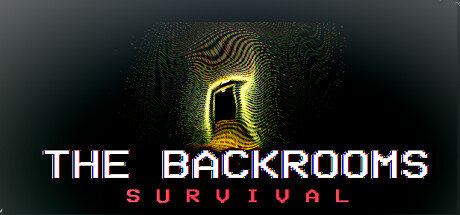
The Backrooms Survival
- Platform
- PC
- Release Date
- File Size
- 3.09 GB
- Downloads
- 4
- Views
- 1,729
- Comments
- 1
- Languages
- English
- Added by
- Admin
Version Status
- Current Version
- v1.10
- Current Build
- 21493924
- Latest Build
- 21493924
- Last Steam Update
Game trailer: The Backrooms Survival
Screenshots


Description
The Backrooms Survival is a horror game made in retro style. The main task of the gamer is to stay alive, using all available items or products for this. The difficulty is constantly increasing, as the levels are generated randomly, without repeating the previous ones. Thanks to this, they can be completed an unlimited number of times, encountering new difficulties and obstacles. You have to walk along long corridors, checking dark rooms in search of useful finds. You can find food or water in them, even if it leaked from an old pipe. It is worth being prepared for cannibalism, making every effort to maintain an adequate perception. Creepy and bloodthirsty monsters roam there they are able to instantly kill and do not know mercy, so you should be prepared for an imminent death.
About This Game
In the horror The Backrooms: Survival, you can collect not only food. You need to look for items — they will simply clog your inventory or help you survive. It is necessary to correctly distribute supplies so as not to die due to hunger or thirst. It is possible to create a unique character or choose a random one. A system of obituaries has been added all the deaths of gamers with detailed information are indicated there. It is necessary to get to the back rooms, but only the most daring and skillful survivalists manage to do this. There is a single save slot, so you will have to be even more accurate and quick in the endless labyrinths of a strange building.
System Requirements
Minimum
- OS:
- Windows 7, 8, or 10
- Processor:
- 2GHZ
- RAM:
- 4 GB RAM
- Graphics:
- 2GB Nvidia/AMD GPU
- Storage:
- 1 GB available space
- Sound Card:
- Any
Installation Guide
Step-by-step setup process for TENOKE
-
Mount the .iso image — Windows 10/11 mounts it from the right-click menu, otherwise use Daemon Tools or a similar tool.
-
Run
setup.exefrom the disc and install the game — Tenoke builds are already cracked, installation is all it takes. -
If the disc contains a
Tenokefolder, copy its contents into the installed game directory. -
Launch the game from the desktop shortcut (as administrator).
Game Info
Download Game
Full game 6
v1.10 Scene (ISO) TENOKE
0049111c14e10704b5f74287970867b6
e327633475ea6d49db3562c208ee6754fbdfc1dbc07bc110554a4e0eb8e47d1f
Checksums verify the integrity of this specific file. They are not an absolute malware guarantee — always scan downloaded files.
Torrent file ready
Similar Games The Backrooms series
9 parts 2022–2025



 This game
The Backrooms Survival
2022

Reviews and comments
Ratings
4.5 out of 5 111 ratings
The archive stored scores, not text — there is nothing written to read yet.
New Content Update Hello, We are pleased to announce we have released a new update. There hadn\'t been an update in a short while due to taking a much-needed break, mainly due to burnout from work, IRL things, etc. Changes:-Added a new level theme: Harbor-Added an achievement for finding the new level-added a new entity-fixed a fatal bug where sometimes entities could not hit the player-added an achievement for killing the new entity-Fixed a bug where sometimes you would be unable to re-equip a weapon item if you spam unequip/equip keys-Fixed a bug where the poison buff icon still shows when dying to poison and starting a new game-Some optimization tweaks-Fixed some item names not being shown correctly when examining them on the floor-Added an option to delete saved files-Fixed a bug where the UI is disabled by default (setting) on the first time playing-Fixed a bug where the lantern appeared intensely bright-At least one vendor will always spawn on the safe levels-If you miss a shot with a crossbow at an enemy and hit a wall/floor/object, there is a high chance the bolt will not break and drop and you can go pick it up-Same applies above with the nailgun also, there is a high chance the nail can also be picked up-Updated changelogs are now shown in a box on the left side of the in-game menu as not everyone reads announcement posts-Changed start-up intro logo