
Iron Blight
Free Download for PC · v1.06










- Platform
- PC (Windows)
- Release Date
- File Size
- 485 MB
- Views
- 81
- Patch Notes
- 2
- Comments
- 0
- Languages
- English, French, German, Spanish - Spain, Simplified Chinese, Portuguese - Brazil, Japanese, Korean, Polish, Russian, Turkish, Hungarian
- Added by
- Skigameco Legend
Play modes & compatibility
Play modes
- Single-player
Compatibility
- Controller support
Version Status
- Current Version
- v1.06
- Current Build
- 26012513
- Latest Build
- 26012513
- Last Steam Update
Game trailer: Iron Blight
Screenshots


Description
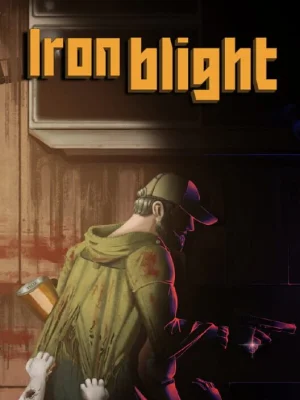
Iron Blight is a survival horror about a man who finds himself in an abandoned town in the former Eastern Bloc after the collapse of the familiar world. Cold, silence, and impenetrable darkness reign all around, and creatures best avoided roam beyond the walls of the houses. The protagonist continues his journey with only one goal: to find his wife, Valeria, who disappeared during the disaster.
Deserted streets and cramped spaces become dangerous territory that must be explored with extreme caution. Ammunition is limited, so open fire isn't always the best solution. Use weapons only when absolutely necessary, look for tools to overcome obstacles, and try not to attract unnecessary attention. The noise of gunfire can attract new enemies, so sometimes it's wiser to avoid a threat than to engage in combat.
Survival requires constant monitoring of available supplies. Provisions, medicine, and ammunition take up precious space, and the limited inventory grid forces you to decide in advance which items you'll really need. Special attention is paid to weapon handling: magazines must be checked manually, and each round must be loaded sequentially. There's virtually no familiar interface — the character's condition and remaining resources must be determined by the surrounding world and personal observation.
System Requirements
Minimum
- Processor:
- Intel Core i5-3470 or Equivalent
- RAM:
- 8 GB RAM
- Graphics:
- NVIDIA GTX 750 Ti 2 GB or Equivalent
- Storage:
- 1 GB available space
Recommended
- Processor:
- Intel Core i5-7600 or Equivalent
- RAM:
- 8 GB RAM
- Graphics:
- NVIDIA GeForce GTX 1060 6 GB
- Storage:
- 1 GB available space
Installation Guide
Step-by-step setup process for TENOKE
-
Mount the .iso image — Windows 10/11 mounts it from the right-click menu, otherwise use Daemon Tools or a similar tool.
-
Run
setup.exefrom the disc and install the game — Tenoke builds are already cracked, installation is all it takes. -
If the disc contains a
Tenokefolder, copy its contents into the installed game directory. -
Launch the game from the desktop shortcut (as administrator).
Game Info
- Developer
- Ronesans Interactive
- Publisher
- Rock Paper Publisher
- Platform
- PC (Windows)
- Release Date
- File Size
- 485 MB
- Status
- Scene (ISO)
Update Available
v1.06Upgrade to v1.06 without re-downloading the full game
TENOKE
-
v1.06 160.2 MBUPLOADY
Iron.Blight.Update.v1.06
NITROFLAREIron.Blight.Update.v1.06
RAPIDGATORIron.Blight.Update.v1.06
RAPIDGATOR #2Iron.Blight.Update.v1.06
RAPIDGATOR #3Iron.Blight.Update.v1.06
NITROFLARE #2Iron.Blight.Update.v1.06
How to apply this update
-
Download the update archive from the links in this section — it is much smaller than the full game, so the download will be quick.
-
Extract the archive (RAR/ZIP) with WinRAR or 7-Zip to a short, Latin-only path like
C:\Games\GameName. -
Run
setup.exeinside the update folder and install the update into your existing game folder — the one that already holds the installed game. Do not install into a new folder. -
Copy the updated files included with the release and confirm replacement when prompted, then launch the game and check the new version in its main menu.
Download Game
Full game 2
Scene (ISO) TENOKE
Torrent file ready
File checksums (MD5 / SHA-256)
fb818ac3a3dfb9336e2929dd8fe45676
e1d49ccc532cb3d1e7ab1c8b8b70720478d7f345ea81e70f37b2bfd02861aee0
Checksums verify the integrity of this specific file. They are not an absolute malware guarantee — always scan downloaded files.
Cloud mirrors
Patch Notes
Official changelists for the builds of this game


Reviews and comments