Skip to content

League Manager 2027

Free Download for PC · v0.1.2

Early Access Sold as an unfinished build. Features, content and saves can still change before the full release.

League Manager 2027
Platform
PC (Windows)
Release Date
File Size
402.58 MB
Views
6
Patch Notes
2
Comments
0
Languages
English, French, German, Spanish - Spain, Russian, Vietnamese, Japanese, Simplified Chinese, Traditional Chinese, Turkish, Portuguese - Brazil, Korean
Added by
Skigameco Legend

Play modes & compatibility

  • Single-player
Download Game v0.1.2

Version Status

Current Version
v0.1.2
Current Build
26913961
Latest Build
26913961
Last Steam Update
Rate & review
No ratings yet.
Steam
83%
6

Screenshots

League Manager 2027 — Screenshots 1
League Manager 2027 — Screenshots 2
League Manager 2027 — Screenshots 3
League Manager 2027 — Screenshots 4
League Manager 2027 — Screenshots 5
League Manager 2027 — Screenshots 6
League Manager 2027 — Screenshots 7
League Manager 2027 — Screenshots 8

Description

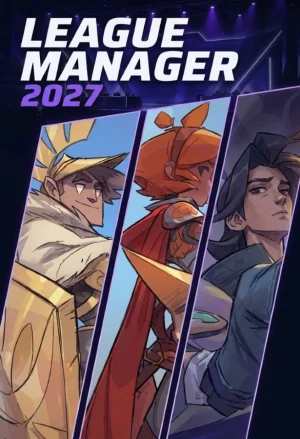
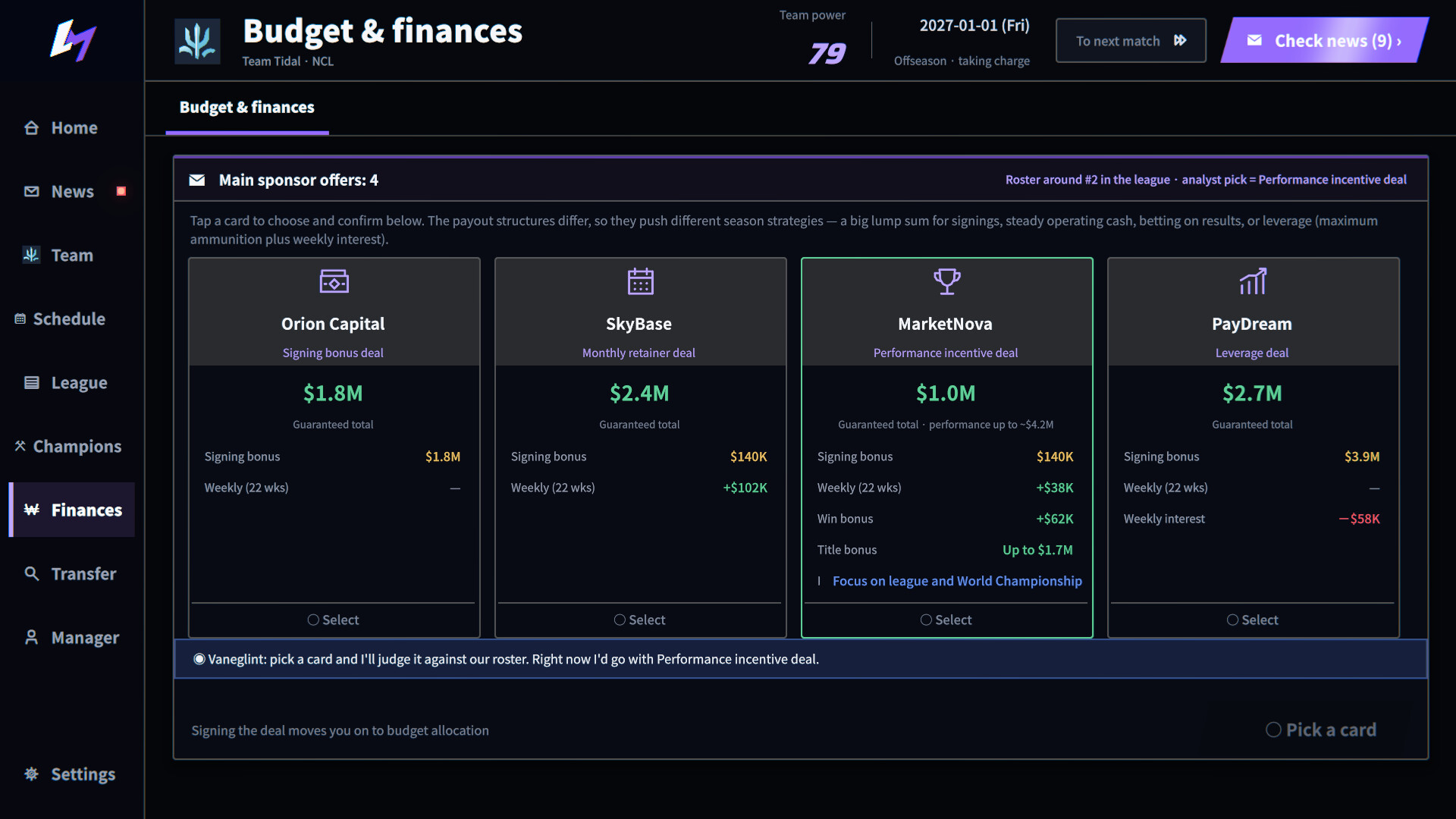
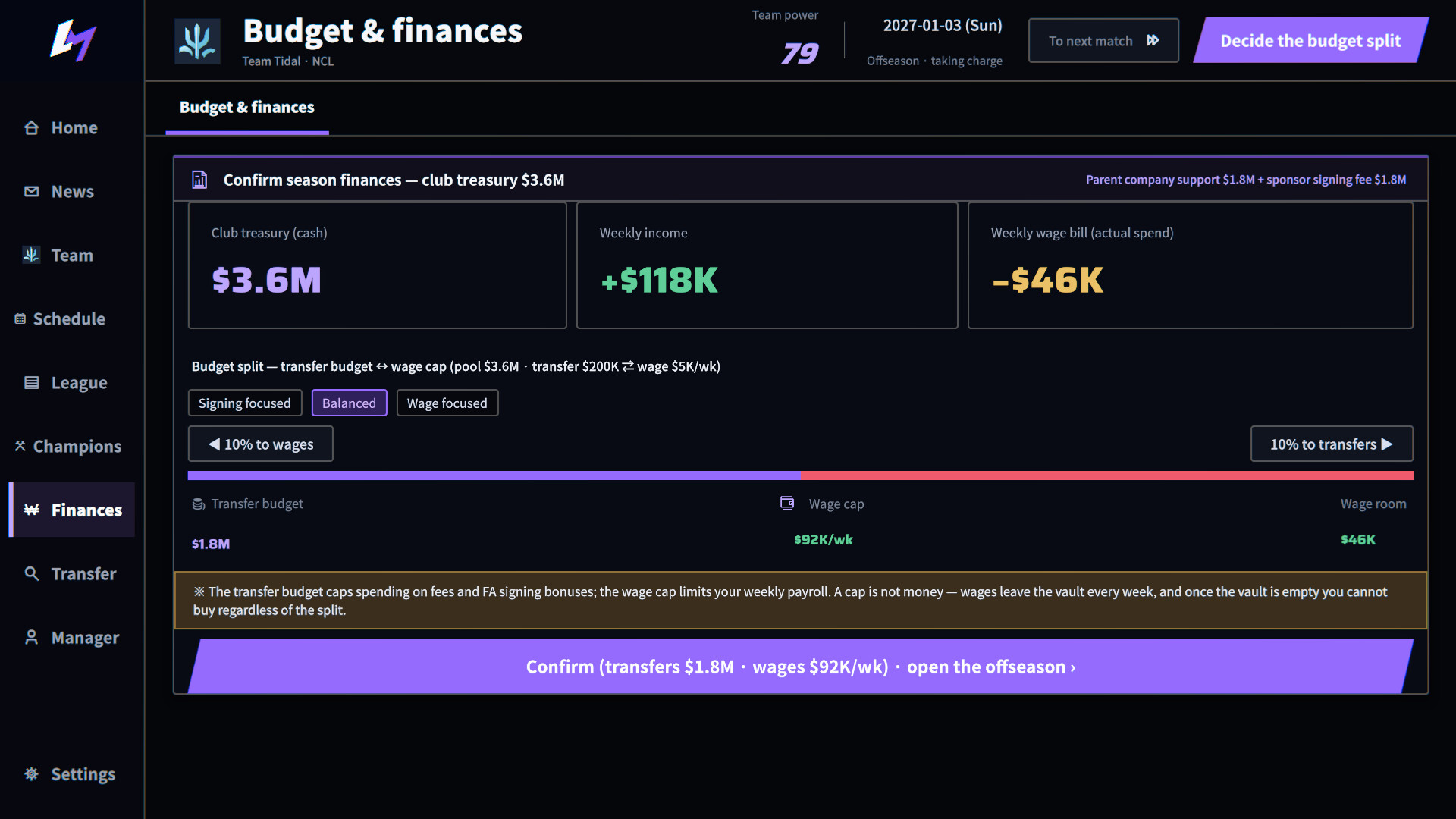
Stepping into the head coach chair with zero difficulty sliders to bail you out, your starting roster and background determine how brutal your career will be from day one. League Manager 2027 is a single-player MOBA esports management simulator developed and published by Pepper Games for Windows PC and macOS. You pick one of 58 clubs across six regional leagues, customize a manager using seven backgrounds and six coaching styles, and guide your squad from the League Cup to international tournaments. Before signing your first sponsor, you can inspect the hardware requirements, browse screenshots, and watch gameplay videos right here on this page.

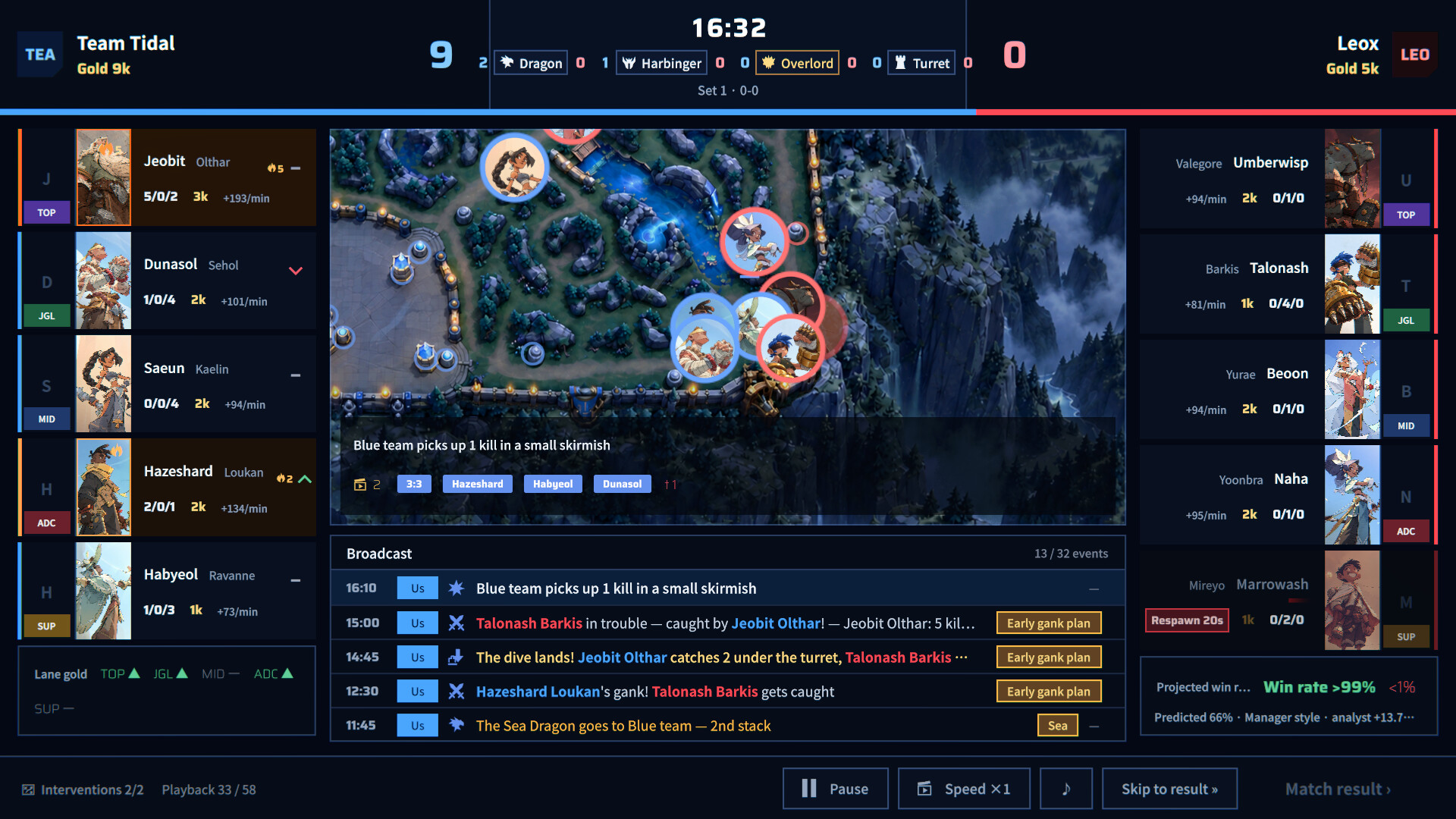
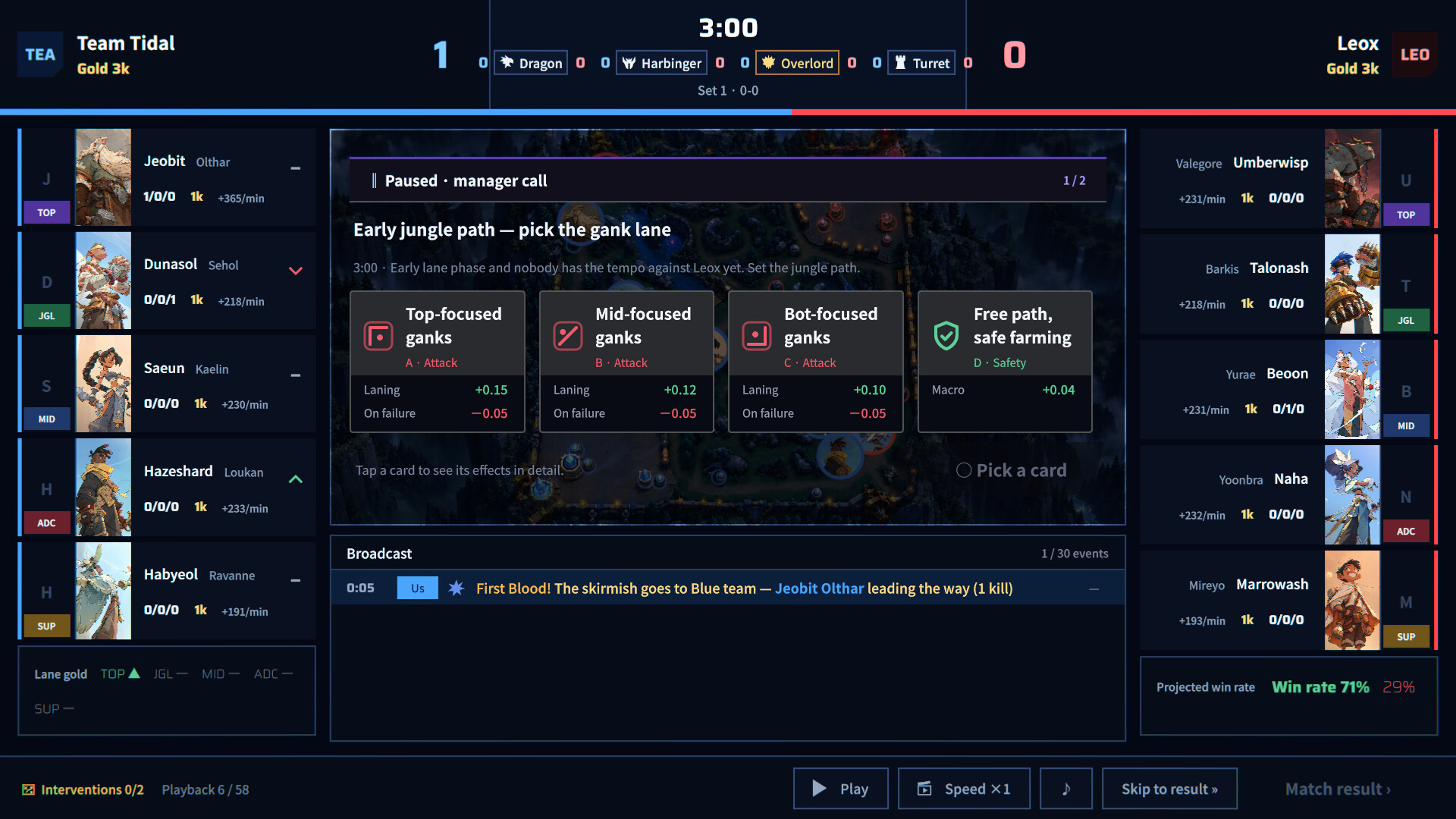
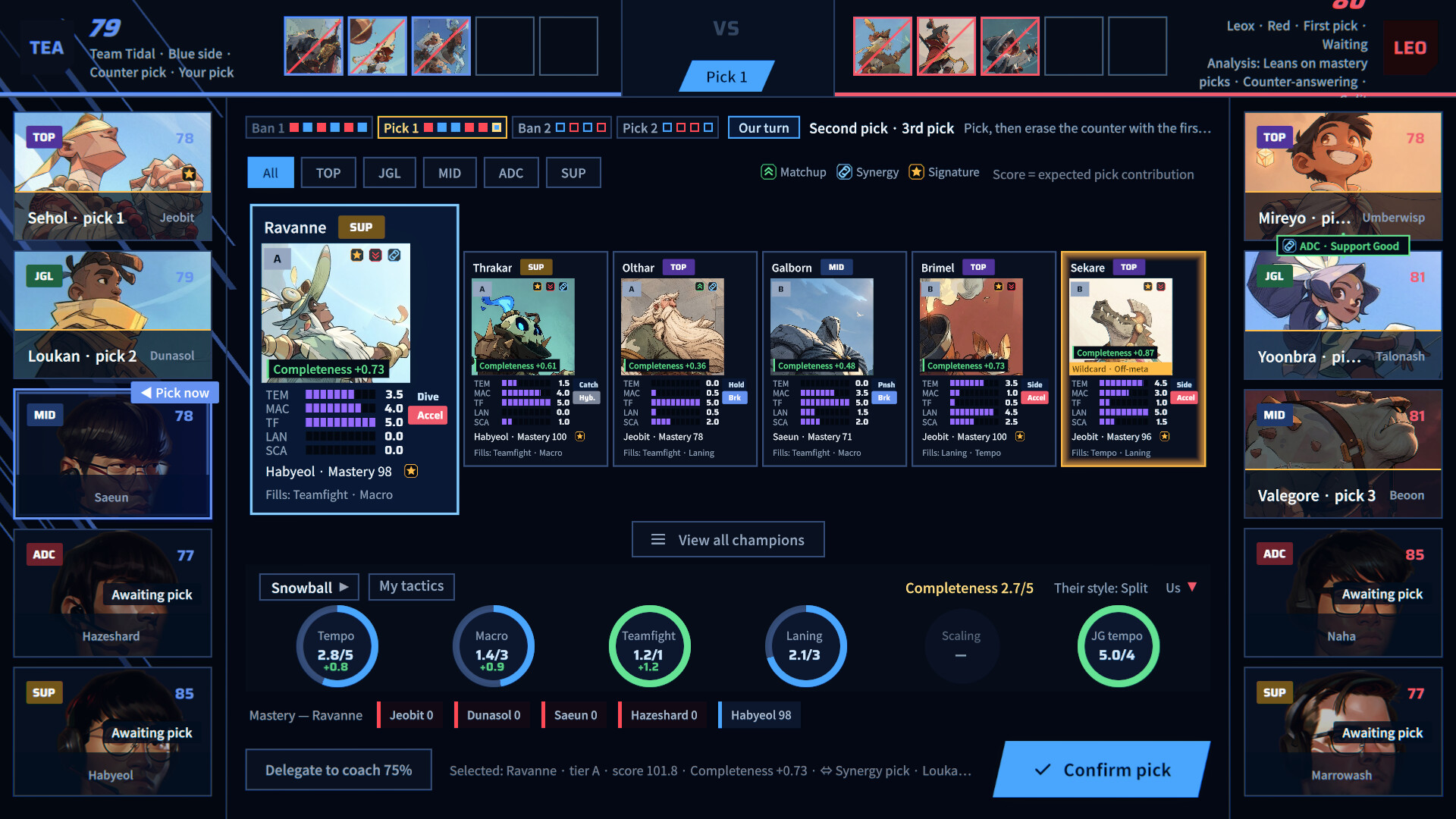
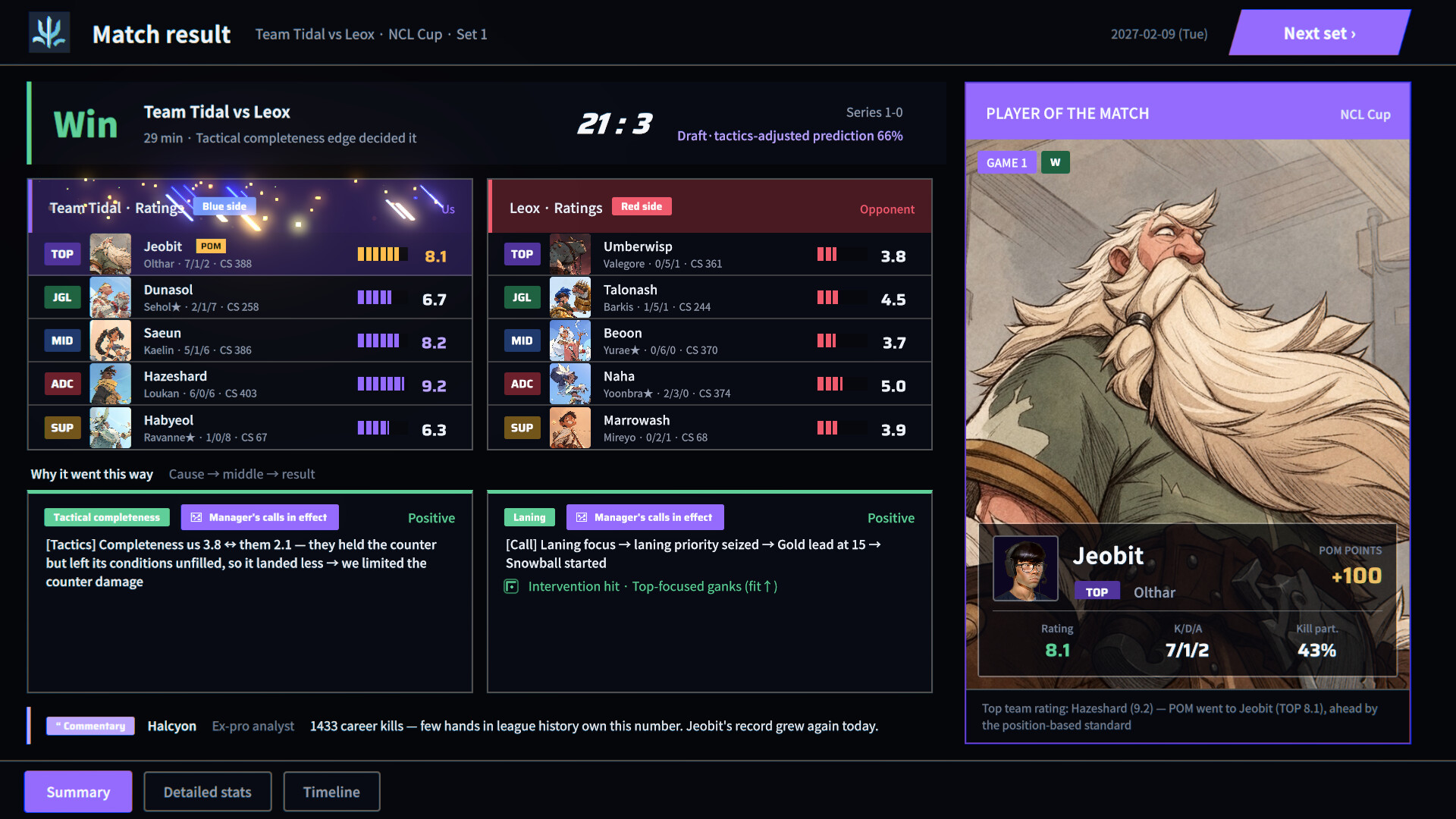
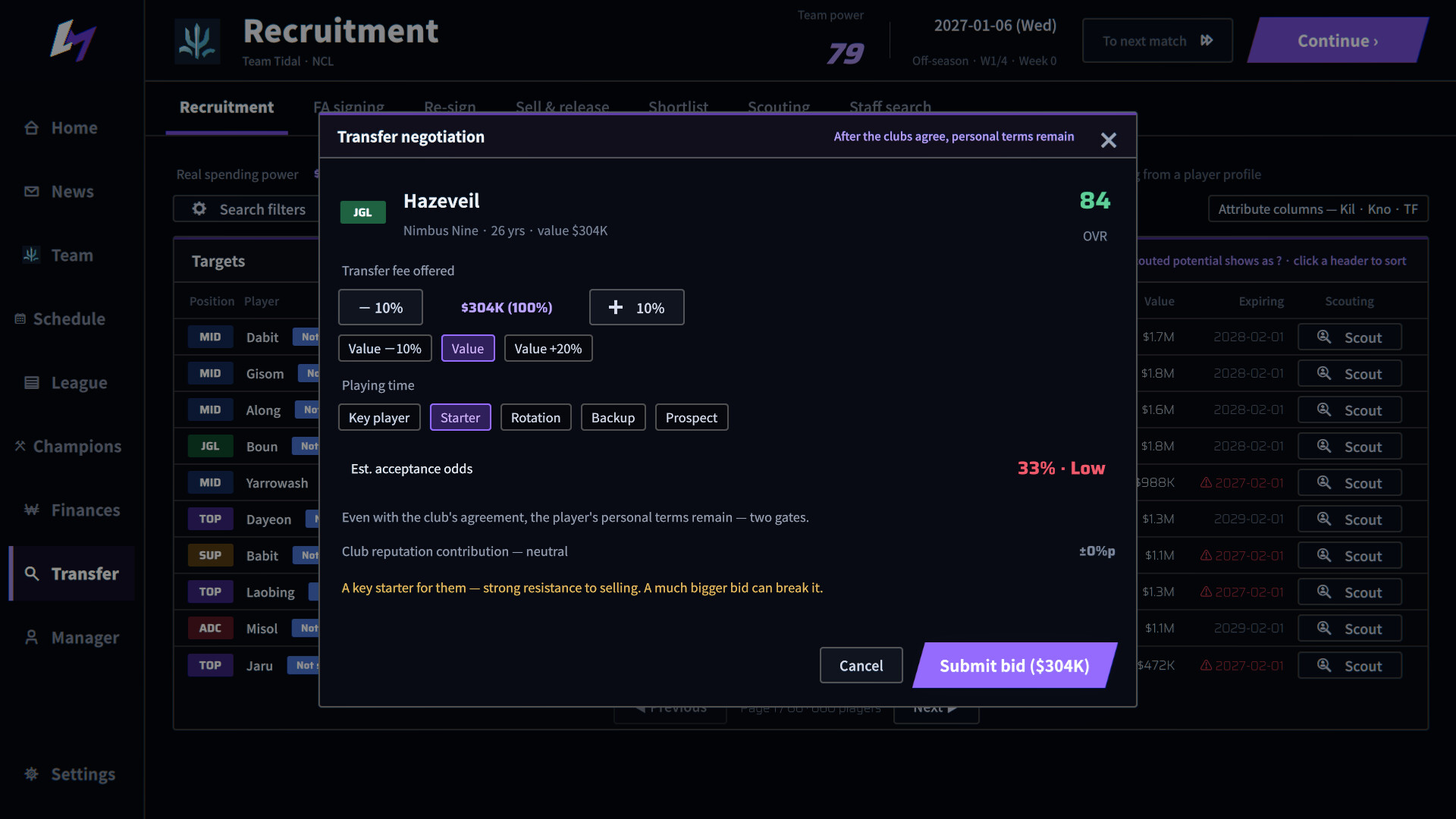
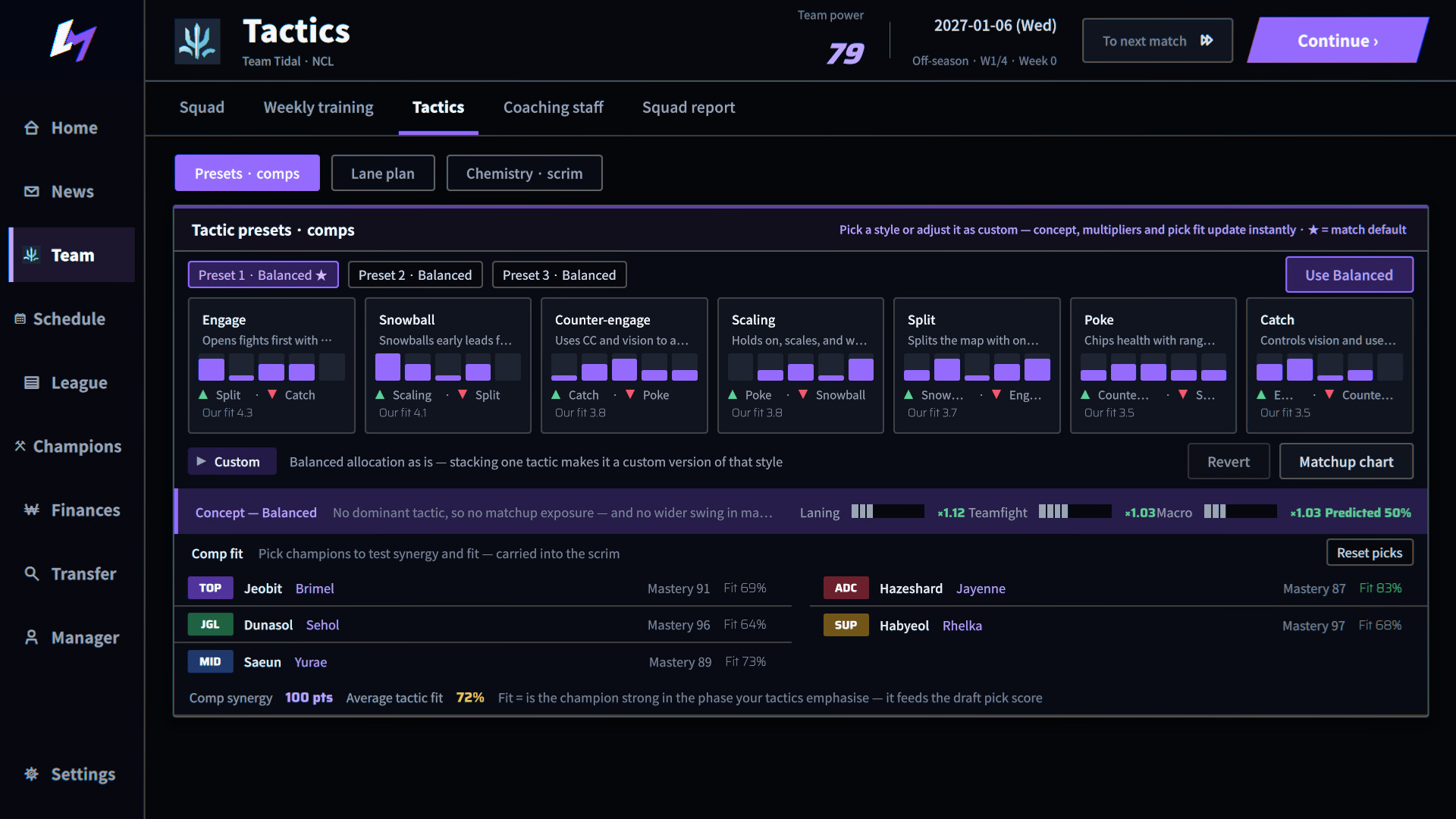
Running the club means balancing transfer budgets, player wages, and board expectations during a four-week off-season window before the February roster lock hits. You send analysts to scout talent, negotiate buyout clauses, and set up champion drafts and map tactics for live 5v5 matches played with mouse and keyboard controls. After each game, the simulator breaks down your win or loss with specific cause cards, ten player ratings, a gold flow timeline, and media interviews. Long-serving stars can even be inducted into your Hall of Records with custom farewell tributes once they retire.

Since Pepper Games is actively expanding the title in Early Access, this hub tracks the latest patch notes and development updates. You can check back anytime to see what changes are landing next, from AI transfer behavior and draft balance to bug fixes and performance optimization.

System Requirements

Minimum

OS:
Windows 10 64-bit (21H1 or later)
Processor:
Intel Core i3-6100 / AMD Ryzen 3 1200 or equivalent
RAM:
8 GB RAM
Graphics:
DirectX 12 compatible GPU, 2 GB VRAM (GeForce GTX 750 Ti / Intel UHD 630 or equivalent)
Storage:
1 GB available space
DirectX:
Version 12

Recommended

OS:
Windows 10 / Windows 11 64-bit
Processor:
Intel Core i5-8400 / AMD Ryzen 5 2600 or equivalent
RAM:
16 GB RAM
Graphics:
NVIDIA GeForce GTX 1060 / AMD Radeon RX 580 or equivalent
Storage:
1 GB available space
DirectX:
Version 12

Installation Guide

Step-by-step setup process

  1. No installation is needed — the game comes fully pre-installed and ready to play.

  2. Extract the RAR / ZIP archive with WinRAR or 7-Zip into any folder, for example C:\Games\GameName.

  3. Launch the game via Run Me!.bat (or the main .exe file) inside the game folder.

Game Info

Developer
Pepper Games
Publisher
Pepper Games
Platform
PC (Windows)
Release Date
File Size
402.58 MB
Status
Not specified

Download Game

Full game 6

v0.1.2 402.58 MB Updated 11 minutes ago
Download League.Manager.2027.rar.torrent

Torrent file ready

File checksums (MD5 / SHA-256)
MD5: 803d310c812d6273eee44e8b73b4a751
SHA-256: 2a66a719a9d982e968d32cb8f1595e3cd01bfb3f5ec8f9ac5573a273fc01bbb2

Checksums verify the integrity of this specific file. They are not an absolute malware guarantee — always scan downloaded files.

Cloud mirrors

Patch Notes

Official changelists for the builds of this game

0.1.2 Update — League Cup Bracket & AI Transfer Fixes, In-Game Guidance

Current Build 26913961
Thank you for playing League Manager 2027 in Early Access.
Update 0.1.2 fixes the League Cup bracket and AI clubs' winter signings that we listed as known issues in 0.1.1; adds in-game guidance such as mouse-over descriptions, “Coach's tip”, the “How to play” intro page and match result explanations, along with text size and color-blind settings and adaptation for imports; and fixes a number of issues, including a World Championship save problem.

The Mac version will be updated to 0.1.2 soon. Until then, please don't alternate between Windows (0.1.2) and Mac (0.1.1) with the same save. Doing so can throw your progress off, for example by playing a League Cup Round 1 week a second time.

New Features & Guidance 9

Mouse-over descriptions (tooltips) now actually appear in the game. Until now they didn't show up on screen, even where a description had been written. Rest the mouse on a button, chip, column header and so on for a moment to see the description box.

The first time you open the Home, Transfer, Training, Draft, live match and Match result screens, a “Coach's tip” explains how that screen works. Press “Got it” and it won't appear again; you can turn “Coach's tip” on or off in the “Display” tab of “Settings” (turning it back on shows the tips again from the start).

Added a “How to play” page to the intro. It explains that the big button at the top right tells you what to do next, that time moves forward each time you press “Continue” once your tasks are done, and that the “To next match” button skips ahead to the next match or important decision in one go. It appears when you start your first career, and you can view it again at any time from “📖 Guide” on the title screen.

The second line of the result banner at the top of the “Match result” screen now shows what decided the game, as a chip and a one-line reason. If the text is shortened to fit, rest the mouse on it to see it in full.

After the first series of your career, the “Match result” screen shows a “First series breakdown” box. It puts the pre-match predicted win rate next to the actual result, and a coach suggests what to change in the draft or on the tactics screen for the next match.

Added “Text size” to the “Display” tab of “Settings”. Choose “Large” to make reading text a little bigger (large titles and score numbers stay the same); text that no longer fits its space is shortened with “…”, and resting the mouse on it shows the full text. “Default” looks the same as before.

Also added “Color-blind assist” to the “Display” tab. When it's on, the green and red used for good and bad become blue and orange, lost matches in recent-result markers are shown as rings, and ▲▼ marks are added to the Dragon Spirit badge and to team meeting rating tags.

Imports (players whose native language differs from the team's main language) now have an adaptation state. Imports who haven't settled in yet are shown as “Struggling to communicate”, “Struggling to settle” or “Settling in”, and the state gradually fades with time at the club, closer bonds with teammates, and learning the team's language. You can see it as a tag next to the name in the “Player profile” and in the “Settling abroad” section of the “Locker room” tab on the “Squad” screen (for other teams' players, after scouting them). Local players don't get these states.

Imports now learn the team's language little by little each week. An average learner reaches “Conversational” after about one season, and what they learn also counts toward teamwork in matches. This applies equally to imports at every club.

League Cup Bracket, AI Transfers & Balance 11

The League Cup now uses a proper seeded bracket (a known issue from the 0.1.1 notes). In the first season, seeds follow the average OVR of each club's five starters when the League Cup begins; from the second season on, they follow the previous season's regular-season standings. The top seed faces the bottom seed and so on, so top seeds no longer meet each other in the first round.

In leagues with 10 or 14 teams, the top seeds get a bye in the first round. In 10-team leagues, seeds 1–6 rest and only seeds 7–10 play Round 1; in 14-team leagues, seeds 1 and 2 rest. A Round 1 winner in a 10-team league can no longer reach the final through two byes. The rounds are “Round 1” → “Quarterfinals” → “Semifinals” → “Final” (8-team leagues start at the “Quarterfinals”).

Teams with a first-round bye are announced in the League Cup opening news. While the League Cup is in progress, the “League Cup” tab lists them in a “Round 1 byes (top seeds)” line (also when your own team is resting), and when your own team has a bye, a “Round 1 bye” line stays on the “Season fixtures” tab.

The new bracket applies to League Cups that start after the update. A League Cup that was already in progress before the update is played to the end in the old format.

Fixed AI clubs that had spent their whole budget continuing to sign players (a known issue from the 0.1.1 notes). AI clubs now base their signings on the money they actually have left, including when they try to sign one of your players. As a result, lower-ranked AI clubs stocking up on free agents during the off-season and turning the league's strength order upside down by the start of the League Cup now hardly ever happens.

AI club budgets are topped up once at each change of season, with more money for clubs that had better results and reputation the previous season. Clubs that have run out of money still receive a minimum budget each season.

Near the end of the off-season transfer window, AI clubs' last-minute signings used to pile up in just one other league; they are now spread out in turn across the five leagues other than yours.

Before strengthening their squad in the off-season, AI clubs now first move a stronger main roster bench player into the starting lineup if they have one.

Tactical completeness now pays off more when you win the tactical matchup. In a match where you're ahead in the matchup, filling completeness to the top raises your set win rate by about 3%p; when the matchup is even or against you, completeness still has no effect, as before. The completeness notes on the draft suggestion screen, the template window and the match tactics screen now show this figure.

Corrected the calculation that made veteran players age faster than intended. Veterans now decline only as much as intended, and AI clubs' veterans age more slowly than before. To match this, we re-tuned training growth for your players aged 23 and over: on “Light” or “Normal” training intensity they no longer grow from training, on “Strong” they grow a little less than before, and “Max” is unchanged. For players on “Normal”, the “This week's growth” window shows “Intensity too low — only on Strong · Max”, and teams that only train on “Normal” may see their veterans decline a little faster than before.

For your team's matches, “Pundit predictions” now use the same calculation as the “Pre-draft” win probability shown on screen (League Cup and international matches included). Pundits now underrate your team only about half as much as before. Predictions for matches between other teams are unchanged.

Changes 6

The “This week's agenda” card that appears when a player struggles to communicate with teammates now tells you who is involved and which languages: the player's languages and level (“Fluent”, “Conversational”), the language the teammates mostly speak, and the names of the teammates they can't communicate well with (up to 3). (Reported on the Steam discussion boards.)

This card now only appears for imports who haven't settled in yet, shows up less often as they settle, and never targets the same player twice in a row. Local players whose native language is the team's main language are no longer picked for this card. Choosing “Support their adjustment” or “Trip home” now also helps that player settle in faster.

Players created during the game (rookies joining the pro scene, emergency trainees and so on) no longer get numbers added to their names, like “Arcline2”. They now receive a name, from several thousand new original names, that nobody in that save is using yet. Players who already exist keep their names. (Reported on the Steam discussion boards.)

Updated the coaching staff of one CSL club to reflect the current season: a new manager joins, and the previous manager becomes a coach at the same club. This applies to new careers; in continued saves, that club's staff stays as it is and the new manager appears as unattached staff.

Clicking the club tier chip on the Home screen now opens your “Club info” window, where a line under your title explains why you earned it.

After you decide the last item of “This week's agenda”, the “This week's agenda” board stays on the Home screen with “✓ Handled” and a line showing the result, so you can see the outcome of your decision right away (it's gone the following week).

Fixes 2

Fixed an issue where saving and loading during a World Championship Swiss Stage week left the next match unscheduled, so the World Championship ended without a champion and the game moved on to the next season (reported on the Steam discussion boards). Saves already made during such a week also continue normally after the update. In saves that already moved on to the next season because of this issue, that year's World Championship result can't be restored, but everything afterwards plays normally.

During the off-season you can sign players within your overdraft limit even when your funds are negative, but “Real spending power” in the Transfer screen header and on the Finances screen showed 0. Both now show the same amount used by the actual signing check and the “Within real budget” filter, and the label changes to “Real spending power (incl. overdraft limit)” while the overdraft is available.

Display & Text Clipping 7

In languages with longer text (German, Portuguese, Russian, Vietnamese and Turkish), the potential ★ after the “Not scouted” chip was cut off in the Transfer screen's player lists. Player names now shrink first instead (on rows with an injury marker, the ★ can still be partly cut off).

In languages other than Korean, the “↑room to grow” label in the Training screen's “Per player” table was cut off. It now appears separately right after the name, and the age and OVR text shrink first (on rows showing both “No auto-rest” and an injury marker, it can still be cut off in some languages).

In some languages, text in the “Status” column of the league standings and in the summary chips on the “Squad” screen (“Starters' avg OVR”, “Avg condition”, “Avg fatigue”) overflowed its space; shorter wording is now used.

In languages other than Korean, pundit style names and confidence labels in the “Pundit predictions” table were cut off; shorter wording is now used.

Fixed text that was cut off or overlapped other text on many screens in English and Chinese (Simplified and Traditional): the playoff bracket, tactical styles, the champion list, dates in the “Inbox”, the “Patch center”, the “Hall of Records” and “Season review”, player names in “Prematch”, press conferences and more. Text that is shortened to fit now shows in full when you rest the mouse on it, and the same changes also reduced clipping in other languages.

Fixed a number of other small display and translation issues.

The version label in the corner of the screen now reads “v0.1.2”.

Localization 3

  • All new on-screen text added in this update has been translated into 11 languages.
  • Unified terms that had been translated in different ways within the same language (Rookie of the Year, ace, grade, main roster, macro, set and more), and fixed condition labels in Spanish, Brazilian Portuguese and French that didn't agree in gender with the word for “condition”.
  • Saves made in earlier versions (0.1.0 and 0.1.1) can be continued as they are.

Known Issues 2

  • The two issues listed in the 0.1.1 notes (the League Cup bracket and AI clubs' free-agent signings in the off-season) are fixed in this update. See “League Cup Bracket, AI Transfers & Balance” above for details.
  • If you run into any issues while playing, please let us know on the Steam discussion boards. Thank you.

Source: Steam announcement SteamDB

0.1.2 Update — League Cup Bracket & AI Transfer Fixes, In-Game Guidance

Build 26909661

2 parts 2023–2026

Find games like this Genres pre-set: Simulation Games · Sports Games · Strategy Games Open

Reviews and comments

Share your experience

Help other players know what to expect.

Rate this game Your rating (optional) Log in to rate
0 / 1000

Adding a rating makes your post a review.

Please follow our community standards. Read the community rules