
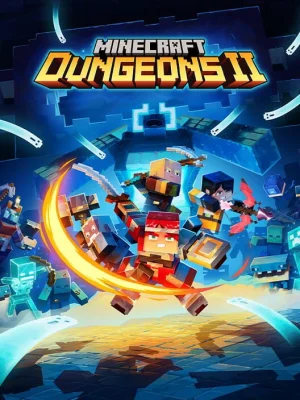
Minecraft Dungeons II ps5
- Platform
- PS5
- Release Date
- File Size
- 6.17 GB
- Views
- 26
- Comments
- 0
- Languages
- Russian, English, French, German, Japanese, Portuguese (Brazil), Italian, Spanish, Spanish (Latin America), Dutch, Korean, Polish, Swedish, китайский (упр.), китайский (трад.), Turkish, Ukrainian
- Added by








Game trailer: Minecraft Dungeons II
Screenshots


Description
Minecraft Dungeons II is a large-scale continuation of the iconic action-RPG in the dungeon crawler genre in the Minecraft universe. Darkness, once defeated in the first part, has returned in a new form, spreading through the mysterious dimension of Sift. Players will have to reunite in teams or go on a solo journey to explore procedurally generated dungeons, collect a unique artifact loot and save the Overworld from complete absorption by an unknown force. The sequel offers completely new combat physics, an expanded vertical gameplay system, and deep character customization without being tied to hard classes.
FPKG installation
Step-by-step setup process for PS5
- Format
- FFPFSC
- Package ID
- PPSA16064
- Minimum firmware
- 13.60
-
This release is a single .ffpfsc file — a compressed container holding the game image, not a folder and not a package. Nothing needs converting.
-
Copy the .ffpfsc file as is into a homebrew folder on an exFAT USB drive (the console sees it at /mnt/usb0/homebrew/). Keep images on the drive, not on the internal SSD: the ShadowMountPlus author warns that images on internal storage can corrupt the data on shutdown.
-
Plug the drive into the console and run the jailbreak (WebKit Autoloader). ShadowMountPlus has to be installed and running — it is the app that mounts image containers.
-
ShadowMountPlus rescans its folders about every 15 seconds. When the game appears on the home screen with its own icon, the nested image was mounted successfully.
-
Launch the game from that icon. If the icon never appears, check the path (the file must sit in homebrew/ or etaHEN/games/) and the ShadowMountPlus log at /data/shadowmount/debug.log.
Game Info
- Developer
- Mojang Studios
- Publisher
- Mojang Studios
- Platform
- PS5
- Release Date
- File Size
- 6.17 GB
- Status
- Released
Download Game
Reviews
No ratings yet.
No written reviews for this game yet.
Rate this repack in the form below and your comment becomes the first review here.





Comments (0)
No comments yet. Be the first to leave one!