
My Train Arrives
- Платформа
- PC
- Дата выхода
- Размер файла
- 1.75 GB
- Загрузки
- 5
- Просмотры
- 7 299
- Комментарии
- 0
- Языки
- English, German, Russian
- Добавил
- Админ
Режимы игры и совместимость
- Одиночная игра
Трейлер игры: My Train Arrives
Скриншоты


Описание
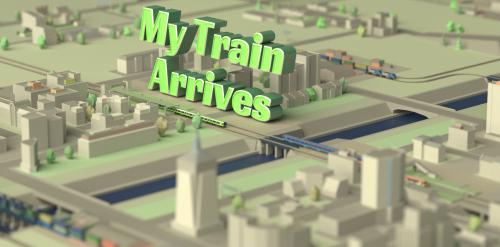
My Train Arrives is a simulator of railway construction and railway management. Here you have to build roads, lay routes, and do much more. There is no specific plot in this game. You will only be the next entrepreneur, craving for a monopoly, who needs to build a business on the basis of the railway at any cost. But do not think it will be easy. Firstly, this is a very difficult matter. Secondly, during development, you will encounter whole heaps of problems. But thirdly, you have to think a lot, be prudent, and not only.
The gameplay here is quite simple and is based on simple planning and construction. You will build a railway, lay routes where you need them, take tasks, complete them, engage in transportation, and much more. Nothing complicated, at least at first glance.
NOTE. Uploaded version: 21 November 2023 [Build 12570355]. This is Full Release and latest version of game and included all DLC. The game is already Packaged in ISO File and ready to run the game after install, read the instruction below.
- My Train Arrives — City pack
- My Train Arrives — Neighbouring cities
- My Train Arrives — Big cities
- My Train Arrives — In ten years
- My Train Arrives — Sea and mountains
Ключевые особенности
- Combination of dynamic and relaxing game modes.
- 12 locomotives and 25 wagons with different characteristics.
- 7 cities.
- 4 game modes: campaign, survival, evacuation and relaxation.
- Nice graphics and relaxing music.
Системные требования
Минимальные
- ОС:
- Windows 7/8/10
- Процессор:
- Intel Core 2 Duo E4500 @ 2.2GHz or AMD Athlon 64 X2 5600+ @ 2.8GHz
- ОЗУ:
- 2 GB RAM
- Видеокарта:
- ATi Radeon HD 2400 or NVIDIA GeForce 7600
- Диск:
- 2 GB available space
Инструкция по установке
Пошаговый процесс установки для TENOKE
-
Смонтируйте .iso-образ — в Windows 10/11 он подключается из контекстного меню, в остальных случаях подойдёт Daemon Tools или похожая программа.
-
Запустите
setup.exeс диска и установите игру — сборки Tenoke взломаны заранее, нужна только установка. -
Если на диске есть папка
Tenoke, скопируйте её содержимое в каталог установленной игры. -
Запустите игру с ярлыка на рабочем столе (от имени администратора).
Информация
- Разработчик
- Kochkin Dmitry
- Издатель
- Kochkin Dmitry
- Платформа
- PC
- Дата выхода
- Размер файла
- 1.75 GB
- Статус
- Сцена (ISO)
Скачать игру
Полная игра 6
Build 12570355 Сцена (ISO) TENOKE
661675d1ab07e68b9193c5813e0fc76d
d6a16fb5ad620c71c41f0a4ceb17c3ecdec490819656bc531b4a6cfaca4391d5
Контрольные суммы подтверждают целостность именно этого файла. Это не абсолютная гарантия от вредоносного ПО — всегда проверяйте загруженные файлы.
Торрент-файл готов



Отзывы и комментарии
Оценки
4,6 из 5 269 оценок
Архив хранил только оценки, без текста — читать пока нечего.