
Besiege
- Платформа
- PC
- Дата выхода
- Размер файла
- 1.31 GB
- Просмотры
- 2 957
- Комментарии
- 2
- Языки
- english, french, german, spanish - spain, japanese, korean, portuguese, russian, simplified chinese
- Добавил
- Добавил Админ
Трейлер игры: Besiege
Скриншоты


Описание
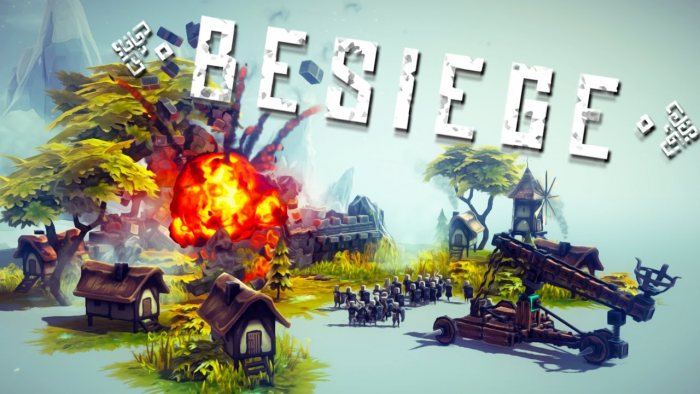
Besiege is a beautiful designer game with great features and the most simple interface. The game allows you to quickly sort things out and build the most insane mechanisms. In addition to the sandbox, in which you can fully unleash your designer’s talent, you will find a campaign that will consist of various tasks to destroy buildings or enemy manpower. Can you build a mechanism that will destroy a well-fortified castle? Think outside the box, use different tricks. Moreover, the developers have tried to once created a mechanism does not become universal, that is, the levels will constantly require a unique approach.
NOTE. Uploaded version: 22 June 2026 [v1.90-25238]. This is Full Release and latest version of game. The game is already Pre-Installed and ready to run the game, read the instruction below.
DLC:
- 2165710=Besiege: The Splintered Sea
- 2959970=Besiege: Supporter Pack
About This Game
Gameplay Besiege is based on an advanced crafting system and realistic physics, taking into account the real laws of gravity and not only. You will be available a huge number of different modules, of which you can create siege devices, catapults, medieval structures for the destruction of buildings and much more. In this case, you have to take into account the laws of physics, creating certain devices. It will not be possible to destroy a stone wall with an ordinary log tied in front, as it will fail to take off into the air by a device whose weight is greater than what can be lifted. You will have to take into account heaps of various characteristics, creating siege devices. Weight, volume, dimensions, gravity, inertia, compression and tension, and many others. You will design at your discretion what you want from what you have available.
Системные требования
Минимальные
- ОС:
- Windows XP (latest SP)
- Процессор:
- 2.2Ghz Dual Core
- ОЗУ:
- 2 GB RAM
- Видеокарта:
- 512mb Dedicated VRAM
- Диск:
- 1 GB available space
- DirectX:
- Version 9.0c
Инструкция по установке
Пошаговый процесс установки для P2P релиз
-
Установка не требуется — релиз полностью готов к игре прямо из коробки: никаких мастеров установки и долгих обновлений.
-
Распакуйте архив (RAR/ZIP) в короткий путь без кириллицы, например
C:\Games\GameName, с помощью WinRAR или 7-Zip — и не запускайте игру прямо из архива: это главная причина проблем с запуском. -
Запустите игру через Run Me!.bat (или основной
.exe-файл) в папке с игрой. Если ничего не происходит, кликните правой кнопкой мыши и выберите Запуск от имени администратора.
Информация
- Разработчик
- Spiderling Studios
- Издатель
- Spiderling Studios
- Платформа
- PC
- Дата выхода
- Размер файла
- 1.31 GB
- Статус
- Уже установлено (Portable)
Скачать игру
Полная игра
4af631544185a3fd54ba780b06c031d2
5b97613c2244141732d958ddb0ec3156fac8fd48c0286578d68fee387bcabcb3
Контрольные суммы подтверждают целостность именно этого файла. Это не абсолютная гарантия от вредоносного ПО — всегда проверяйте загруженные файлы.
Торрент-файл готов
Обзоры
Письменных отзывов об этой игре пока нет.
Оцените этот репак в форме ниже — и ваш комментарий станет первым отзывом здесь.





Комментарии (2)
Changelog Version 1.75ADDITIONAL CONTENT- additive loading and selection saving added for machines and levels- workshop items can be additive loaded via the top-right icon- if a saved selection doesn\'t include a starting block/build zone, it will add one so the file is still usable, but if additive loaded it will remember to remove it- machines now have autosaving- click ↻ icon on machine to open its autosave folder- autosave files are named in format `aut yy.MM.dd HH-mm-ss`- files are cleaned up after 28 days or 100 autosaves - these are configurable in settings- overwriting a machine will copy the previous version to its autosave folder- version files are named in format `ver yy.MM.dd HH-mm-ss`- versioning also has auto-cleanup and associated settings- paint bucket now has searching and sorting- variables can now be changed and removed independently- typing ; or , will add a new variable- backspace in an empty variable (or submitting it empty) will remove it- up to 100 variables can be added (if you need that many for some reason)- speedometer now has directional mode- can specify all directions, one axis, or forward/backward only- add button for mv clients to match all mods to host (and then automatically join if possible)- add camera snapping + orthographic view- hold Alt while moving the camera to align with one of the sides of the build box- orthographic mode will activate when precisely aligned with a sideIMPROVEMENTS- keymapper text fields (among others) now have moveable cursors and selections- this can be controlled with both mouse clicking/dragging and keyboard arrow keys/ctrl/shift/etc- small wheel block now has a spherical collider and rolls freely- hold shift while saving a machine to retain the existing thumbnail- starting blocks can now be deleted so long as there\'s at least one- build surface aero now disabled by defaultFIXES- fix camera losing focus when entering/exiting sim on basically everything in campaign levels and multi-part level entities (e.g. airship)- fix massive lag spikes on block add/delete operations in mv with block limits set- fix lag spike when undoing/redoing duplicating- fix fixed camera block in first person mode flipping rapidly at up/down limit- fix some multiverse ui elements being blown out on ultrawide- fix copy-pasting NaN from external programs without nobounds (har har)- fix custom selector `Changed` event firing when selector destroyed- fix bottom bar responding wrong when histogram fails- fix missing Rope Winch audio for clients- fix secret level completion effect not working for some machines
1.6 changelog:Level Editor & Multiplayer related- 125 New Level Editor objects*- changing the size of multiplayer world from 2,000 x 1,750 x 2,000 to 4,000 x 1,500 x 4,000-- (the slight lowering of the height by 250m was necessary on a technical level to ensure a smooth experience after expanding the floor area by 4 times as much)- added water altitude setting to level settings- added water type selection to level settings- fixed objects that were unable to break (or didn\'t display correctly for clients) and/or move in Level Editor, even though they had settings for it-- Desert House, Cart, Lyre, Coliseum Column, Arena Column, Gate, Arch, Scaffold, Scaffold Tall, Fence Low, Basket, and more- fixed fire on several objects, including wooden ramp objects and certain foliage in level editor- fixed newly placed colliseum pieces in level editor to aligning and not be squished- fixed density and mass sliders in Level Editor for some objects not assigning values- fixed some objects that would not sync correctly for clients becuase they were marked as never moving network side- polished all thumbnails in the level editorfixed NPC cannons aiming being framerate and timescale dependent- fixed NPCs sometimes spawning weird blood coulds only intended for water maps- fixed order of operations of bombs exploding and calling Level Editor events, so that if they respawn themselves on explode they do not stack overflow.- Level Editor NPCs can now join to specific objects, i.e. vehicles- fixed an issue with respawning machine in Multiplayer where the machines would get stuck mid air- fixed being able to scale unscalable objects during placement in level editor- changed the layout of the level editor categories- fixed when placing certain objects in Level Editor pressing T or holding T didn\'t scale the object visibly- fixed an issue in the level editor where after a transform event we always reassign their physics to default moving, even if they shouldn\'t have been