Skip to content

Ostranauts

Free Download for PC · v1.0.1.8a

Ostranauts
Platform
PC
Release Date
File Size
899 MB
Views
15,978
Patch Notes
3
Comments
4
Languages
English
Added by
Skigameco Legend

Play modes & compatibility

Play modes

  • Single-player

Compatibility

  • Controller support
Download Game v1.0.1.8a

Version Status

Current Version
v1.0.1.8a
Current Build
25401711
Latest Build
25401711
Last Steam Update
Update Available v1.0.1.4
Included DLC · 1
  • Ostranauts Soundtrack

Screenshots

Ostranauts — Screenshots 1
Ostranauts — Screenshots 2
Ostranauts — Screenshots 3
Ostranauts — Screenshots 4
Ostranauts — Screenshots 5
Ostranauts — Screenshots 6
Ostranauts — Screenshots 7
Ostranauts — Screenshots 8

Description

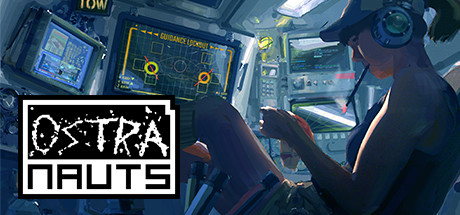
The game is a detailed simulation of survival on a spaceship that has entered the solar system. Ostranauts — find yourself in the NEO Scavenger universe at a time when the Earth was on the verge of destruction, and the rest of the solar system is trying to survive in a capitalist dystopia. Players will create and develop their ship, choose a captain, extract resources and develop an economy between the team. You can build your own ship using any of the available functional models. Remember that each part has its own physical functions, and during operation it wears out and needs to be replaced.

About This Game

Your crew members have their own needs, such as physiological hunger, thirst, optimal temperature, the presence of oxygen and emotional communication, respect, personal space, a sense of security. Players can use the detailed modeling of various life situations and manage pressing issues that really can stand in conditions of survival in outer space. You have to establish a system of trade and supplies, satisfy the physiological and emotional needs of your wards, provide the ship with energy and other resources, manage finances.

Each member of your team is led by artificial intelligence, capable of assessing the current state and needs, as well as analyzing past experiences. So, if one colleague is friendly and the other is belligerent, then for consolation the unit will turn to the first, and for protection to the second. The game will give knowledge to those who want to find them. All fractions and colonies in the game have their own history, and everyday goods brands and promotion systems. There is its own media in the Universe, gossip and intrigue, which cannot but be taken into account, continually appear. You will not find in the game anything surprising like teleporters, force fields, or speed faster than light. However, ultramodern technologies are provided, for example, more efficient metal smelting or cooling system, medicine, message transfer methods.

System Requirements

Minimum

OS:
Windows 10 version 21H1 (or newer)
Processor:
Dual Core 2 GHz
RAM:
8 GB RAM
Graphics:
Intel HD 4600 (AMD or NVIDIA equivalent)
Storage:
2 GB available space

Installation Guide

Step-by-step setup process for RePack

  1. Mount the .iso if the download is a disc image, or simply open the extracted folder if it came as a plain archive.

  2. If there is a setup.exe, run it and install the game — the repack already contains everything, no crack copying is needed.

  3. If there is no installer, the game is pre-installed: launch it straight from the main .exe in the game folder.

  4. Play — start from the created shortcut or the game executable, as administrator.

Game Info

Developer
Blue Bottle Games
Publisher
Kitfox Games
Platform
PC
Release Date
File Size
899 MB
Status
Repack

Update Available

v1.0.1.4

Upgrade to v1.0.1.4 without re-downloading the full game

  1. Base download v1.0.1.8a

    You get this version with the full game download below

  2. v1.0.1.4 90.6 MB
    UPLOADY

    Ostranauts.Update.v1.0.1.4

    NITROFLARE

    Ostranauts.Update.v1.0.1.4

    RAPIDGATOR

    Ostranauts.Update.v1.0.1.4

    RAPIDGATOR #2

    Ostranauts.Update.v1.0.1.4

How to apply this update

  1. Download the update archive from the links in this section — it is much smaller than the full game, so the download will be quick.

  2. Extract the archive (RAR/ZIP) with WinRAR or 7-Zip to a short, Latin-only path like C:\Games\GameName.

  3. Run setup.exe inside the update folder and install the update into your existing game folder — the one that already holds the installed game. Do not install into a new folder.

  4. Copy the updated files included with the release and confirm replacement when prompted, then launch the game and check the new version in its main menu.

Download Game

The download below is the base version v1.0.1.8a. To reach v1.0.1.4, apply the updates in the chain above.

Full game 6

v1.0.1.8a 899 MB Updated 3 weeks ago

Repack RePack

Download Ostranauts.v1.0.1.8a.torrent

Torrent file ready

File checksums (MD5 / SHA-256)
MD5: 0b15dcdfc81c87157d447abbf7e69632
SHA-256: de06cd1b3a8425e2150d72217a9b75aa39cbc70c3bc18baccb515ef7866dcdac

Checksums verify the integrity of this specific file. They are not an absolute malware guarantee — always scan downloaded files.

Cloud mirrors

Patch Notes

Official changelists for the builds of this game

Duties UI and Gravity Fixes

Current Build 25401711

Hey Folks!

Update v1.0.1.5 is now available on Steam, and your clients should be updating shortly.

This is a hotfix patch to 1.0, which fixes issues with the crew Duties UI and stuck gravity, as well as some ship design fixes.

Saves from v1.0.0.0 and later should work. Note that if you were experiencing issues in the older save, this patch may fix some, but others may persist depending on the cause.


Note: 📢 indicates changes inspired by community feedback!

Changes 19

  • Uninstall/Scrap/Repair/Dismantle PDA orders should now be prioritized by their correct categories in the Duties UI.

  • The game will attempt to fix incorrect Uninstall/Scrap/Repair/Dismantle PDA order categories when loading old saves.

  • Gravity effects of nearby planets will no longer get stuck on the ship's physics when exiting autopilot near a planet.

  • Babak ships will no longer spawn with large piles of loose items under bins.

  • Several other ships with the 'Starter Battery' have had it replaced with normal batteries.

  • One of the bigger changes in this patch, and one which captains of larger crews will probably welcome, involves the Duties UI.
  • For those who haven't used it, the Duties UI is accessible by clicking the right side of the Roster UI, and lets you set which priorities each crew should have by task type. Lower numbers/brighter green means higher priority, and in case of ties, priority goes to left cells before right ones.
  • As it turns out, somewhere along the line, several of these categories got merged behind the scenes, causing all Uninstall, Scrap, Repair, and Dismantle type orders to be considered Construct type. This meant that crew would do all of those things at whatever priority Construct had for that crew.
  • This patch separates those Duty types once again, so crew can have differentiated roles. The patch will also attempt to recategorize old tasks when loading saves, so they also get filed under correct categories.
  • Another subtle-yet-important bugfix involved ships and gravity. One of our players, GDorn, noticed that using course plot and engage would leave a permanent acceleration on their ship after the autopilot ends. 
  • In most cases, this can be hard to notice, since this effect is proportional and opposite to the gravity at the journey's endpoint (usually in microgravity). But if the trip ends in a strong gravity field, weird things can happen!
  • GDorn was able to provide a great detailed report of how to reproduce the issue, and even where the expected issue was in the code. And sure enough, when we checked it out, there were competing functions both trying to edit the gravity, leaving a double effect baked-into the ship (which persisted across saves).
  • This patch fixes the bug that creates this permanent gravity effect. And if your save has a ship impacted by it, you should be able to clear the gravity effect by docking and undocking from a station.
  • The rest of the fixes are more minor issues to several of the ship designs in-game. In particular, lots of stray loose items baked-into the Babak line of ships, and several ships using the wrong (underpowered) battery type.
  • We've still got fixes and other changes in the works, and we'll get those into a testing branch once they're a bit more stable.
  • As always, thank you for playing, and for your help in making Ostranauts more fun for all!
  • Best,
  • Daniel Fedor
  • Founder, Blue Bottle Games, LLC

Source: Steam announcement SteamDB

Hotfix to fix MissingMethodException on mods in today's patch

Build 25337150

Changes 6

  • Hey Folks!
  • Looks like a lot of mods were relying on a function we changed in v1.0.1.3 (DataHandler.GetCondTrigger), and players using affected mods would get MissingMethodExceptions when attempting to load the game.
  • This patch restores the old method signature for backwards compatibility, and should allow those users to continue using mods.
  • Sorry for the interruption!
  • Best,
  • Dan

Source: Steam announcement SteamDB

AI and Performance Improvements, Crash Fixes

Build 25285761

Hey Folks!

Update v1.0.1.3 is now available on Steam, and your clients should be updating shortly.

This is a feature patch to 1.0, which includes a Unity version upgrade, plus some fairly significant AI and performance changes. Due to the deeper nature of some of these changes, the patch has been in beta testing a bit longer than most as we ironed-out the wrinkles.

Saves from v1.0.0.0 and later should work. Note that if you were experiencing issues in the older save, this patch may fix some, but others may persist depending on the cause.


Note: 📢 indicates changes inspired by community feedback!

Changes 4

  • Performance should be a bit faster now, particularly during pathfinding.

  • Reduced memory leaks, particularly due to pathfinding.

  • Upgraded Unity version to fix a random crash bug in the renderer.

  • Random crashing bug identified with Intel 13th and 14th generation cpus using outdated BIOS drivers.

Changes 12

  • AIs Hauling items will now use nested containers more effectively.

  • AIs Feeding items to tasks will now attempt to gather other nearby items in need of Feeding to nearby tasks.

  • AIs without helmets Hauling items through airlock pressure differences should no longer immediately drop items after picking them up.

  • AIs Hauling items should no longer return to the area they gathered from and drop some of the items they were Hauling.

  • AIs should yoink items from other AIs and placeholders less often now.

  • AIs Hauling multiple items to zones will now attempt to drop larger items first, to avoid blocking their drops with smaller items.

  • AIs dropping items from dollies now correctly target the zone they are standing in, instead of the dolly position.

  • AIs Hauling items to multiple zones with item filters will now deposit them honoring those filters.

  • 📢AIs switching into Work shift will interrupt repetitive recreational tasks now (e.g. exercise), to get them working faster.

  • 📢Adding new tasks will now interrupt AIs on Work shift if they are currently doing long-duration recreational activities (e.g. exercise).

  • AI attempting to replace battery or O2 bottles no longer get stuck in a loop if the target charger/container is in certain orientations/corners.

  • ROSTER UI Zones button no longer blocks rows near the bottom of the screen.

Changes 4

  • 📢Uploading an existing mod to Workshop will no longer overwrite the cloud-edited strNotes with local strNotes.

  • We realized our Store page's "Steam Workshop" tag was not showing, and so we corrected that.

  • If you haven't already, check out some of the great Workshop mods from our community!

  • E.g. EddieSM's Props, Aerofects, and Solar Panels, or Ithalan's Ships, NotFuji's new Items and Ships, or any of the other 174 mods from over 60 modders!

Changes 18

  • 📢Options->Controls UI now shows which input devices are detected and which are receiving signals.

  • 📢Clicking an input device in the Options->Controls UI now toggles that device on/off in the game.

  • Options->Controls UI no longer duplicates list when refreshing, and will refresh automatically when changing input selector.

  • Loose floors can now be dismantled.

  • Unmooring can now be performed from any ship in the cluster, not just the initiating ship.

  • Tooltips for Inventory Pin and Open All buttons once again close when their window is closed.

  • Installed Minsheng Mountain floor tiles are can no longer be plucked from the world via clicking in the inventory UI.

  • Placeholder progress (e.g. installing) is now remembered across a save/load cycle.

  • Ship's due for cleanup now have their timer reset when player undocks from them, even if player never entered them.

  • Scrollwheel sensitivity less hyper now in zones UI dropdowns and message log.

  • The hallway conduit tutorial outside the dorm will no longer trigger if completed before it's objective appeared.

  • Fixed a null exception that could occur in GasContainers when checking for toxins.

  • Fixed a null exception that could occur with docked ships left behind when switching regions.

  • One of the bigger pieces of this patch centers around improving the lag and memory leaks reported by players. And while this patch won't solve them all, it should help with some of the bigger culprits.
  • Using profiling tools, we found and fixed a number of memory leaks that would occur when doing pathfinding and tile lookups on ships. The tile lookups also had some more costly operations we could cache, which helps to reduce processing time across a wide range of game code.
  • We also spent some time trying to track down causes of the "random crashing" bugs we see reported occasionally.
  • One cause we were able to find appears to be a renderer crash that could occur in Unity 6000.3.10f1. A newer version, 6000.3.23f1 includes a fix for this issue, and so we upgraded the project to this new version.
  • Also, some of our more proactive players in Discord were able to track down a second cause to Intel 13th and 14th generation cpus with older BIOS drivers. When a few users started sharing info about their crashes in a thread, Blue Wizzard found multiple other communities talking about similar crashes in Unity games. And in 3 out of 3 cases where users updated their motherboard drivers, stability returned!

If you have an Intel 13th or 14th generation CPU, please verify your motherboard drivers are updated to avoid random crashes. 10

  • AI improvements were another large piece of this update. We reworked the way AIs compare nearby tasks for Hauling and Feeding items to jobs to make them more efficient. This includes better use of nested containers (e.g. dollies and crates with bags inside), better zone filtering and dropping, and pre-checking airlocks when attempting to batch tasks.
  • We also added some re-testing of carried items at key times to avoid walking back to the origin and dropping items where they were picked up, as well as yoinking items from the hands of other NPCs (or even installation jobs).
  • We also heard that players were having trouble with AIs continuing long-duration recreation tasks (e.g. exercise, sitting) when Work shift started, or would get stuck doing those when there were temporarily no other tasks to do. So we added code to both snap them out of those tasks when Work shift begins, and also any time new work tasks are added during Work shift.
  • While there's still more work to be done in both performance and AI, players should hopefully notice a marked improvement in both cases starting in this build.
  • We've also heard reports that the game can sometimes get confused about which input device is being used. So that Controls UI now includes both an indicator lamp for all detected input devices and current signals, as well as a way to disable them independently. This way, users with more unorthodox controllers (e.g. drawing pads, HOTAS, etc.) can turn those off in-game if they interfere with normal keyboard/mouse and gamepad inputs.
  • Plus a range of other, more miscellaneous fixes and improvements, and more on the way.
  • As always, thank you for playing, and for your help in making Ostranauts more fun for all!
  • Best,
  • Daniel Fedor
  • Founder, Blue Bottle Games, LLC

Source: Steam announcement SteamDB

Reviews and comments

Ratings

4.3 out of 5 56 ratings

The archive stored scores, not text — there is nothing written to read yet.

  1. Skigameco


    Ostranauts Hotfix Patch (0.12.0.5) Is Live!This one\'s just a quick patch to fix an issue with the undocking tutorial. It turns out that tutorial could suddenly stop after targeting OKLG.This hotfix addresses that issue, and any new game started after this hotfix should see the tutorial normally.

Write a post

Rate this game
0 / 1000

Stars make your post a review; without them it stays a comment.

Please follow our community standards. Read the community rules