Mad Games Tycoon 2 Build 20855306 (upd.24.11.2025)

About The Game
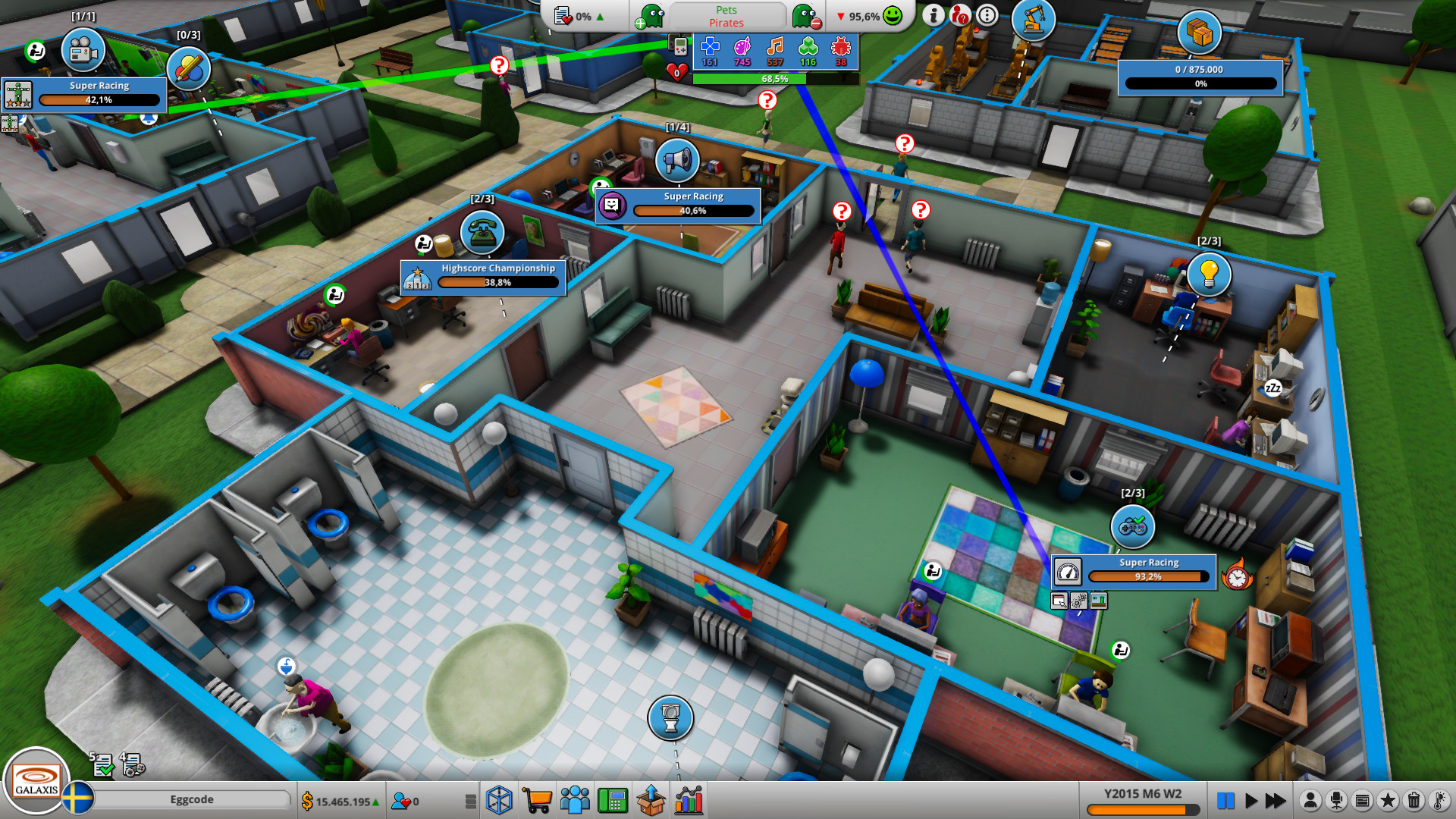
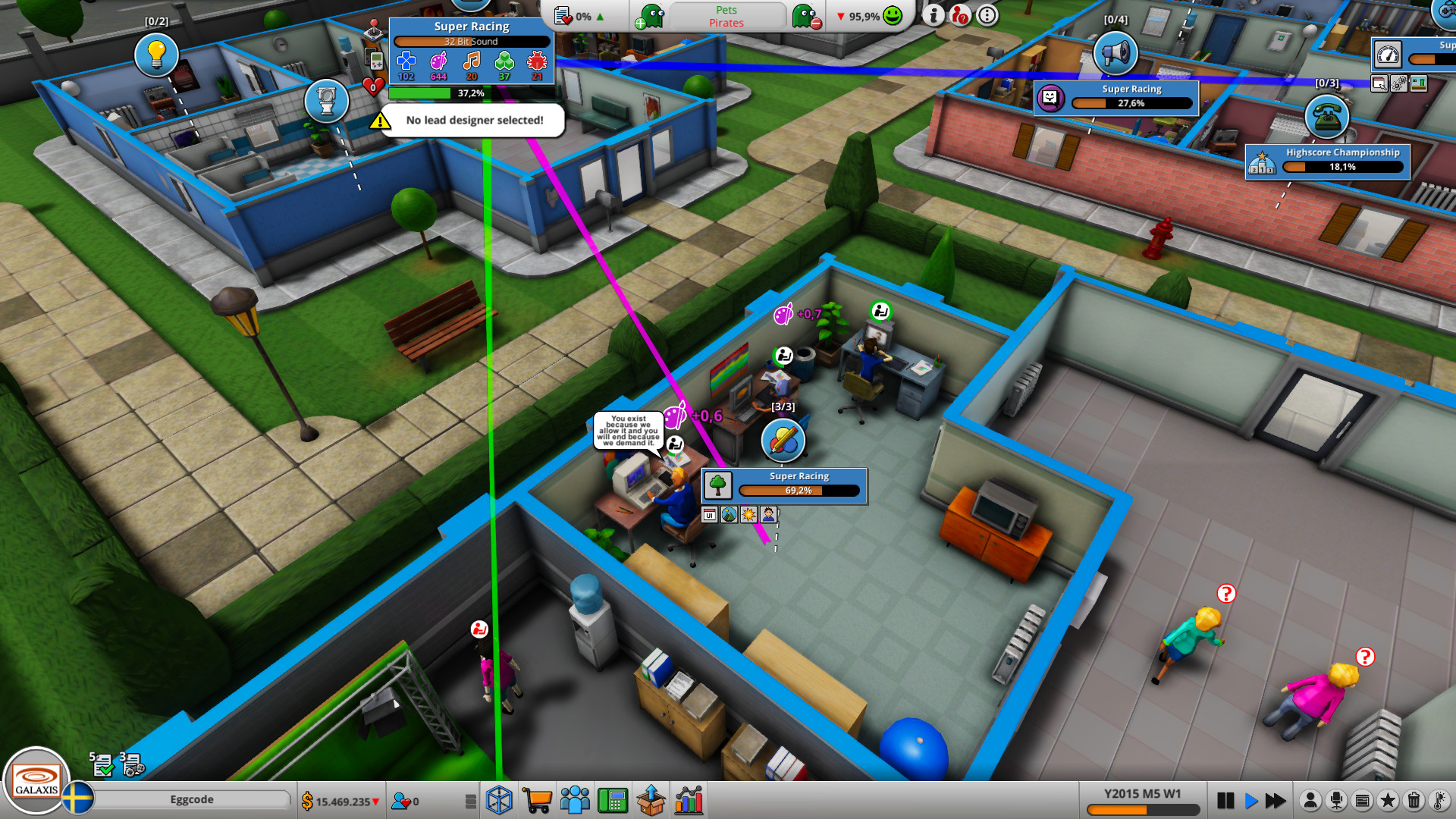
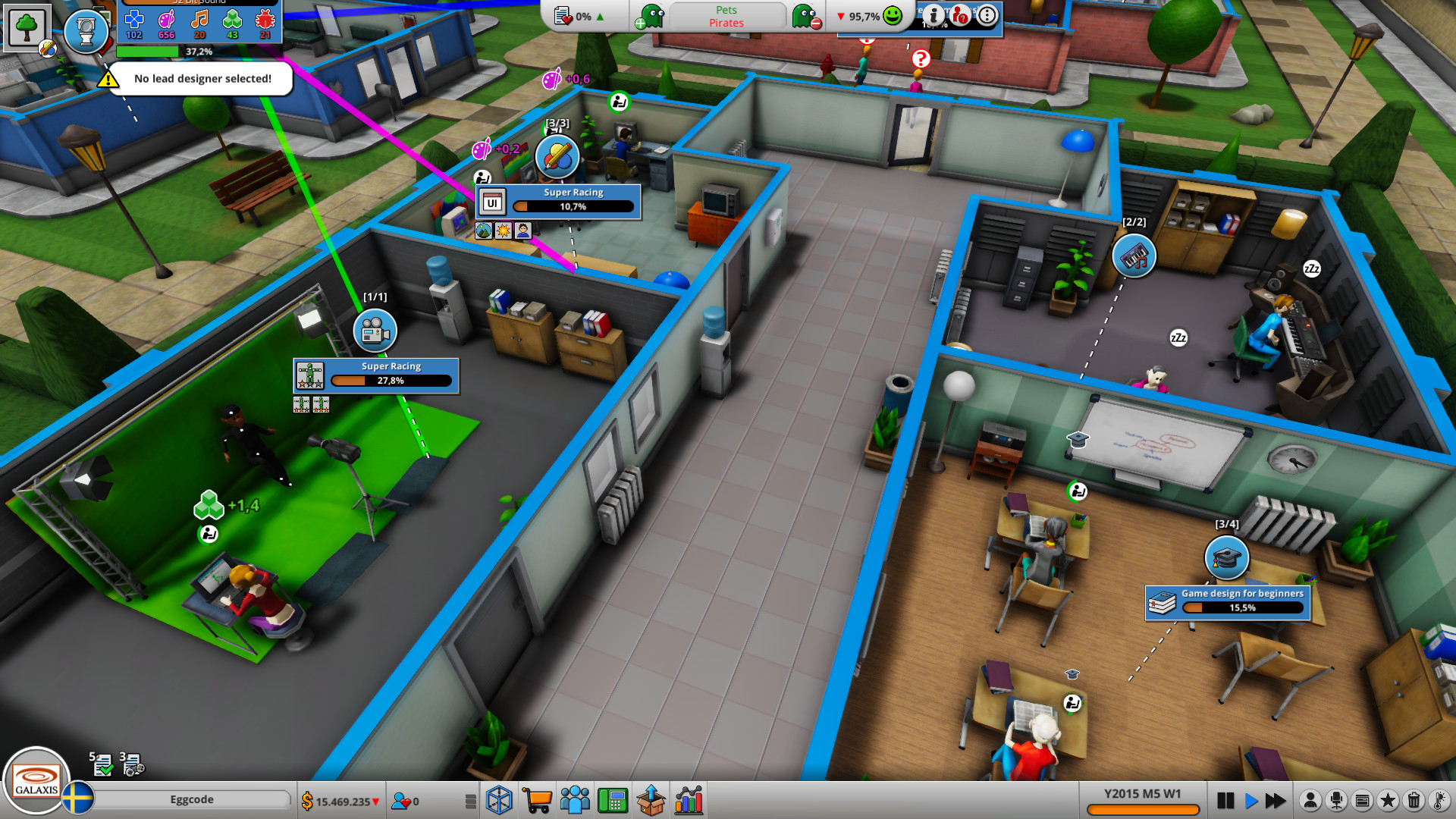
Mad Games Tycoon 2 — is an economic simulator for managing a video game development studio. It is necessary not only to plan the office space of the studio, but also to monitor the employees, to maintain their morale, and to choose projects for development. In addition, you can create a separate workshop for the production of physical copies. Mad Games Tycoon is a simulator where you will become a real developer of computer games. Here you will have the opportunity to carefully equip your office, hire a team of professionals, and then take on the numerous orders that will help your company flourish and achieve success in your career.
NOTE. Uploaded version: 24 November 2025 [Build 20855306]. This is Full Release and latest version of game. The game is already Packaged in Installer and ready to run the game after install, read the instruction below.
Game Details
- Title: Mad Games Tycoon 2
- Genre: Casual, Indie, Simulation, Strategy, Early Access
- Developer: Eggcode
- Publisher: Eggcode
- Release year: 2021
- Available Languages: English, German
- Release Name: Mad.Games.Tycoon.2.Build.20855306
- Game Version: Build 20855306 (upd.24.11.2025)
- Size: 395 MB
Full Description
Take care of the layout of the building in which you will work, rebuild it correctly so that it is as comfortable as possible for employees. Buy all the equipment you need, and then, having saved enough money, expand and improve your property. At first, you will have practically nothing, but if you start developing successful projects and gathering a global audience, you can become famous and become the best developer. From the very beginning, it is not worth undertaking very serious and large-scale projects.
System Requirements
Processor: Intel Core2 Duo 2.4Ghz or Higher / AMD 3Ghz or Higher
Memory: 4 GB RAM
Graphics: DirectX 10 compatible with 512 RAM or better
Storage: 1 GB available space
OS: Windows 7, Windows 8, Windows 8.1, Windows 10
Processor: 2.8 GHz quad core or better
Graphics: DirectX 10 compatible with 1024 RAM or better
Storage: 1 GB available space
Screenshots
Video
How to Install
1. The first thing we do is download the game’s installation files.
2. After downloaded, go to the folder and run the file «setup.exe».
3. During the installation, we specify the location on the disk where we want to install it.
4. At the end of the unpacking process, a shortcut appears on the desktop.
5. Start the game.
Download Mad Games Tycoon 2 Build 20855306 (upd.24.11.2025)
Alternative Download Links
Alternative Mirrors
Game Update History
- Mad Games Tycoon 2 v2024.04.10 → Build 20855306 [ 24.11.2025 ]
- Mad Games Tycoon 2 v2024.02.21 → v2024.04.10 [ 10.04.2024 ]
- Mad Games Tycoon 2 v2024.02.07c → v2024.02.21 [ 12.03.2024 ]
- Mad Games Tycoon 2 v2024.01.07a → v2024.02.07c [ 09.02.2024 ]
- Mad Games Tycoon 2 v2023.13.29a → v2024.01.07a [ 08.01.2024 ]
- Mad Games Tycoon 2 Build 12599828 → v2023.13.29a [ 29.12.2023 ]
- Mad Games Tycoon 2 v2023.09.06 → Build 12599828 [ 02.11.2023 ]
- Mad Games Tycoon 2 v2023.08.06 → v2023.09.06 [ 06.09.2023 ]
- Mad Games Tycoon 2 v2023.07.13 → v2023.08.06 [ 06.08.2023 ]
- Mad Games Tycoon 2 v2023.06.12b → v2023.07.13 [ 13.07.2023 ]
- Mad Games Tycoon 2 v2023.05.31a → v2023.06.12b [ 12.06.2023 ]
- Mad Games Tycoon 2 v2023.05.03 → v2023.05.31a [ 31.05.2023 ]
- Mad Games Tycoon 2 v2023.05.03 → v2023.05.03 [ 05.05.2023 ]
- Mad Games Tycoon 2 v2023.04.24 → v2023.05.03 [ 04.05.2023 ]
- Mad Games Tycoon 2 v2023.03.15 → v2023.04.24 [ 25.04.2023 ]
- Mad Games Tycoon 2 v2023.02.03 → v2023.03.15 [ 15.03.2023 ]
- Mad Games Tycoon 2 v2023.01.07a → v2023.02.03 [ 04.02.2023 ]
- Mad Games Tycoon 2 v2022.12.24a → v2023.01.07a [ 07.01.2023 ]
- Mad Games Tycoon 2 v2022.12.04a → v2022.12.24a [ 24.12.2022 ]
- Mad Games Tycoon 2 v2022.11.18a → v2022.12.04a [ 04.12.2022 ]
- Mad Games Tycoon 2 v2022.11.07a → v2022.11.18a [ 18.11.2022 ]
- Mad Games Tycoon 2 v2022.09.07a → v2022.09.14a [ 14.09.2022 ]
- Mad Games Tycoon 2 v2022.08.29a → v2022.09.07a [ 08.09.2022 ]
- Mad Games Tycoon 2 v2022.08.12a → v2022.08.29a [ 30.08.2022 ]
- Mad Games Tycoon 2 v2022.08.04a → v2022.08.12a [ 12.08.2022 ]
- Mad Games Tycoon 2 v2022.07.05 → v2022.08.04a [ 05.08.2022 ]
- Mad Games Tycoon 2 v2022.06.28a → v2022.07.05 [ 06.07.2022 ]
- Mad Games Tycoon 2 v2022.06.27a → v2022.06.28a [ 27.06.2022 ]
- Mad Games Tycoon 2 v2022.06.14a → v2022.06.27a [ 27.06.2022 ]
- Mad Games Tycoon 2 v2022.06.02a → v2022.06.14a [ 14.06.2022 ]
- Mad Games Tycoon 2 v2022.05.20a → v2022.06.02a [ 03.06.2022 ]
- Mad Games Tycoon 2 v2022.02.19a → v2022.05.20a [ 20.05.2022 ]
- Mad Games Tycoon 2 v2022.02.05b → v2022.05.19a [ 19.05.2022 ]
- Mad Games Tycoon 2 v2022.01.25a → v2022.02.05b [ 05.02.2022 ]
- Mad Games Tycoon 2 v2022.01.17a → v2022.01.25a [ 26.01.2022 ]
- Mad Games Tycoon 2 v2022.01.14a → v2022.01.17a [ 17.01.2022 ]
- Mad Games Tycoon 2 v2022.01.10a → v2022.01.14a [ 14.01.2022 ]
- Mad Games Tycoon 2 v2021.12.30a → v2022.01.10a [ 10.01.2022 ]
- Mad Games Tycoon 2 v2021.12.21b → v2021.12.30a [ 30.12.2021 ]
- Mad Games Tycoon 2 v2021.12.10a → v2021.12.21b [ 22.12.2021 ]
- Mad Games Tycoon 2 v2021.12.01a → v2021.12.10a [ 10.12.2021 ]
- Mad Games Tycoon 2 v2021.11.27d → v2021.12.01a [ 02.12.2021 ]
- Mad Games Tycoon 2 v2021.11.20a → v2021.11.27d [ 27.11.2021 ]
- Mad Games Tycoon 2 v2021.11.09a → v2021.11.20a [ 20.11.2021 ]
- Mad Games Tycoon 2 v2021.11.02a → v2021.11.09a [ 09.11.2021 ]
- Mad Games Tycoon 2 v2021.10.27a → v2021.11.02a [ 02.11.2021 ]
- Mad Games Tycoon 2 v2021.10.24a → v2021.10.27a [ 27.10.2021 ]
- Mad Games Tycoon 2 v2021.10.07a → v2021.10.24a [ 24.10.2021 ]