
Protolife v1.2.2 - SKIDROW
SKIDROW Full gameFree DownloadLatest version Torrent File
Game updated on 16-09-2019, 10:08. Current version: v1.2.2.
About The Game
Protolife — the Tower Defense genre has recently lost its relevance and goes to the plan of second-rate games, which in due time buries this direction even more. Although Protolife is not a pure Tower Defense, it has nevertheless collected some elements. The game demonstrates that a seemingly unpretentious graphics can delay for a long passage. Before you is a distant future: humanity colonizes a new planet.
Game Details
- Title: Protolife
- Genre: Indie, Strategy
- Developer: Volcanic Giraffe
- Publisher: Volcanic Giraffe
- Release year: 2018
- Available Languages: english, russian
- Release Name: Protolife v1.2.2 - Latest version
- Game Version: v1.2.2
- Game Releaser: SKIDROW
- Size: 140 MB
Full Description
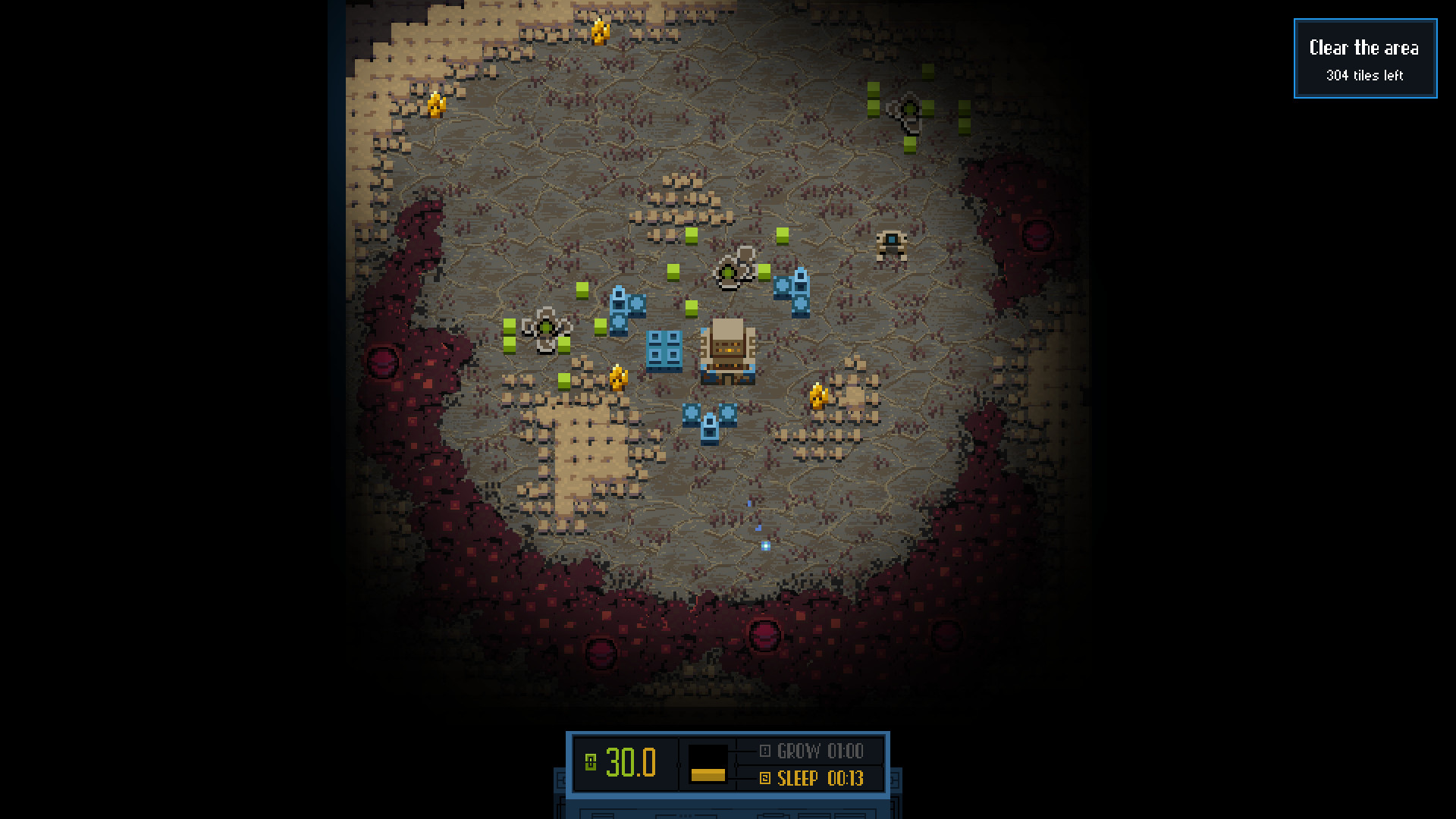
More than 15 years have passed since the foundation of the colony, and a certain organism appeared on the planet, or rather, a purple mass that destroys everything in its path. During the day this organism slumbers, and at night it begins its movement. Almost the entire colony has been destroyed, the last lines of defense have remained, which you are to lead.
Key Features
Protolife Update 1.2.2:
- New: Level Editor
- New: Steam Workshop integration (levels only)
- New: Custom Levels list (+ 8 custom levels)
- In-game menu and result panel now show the progress of experiment.
- Damage block: reload time +15% (was +50%), burst delay +30% (was +50%)
- Damage M2 block: reload time +15% (was +30%), burst delay still +30%
- Burst mod: reload time +25% (was +50%), burst delay -15% (was -10%)
- Burst M2 mod: reload time +25% (was +30%)
- Buckshot mod: reload time +60% (was +100%)
- Pierce block: pierce value 3 (was 1), reload time +50% (was +100%)
- Plasma gunpoint: base damage reverted to 1 (was 2).
- Mortar gunpoint now prioritises targets according to armor penetration (mainly structures) and randomly chooses from a set of 10 closer targets otherwise.
System Requirements
MINIMUM:
OS: Windows 7 or later
Processor: 2.7 GHz
Memory: 2 GB RAM
Graphics: OpenGL 2.0 support, 256 MB VRAM
Storage: 500 MB available space
Additional Notes: Minimum resolution: 1280 x 720
OS: Windows 7 or later
Processor: 2.7 GHz
Memory: 2 GB RAM
Graphics: OpenGL 2.0 support, 256 MB VRAM
Storage: 500 MB available space
Additional Notes: Minimum resolution: 1280 x 720
Screenshots


Video
How to Install
1. The first thing we do is download the game’s installation files.
2. After downloaded, go to the folder and run the file «setup.exe».
3. During the installation, we specify the location on the disk where we want to install it.
4. At the end of the unpacking process, a shortcut appears on the desktop.
5. Start the game.
2. After downloaded, go to the folder and run the file «setup.exe».
3. During the installation, we specify the location on the disk where we want to install it.
4. At the end of the unpacking process, a shortcut appears on the desktop.
5. Start the game.
Download Protolife v1.2.2 — SKIDROW
File Size: 140 MB
How to get your file — 3 quick steps
VPN detected. Our download does not accept VPN connections. Please disable your VPN to continue.
Re-check
1
Click download
Use any button below
2
Install Opera
On the page that opens
Switch to the tab that just opened — Opera installer is already there. After install, open this page in Opera and click Check install.
Opera not detected. Make sure it's installed and open this page in Opera browser, then click Check install again.
Opera is a free, official browser by Opera Software AS — safe to install. [ Opera Install Guide ]
Alternative Download Links
Alternative Mirrors
Searching mirrors…
Source Name
Size
Seeds
Leeches
Game Update History
- Protolife v1.2.1 → v1.2.2 [ 16.09.2019 ]
- Protolife v1.1.3 → v1.2.1 [ 09.09.2019 ]

























































