FANTASIAN Neo Dimension Build 16995812 (upd.21.05.2025) - RUNE

About The Game
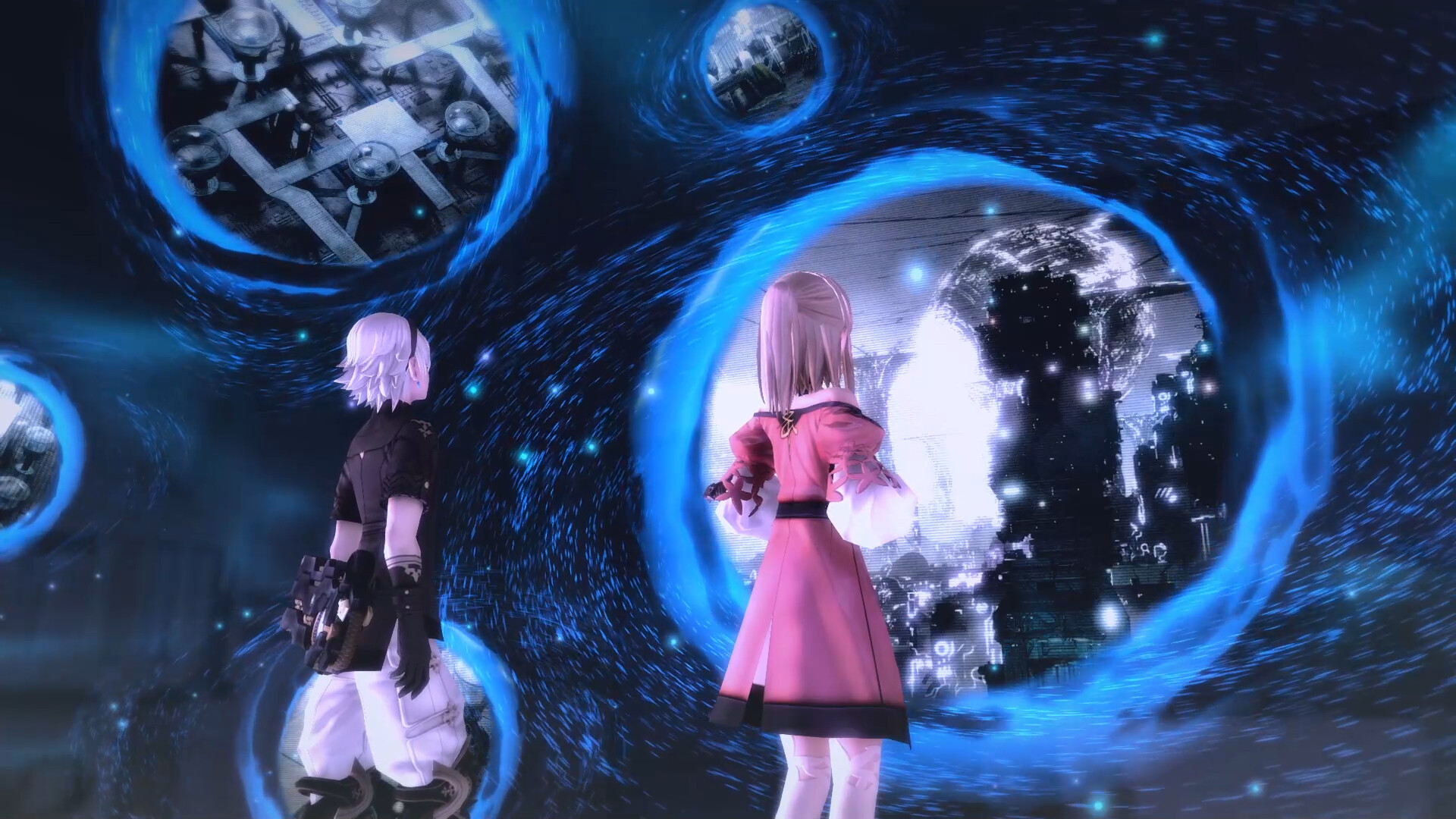
FANTASIAN Neo Dimension is a richly detailed RPG from Mistwalker Corporation, created by Final Fantasy veterans Hironobu Sakaguchi and composer Nobuo Uematsu. The game follows Leo, an amnesiac who must travel across dimensions using a mysterious warp device to regain his memories and save humanity from «Mechtheria», a mechanical infection that is stealing emotions and lives. This enhanced version features full English and Japanese voice acting, adjustable difficulty settings, 4K resolution support, and additional music from Final Fantasy battles. Combat revolves around skillfully manipulating attack trajectories to effectively defeat multiple enemies, and exploration spans over 150 visually stunning areas that uniquely combine hand-crafted physics dioramas and CG elements. Players will undertake various quests and find hidden items throughout their adventure across dimensions.
NOTE. Uploaded version: 21 May 2025 [v1.0 Build 16995812]. This is Full Release and latest version of game. The game is already Packaged in ISO File and ready to run the game after install, read the instruction below.
Game Details
- Title: FANTASIAN Neo Dimension
- Genre: RPG
- Developer: Mistwalker Corporation
- Publisher: Square Enix
- Release year: 2025
- Available Languages: English, Japanese
- Release Name: FANTASIAN.Neo.Dimension-RUNE
- Game Version: Build 16995812 (upd.21.05.2025)
- Game Releaser: RUNE
- Size: 11.0 GB
System Requirements
Minimum:
Requires a 64-bit processor and operating system
OS: Windows® 10 / 11 64-bit
Processor: AMD Ryzen™ 3 1200 / Intel® Core™ i3-6100
Memory: 8 GB RAM
Graphics: AMD Radeon™ RX 460 / Intel® Arc™ A380 / NVIDIA® GeForce® GT 1030
DirectX: Version 11
Storage: 15 GB available space
Additional Notes: 1920x1080, Graphics Preset "Low", 30FPS. 16GB RAM required when using Intel® Arc™ GPU.
Recommended:
Requires a 64-bit processor and operating system
OS: Windows® 10 / 11 64-bit
Processor: AMD Ryzen™ 3 1200 / Intel® Core™ i3-6100
Memory: 8 GB RAM
Graphics: AMD Radeon™ RX 560 / Intel® Arc™ A580 / NVIDIA® GeForce® GTX 950
DirectX: Version 11
Storage: 15 GB available space
Additional Notes: 1920x1080, Graphics Preset "High", 60FPS. 16GB RAM required when using Intel® Arc™ GPU.
Screenshots


How to Install
1. The first thing we do is download the game’s installation files.
2. Mount or burn the ISO image in the disk emulator (UltraISO program).
3. During the installation, we specify the location on the disk where we want to install it.
4. Wait until the installation process is complete, a shortcut will appear on the desktop.
5. Copy the contents of the folder «RUNE» in the folder with the game.
6. Start the game.
Download FANTASIAN Neo Dimension Build 16995812 (upd.21.05.2025) — RUNE
Alternative Download Links
Alternative Mirrors
Game Update History
- FANTASIAN Neo Dimension → v1.0 Build 16995812 [ 21.05.2025 ]