Light Up The Town v1.1.0 (upd.11.02.2026) - TENOKE
About The Game
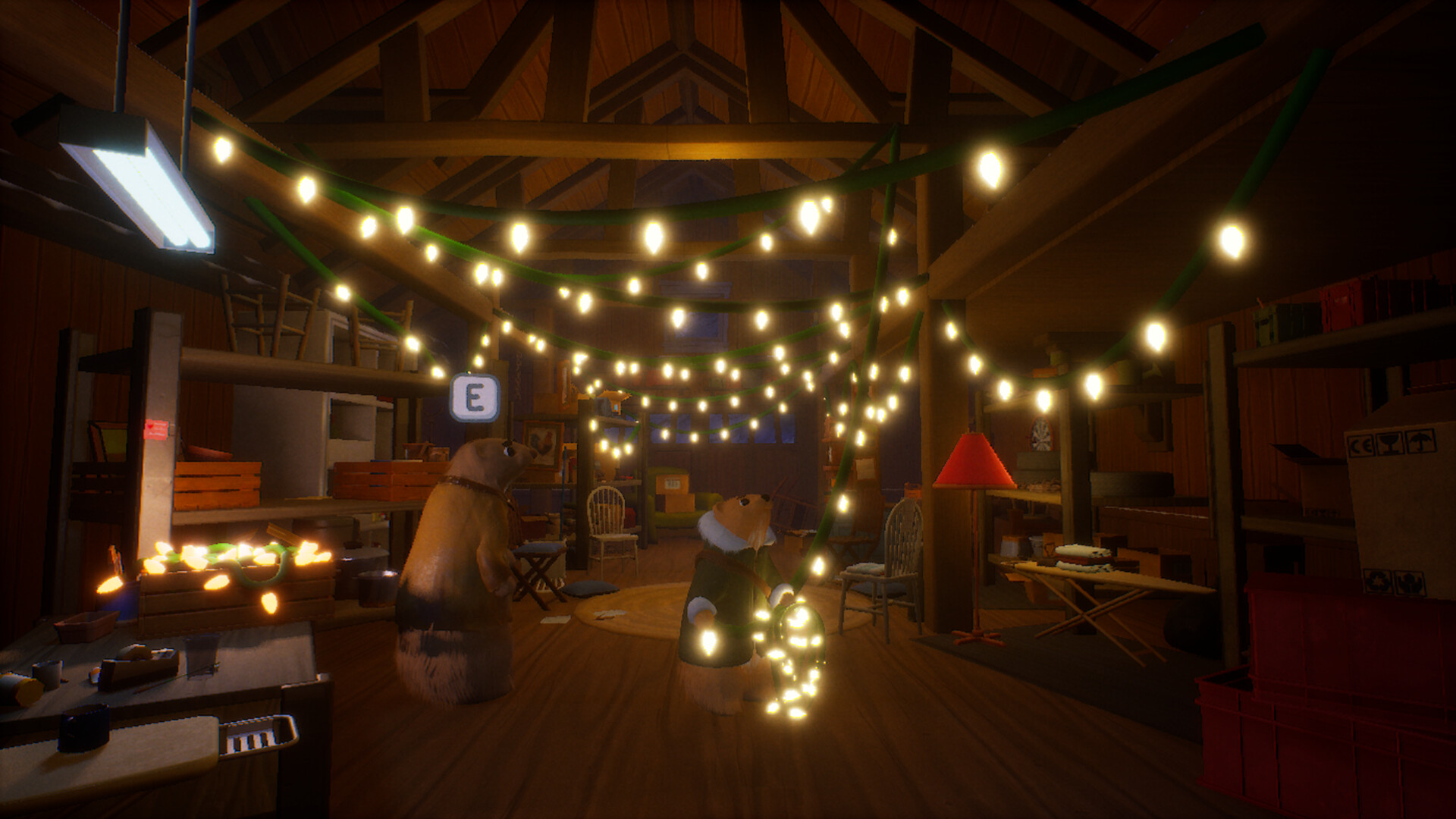
Light Up The Town is a cozy project whose main goal is to create a festive atmosphere in a small town on the eve of the winter festivities. The process of transforming the town offers complete freedom to bring your creative ideas to life. Colorful garlands can be placed with a simple click of the mouse, and each decorative element can be precisely adjusted for size and rotation. The protagonist is a young ferret named Bean. Exploring the snowy streets is rewarded with hidden coins. This in-game currency can be exchanged for even brighter and more varied decorations, expanding the arsenal of available decorative tools. Bean also delivers gifts to other town residents.
The plot takes place in the fictional settlement of Bellflower, located in Colorado. The entire story of Light Up The Town revolves around the sudden illness of local electrician Chuck. Due to his illness, he is unable to prepare the town for the annual Winter Festival. The responsibility for decorating the streets and saving the holiday from the approaching snowstorm falls on his daughter. It is up to her to bring light and joy back to the homes of the anthropomorphic animals that inhabit this world. The game can be viewed from either first- or third-person perspectives.
NOTE. Uploaded version: 9 December 2025 [Build 21109423] + Update v1.1.0. This is Full Release and latest version of game. The game is already Packaged in ISO File and ready to run the game, read the instruction below.
Game Details
- Title: Light Up The Town
- Genre: Casual, Simulation
- Developer: Meadow Studios
- Publisher: Meadow Studios
- Release year: 2025
- Available Languages: English
- Release Name: Light.Up.The.Town.Build.21109423-TENOKE + Update v1.1.0
- Game Version: v1.1.0 (upd.11.02.2026)
- Game Releaser: TENOKE
- Size: 9.89 GB
Key Features
- Placing festive garlands and decorations across more than 10 levels.
- Finding and collecting hidden coins to unlock new content.
- Delivering gifts to residents to enhance the holiday spirit.
System Requirements
Minimum:
Requires a 64-bit processor and operating system
OS: Windows 10 64-bit
Processor: Intel Core i5-3570 or AMD equivalent
Memory: 8 GB RAM
Graphics: NVIDIA GeForce GTX 1060 (3GB) or AMD Radeon RX 580 (4GB)
DirectX: Version 12
Storage: 10 GB available space
Recommended:
Requires a 64-bit processor and operating system
Screenshots


Video
How to Install
1. The first thing we do is download the game’s installation files.
2. Unzip the archive to the hard disk.
3. Mount or burn the ISO image in the disk emulator (UltraISO program).
4. After mount ISO, go to the folder and run the file «setup.exe».
5. During the installation, we specify the location on the disk where we want to install it.
6. Copy the contents of the folder «CRACK» in the folder with the game.
7. Download and install Update v1.1.0, in game folder.
8. Launch the game!
Download update only: Light.Up.The.Town.Update.v1.1.0-TENOKE, MIRROR [ 382.8 MB ]
- Extract.
- Run setup.exe and install.
- Copy crack from TENOKE dir to install dir.
- Play!
Download Light Up The Town v1.1.0 (upd.11.02.2026) — TENOKE
Alternative Download Links
Alternative Mirrors
Game Update History
- Light Up The Town Build 21109423 → Update v1.1.0 [ 11.02.2026 ]
- Light Up The Town → Build 21109423 [ 09.12.2025 ]