Shieldwall v1.1.0a (upd.26.03.2025)
About The Game
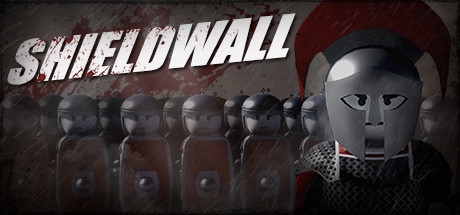
Shieldwall — is a mixture of strategy and military adventure action with a third-person view, a game in which you have to join Caesar’s army and go to Gaul, which the emperor could not conquer. The game takes place in those distant times, when Caesar tried his best to capture Gaul and the rest of the world. Well, in these glorious times, you will have to stand on the side of the emperor and try to capture Gaul, leading one of the most powerful units of his army. Grab your shield and sword, take your loyal soldiers with you on the road, and into battle.
Game Details
- Title: Shieldwall
- Genre: Action, Casual, Indie, Simulation, Strategy, Early Access
- Developer: Nezon Production
- Publisher: Nezon Production
- Release year: 2020
- Available Languages: english, russian
- Release Name: Shieldwall v1.1.0a (upd.26.03.2025)
- Game Version: v1.1.0a (upd.26.03.2025)
- Size: 3.58 GB
System Requirements
Requires a 64-bit processor and operating system
OS: 64-bit Windows 7, 64-bit Windows 8 (8.1) or 64-bit Windows 10
Processor: Intel CPU Core i5-2500K 3.3GHz / AMD CPU Phenom II X4 940
Memory: 4 GB RAM
Graphics: NVIDIA GeForce GTX 670 or AMD R9 270
DirectX: Version 11
Storage: 3 GB available space
RECOMMENDED:
Requires a 64-bit processor and operating system
OS: 64-bit Windows 7, 64-bit Windows 8 (8.1) or 64-bit Windows 10
Processor: Intel CPU Core i7 3770 3.4 GHz / AMD CPU AMD FX-8350 4 GHz
Memory: 8 GB RAM
Graphics: NVIDIA GeForce GTX 970 or AMD R9 290X
DirectX: Version 11
Storage: 3 GB available space
Screenshots


Video
How to Install
1. The first thing we do is download the game’s installation files.
2. After downloaded, go to the folder and run the file «setup.exe».
3. During the installation, we specify the location on the disk where we want to install it.
4. At the end of the unpacking process, a shortcut appears on the desktop.
5. Start the game.
Download Shieldwall v1.1.0a (upd.26.03.2025)
Alternative Download Links
Alternative Mirrors
Other Versions & DLCs
Game Update History
- Shieldwall v1.0.0 → v1.1.0a [ 26.03.2025 ]
- Shieldwall v0.9.7 → v1.0.0 [ 19.04.2023 ]
- Shieldwall v0.9.6 → v0.9.7 [ 16.07.2022 ]
- Shieldwall v0.9.5 → v0.9.6 [ 04.09.2021 ]
- Shieldwall v0.9.1 → v0.9.5 [ 25.08.2021 ]
- Shieldwall v0.9.0 → v0.9.1 [ 23.05.2021 ]
- Shieldwall v0.8.9 → v0.9.0 [ 14.01.2021 ]
- Shieldwall v0.8.7 → v0.8.9 [ 23.10.2020 ]
- Shieldwall v09.07.2020 → v0.8.7 [ 18.07.2020 ]
- Shieldwall v17.05.2020 → v09.07.2020
- Shieldwall v15.05.2020 → v17.05.2020
- Shieldwall v11.04.2020 → v15.05.2020
- Shieldwall v28.03.2020 → Custom Battles [ 11.04.2020 ]
- Shieldwall v0.7.9 → Mission 4 [ 28.03.2020 ]
-
Shieldwall → v0.7.9 [ 23.03.2020 ]