PC Building Simulator 2 v1.16.05 (upd.03.06.2026)
About The Game
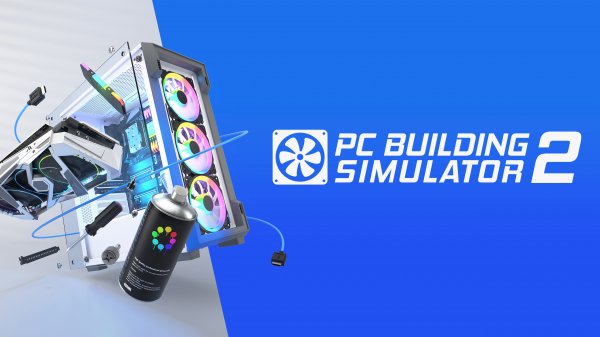
PC Building Simulator 2 — is the second installment of a fairly popular sandbox simulation game in which you will once again play the role of a computer assembler. First of all, it is worth noting the updated career mode, where you will have more opportunities to develop your business and yourself as a professional in the computer field. There is also a specialized store in the game where you can purchase all the necessary components, and then skillfully implement them into your build system.
Separately, in first game PC Building Simulator it is worth noting the deepest level of simulation and the study of the visual style of the game, which will make the atmosphere as realistic as possible. It is important to constantly expand and modify the workshop, because this will allow you to take more interesting and complex orders, as well as open up more opportunities for their execution. You should not forget about your own skills, which also need to be improved in order to more effectively achieve your goals.
NOTE. Uploaded version: 3 June 2026 [v1.16.05]. This is Full Release and latest version of game. The game is already Packaged in Installer and ready to run the game after install, read the instruction below.
Game Details
- Title: PC Building Simulator 2
- Genre: Simulation
- Developer: Spiral House Ltd
- Publisher: Epic Games Publishing
- Release year: 2022
- Available Languages: English
- Release Name: PC.Building.Simulator.2.v1.16.05
- Game Version: v1.16.05 (upd.03.06.2026)
- Size: 9.29 GB
System Requirements
MINIMUM:
OS: Windows 7 or higher
Processor: Intel Core i5-2500K or AMD Athlon X4 740 (or equivalent)
Memory: 4 GB RAM
Graphics: GeForce GTX 660 (2048 MB) or Radeon R9 285 (2048 MB) — Integrated GPUs may work but are not supported.
DirectX: Version 9.0c
Storage: 4 GB available space
Sound Card: DirectX compatible
Screenshots


Video
How to Install
1. The first thing we do is download the game files.
2. Unzip the archive to the hard disk. (how to unzip .rar)
3. Wait for the unpacking process to finish.
4. Start the game «Start.bat» from game folder.
5. The language changes in the menu.
Download PC Building Simulator 2 v1.16.05 (upd.03.06.2026)
Alternative Download Links
Alternative Mirrors
Direct link PC.Building.Simulator.2.LatestVersion.Plus.9.Trainer-FLiNG
DIRECT LINK1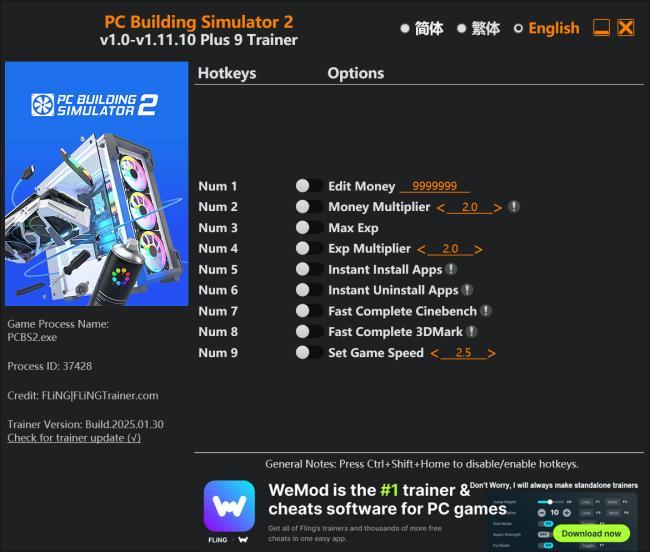
Game Update History
- PC Building Simulator 2 v1.14.02 → v1.16.05 [ 03.06.2026 ]
- PC Building Simulator 2 v1.13.07 → v1.14.02 [ 09.11.2025 ]
- PC Building Simulator 2 v1.13.05 → v1.13.07 [ 12.08.2025 ]
- PC Building Simulator 2 v1.12.14 → v1.13.05 [ 21.07.2025 ]
- PC Building Simulator 2 v1.11.10 → v1.12.14 [ 13.04.2025 ]
- PC Building Simulator 2 v1.10.20 → v1.11.10 [ 30.01.2025 ]
- PC Building Simulator 2 v1.10.16 → v1.10.20 [ 11.112.2024 ]
- PC Building Simulator 2 v1.10.12 → v1.10.16 [ 24.11.2024 ]
- PC Building Simulator 2 v1.9.19a → v1.10.12 [ 22.10.2024 ]
- PC Building Simulator 2 v1.9.18 HF → v1.9.19a [ 10.09.2024 ]
- PC Building Simulator 2 v1.9.12 → v1.9.18 HF [ 04.09.2024 ]
- PC Building Simulator 2 v1.85.17a → v1.9.12 [ 28.08.2024 ]
- PC Building Simulator 2 v1.85.14a → v1.85.17a [ 04.07.2024 ]
- PC Building Simulator 2 v1.8.26a → v1.85.14a [ 15.06.2024 ]
- PC Building Simulator 2 v1.8.23.HF → v1.8.26a [ 11.05.2024 ]