
NBA Playgrounds Hot N Frosty - CODEX
CODEX UpdateFree DownloadFirst Release Torrent File
About The Game
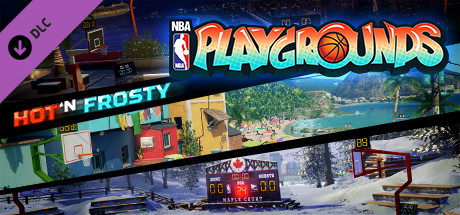
The new content keeps coming for NBA Playgrounds. With the Hot N Frosty expansion pack, you get eight new unlockable NBA rookies, three original playgrounds, three fresh tournaments, and three brand-spanking new balls.
Game Details
- Title: NBA Playgrounds Hot N Frosty
- Genre: Sports
- Developer: Saber Interactive
- Publisher: Mad Dog Games, LLC
- Release year: 2017
- Available Languages: english, russian, multi
- Release Name: NBA Playgrounds Hot N Frosty - CODEX
- Game Version: Hot N Frosty
- Game Releaser: CODEX
- Size: 10.38 GB
Full Description
NBA Playgrounds is an arcade basketball simulator with fun graphics. You are waiting for the stars and the best NBA teams. Whether you go alone or in the company of friends — it’s up to you. One thing is clear — in NBA Playgrounds it’s easy to learn how to play, but it’s hard to become a master. You are waiting for this arcade action NBA 2 to 2, a lot of different cards, the ability to improve the character throughout the game, unusual but beautiful graphics and a lot of spectacular techniques of possession of the ball.
Key Features
- Easy to play, challenging to master
- Offline and Online Multiplayer
- Massive roster of current and retired NBA superstars
- All the official NBA teams
- Travel to playgrounds across the globe
- Hundreds of dunks and moves
- Collect all your favorite players
- Improve players over time
- Compete against the master of the playground himself - Allen Iverson
- Even more NBA superstars will be added post-launch
System Requirements
MINIMUM:
OS: Windows 7 64-bit, Windows 8.1 64-bit or Windows 10 64-bitProcessor: Intel core i3 CPU 530 2.93GHz
Memory: 4 GB RAM
Graphics: GeForce GT 630
DirectX: Version 11
Storage: 7 GB available space
Sound Card: DirectX 9.0x compatible sound card
RECOMMENDED:
OS: Windows 7 64-bit, Windows 8.1 64-bit or Windows 10 64-bitProcessor: Intel Core i5-4690 3.50 Ghz or better
Memory: 8 GB RAM
Graphics: GeForce GTX 670, similar or better
DirectX: Version 11
Storage: 7 GB available space
Sound Card: DirectX 9.0x compatible sound card
Screenshots


Video
How to Install
1. The first thing we do is download the game’s installation files.
2. Mount or burn the ISO image in the disk emulator (UltraISO program).
3. During the installation, we specify the location on the disk where we want to install it.
4. Wait until the installation process is complete, a shortcut will appear on the desktop.
5. Copy the contents of the folder «CODEX» in the folder with the game.
6. Start the game with a shortcut.
2. Mount or burn the ISO image in the disk emulator (UltraISO program).
3. During the installation, we specify the location on the disk where we want to install it.
4. Wait until the installation process is complete, a shortcut will appear on the desktop.
5. Copy the contents of the folder «CODEX» in the folder with the game.
6. Start the game with a shortcut.
Download NBA Playgrounds Hot N Frosty — CODEX
File Size: 10.38 GB
How to get your file — 3 quick steps
VPN detected. Our download does not accept VPN connections. Please disable your VPN to continue.
Re-check
1
Click download
Use any button below
2
Install Opera
On the page that opens
Switch to the tab that just opened — Opera installer is already there. After install, open this page in Opera and click Check install.
Opera not detected. Make sure it's installed and open this page in Opera browser, then click Check install again.
Opera is a free, official browser by Opera Software AS — safe to install. [ Opera Install Guide ]
Alternative Download Links
Alternative Mirrors
Searching mirrors…
Source Name
Size
Seeds
Leeches

























































