Infernium v20180408 - PLAZA
PLAZA Full gameFree DownloadLatest version Torrent File
Game updated on 9-11-2018, 17:18. Current version: v20180408.
About The Game
The Infernium game is full of harsh tests for the player. During the passage you will not have the opportunity to kill or maim the majority of enemies, but to constantly run away from them is not the best solution. Despite the fact that you are constantly being pursued by opponents, you must think through your actions and stick to a certain strategy, simultaneously opening secret passages and studying the features of the world in which you are. Thus, each passage will be unique, since the game presents a nonlinear election system. This project was developed by the creators of MIND Path to Thalamus, who became a prize-winner in the nomination «Game of the Year» according to the version of many gaming publications.
Game Details
- Title: INFERNIUM
- Genre: Adventure, Indie
- Developer: Carlos Coronado
- Publisher: Carlos Coronado
- Release year: 2018
- Available Languages: english, russian, multi12
- Release Name: INFERNIUM.Update.v20180408-PLAZA
- Game Version: v20180408
- Game Releaser: PLAZA
- Size: 2.51 GB
Key Features
- Accesibility Matters. When making Infernium accesibility features have been taken into consideration for physically disabled, deaf and colorblind gamers.
- Main Campaign with +14h of average playtime
- All upcomming DLC will be free
- A brutal prison without bars, where the world is the real cell, full of enemies and traps that will make your path challenging.
- Agony-inducing environments and challenges.
- 17 interconnected non-linear levels.
- 6 Easy to use, hard to master player skills to find and improve.
- Diferent enemy kinds. Each one will require a diferent strategy/skill to overcome.
- Persistent world. Every little change you make in Infernium will remain like that forever.
- Robust, deep, Photomode included.
- New Game + Mode.
- 24 Achievements.
- Multiple Endings.
System Requirements
MINIMUM:
OS: Windows 7 SP1 64bit, Windows 8.1 64bit Windows 10 64bitProcessor: Intel Core i3-2100 / AMD® FX-6300
Memory: 2 GB RAM
Graphics: NVIDIA® GeForce GTX 750 Ti / ATI Radeon HD 7950
DirectX: Version 9.0c
Storage: 3 GB available space
Sound Card: DirectX 9 sound device
Additional Notes: Controller support: Microsoft Xbox ® Controller for Windows® (or equivalent) recommended
RECOMMENDED:
OS: Windows 7 SP1 64bit, Windows 8.1 64bit Windows 10 64bitProcessor: Intel Core i7-3770 / AMD® FX-8350
Memory: 4 GB RAM
Graphics: NVIDIA® GeForce GTX 970 / ATI Radeon R9 series
DirectX: Version 9.0c
Storege: 3 GB available space
Sound Card: DirectX 9 sound device
Additional Notes: Controller support: Microsoft Xbox ® Controller for Windows® (or equivalent) recommended
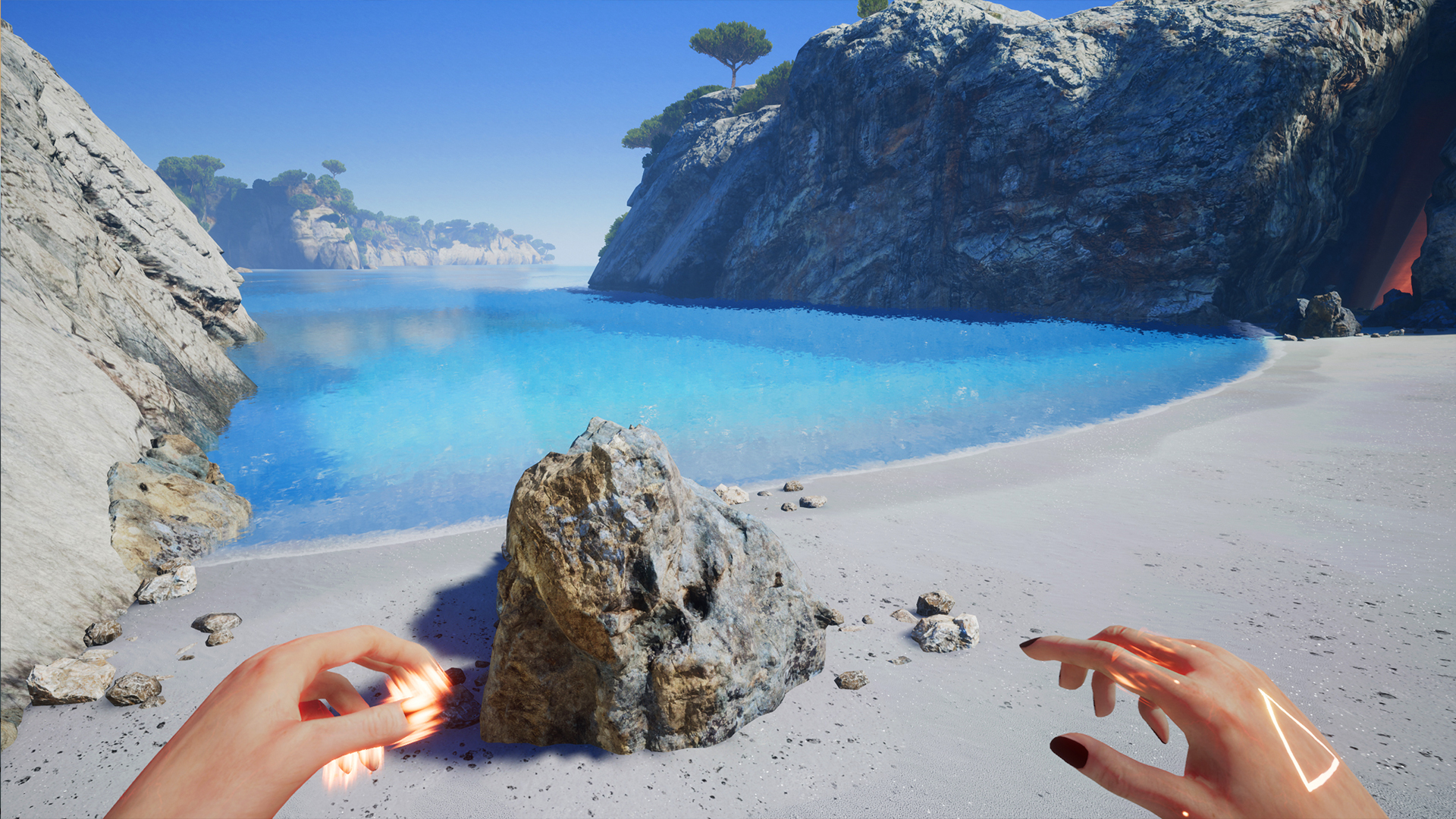
Screenshots


Video
How to Install
1. The first thing we do is download the game’s installation files.
2. Mount or burn the ISO image in the disk emulator (UltraISO program).
3. During the installation, we specify the location on the disk where we want to install it.
4. Wait until the installation process is complete, a shortcut will appear on the desktop.
5. Download and install Update v20180408, copy the contents of the folder «PLAZA» in the game folder.
6. Start the game with a shortcut.
Download: INFERNIUM.Update.v20180408-PLAZA [ 78.52MB ]
2. Mount or burn the ISO image in the disk emulator (UltraISO program).
3. During the installation, we specify the location on the disk where we want to install it.
4. Wait until the installation process is complete, a shortcut will appear on the desktop.
5. Download and install Update v20180408, copy the contents of the folder «PLAZA» in the game folder.
6. Start the game with a shortcut.
Download: INFERNIUM.Update.v20180408-PLAZA [ 78.52MB ]
Download Infernium v20180408 — PLAZA
File Size: 2.51 GB
How to get your file — 3 quick steps
VPN detected. Our download does not accept VPN connections. Please disable your VPN to continue.
Re-check
1
Click download
Use any button below
2
Install Opera
On the page that opens
Switch to the tab that just opened — Opera installer is already there. After install, open this page in Opera and click Check install.
Opera not detected. Make sure it's installed and open this page in Opera browser, then click Check install again.
Opera is a free, official browser by Opera Software AS — safe to install. [ Opera Install Guide ]
Alternative Download Links
Alternative Mirrors
Searching mirrors…
Source Name
Size
Seeds
Leeches