Retail Company Simulator v1.1.005 (upd.15.06.2025) - TENOKE
About The Game
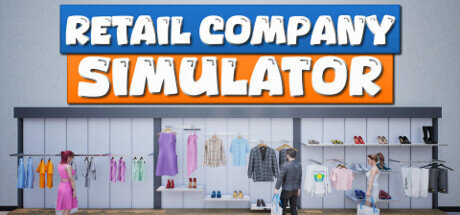
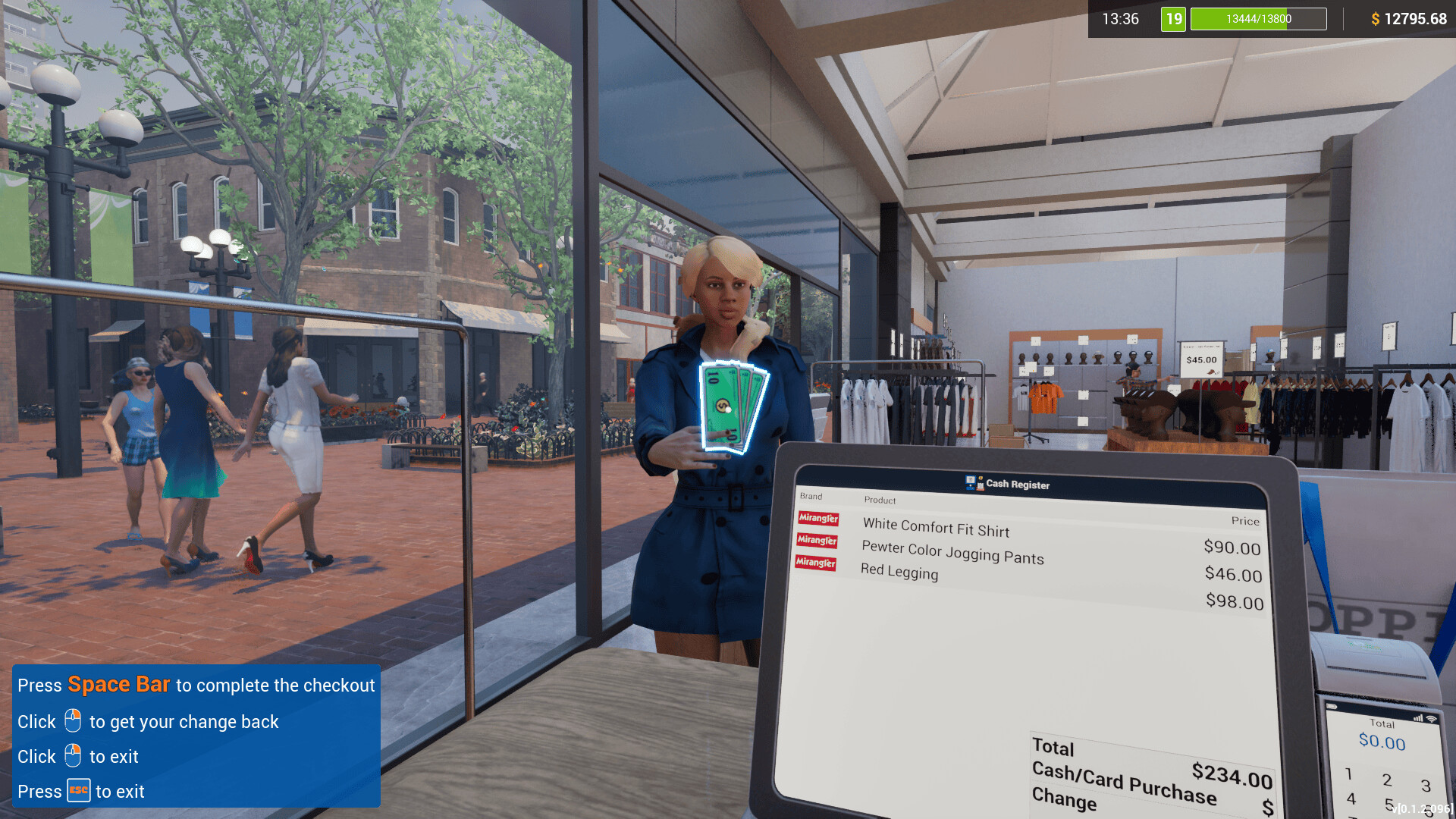
Retail Company Simulator immerses participants in the dynamic world of retail management. Users take on the role of owner of one such business, where informed decisions influence every aspect of their store’s operations. From signing contracts with top brands to managing inventory, the game provides a comprehensive business experience. As an owner, users are faced with the task of ensuring that customer demand is effectively met in their store. To do this, it is necessary to order new products, install display cases, and constantly evaluate and adjust the design of the building in order to best satisfy the needs of customers.
The application places a special emphasis on management: people must balance inventory levels and staffing levels to keep things running smoothly. Retail Company Simulator also offers expansion options. Users are able to develop their enterprise by hiring new workers and upgrading premises. This development reflects the natural growth of a successful business where strategic planning and management are key to thriving in a competitive retail environment. Overall, the project is a detailed and fascinating look at the industry.
NOTE. Uploaded version: 20 January 2025 [v1.0.61] + Update v1.1.005. This is Full Release and latest version of game. The game is already Packaged in ISO File and ready to run the game after install, read the instruction below.
Game Details
- Title: Retail Company Simulator
- Genre: Casual, Indie, Simulation
- Developer: Business Tycoon
- Publisher: Business Tycoon
- Release year: 2024
- Available Languages: English, multi24
- Release Name: Retail.Company.Simulator.v1.0.61-TENOKE + Update v1.1.005
- Game Version: v1.1.005 (upd.15.06.2025)
- Game Releaser: TENOKE
- Size: 1.42 GB
System Requirements
Minimum:
Requires a 64-bit processor and operating system
OS: Windows 7 64-bit | Windows 8 64-bit | Windows 10 64-bit
Processor: Intel Core i3-6100T | AMD FX-6100
Memory: 4 GB RAM
Graphics: NVIDIA GeForce GTX 650 | AMD Radeon R7-250X
Storage: 1300 MB available space
Recommended:
Requires a 64-bit processor and operating system
OS: Windows 7 64-bit | Windows 8 64-bit | Windows 10 64-bit
Processor: Intel Core i5-4460 | AMD FX-6350
Memory: 8 GB RAM
Graphics: NVIDIA GeForce GTX 750 | AMD Radeon R7-265X
Storage: 1300 MB available space
Screenshots


Video
How to Install
1. The first thing we do is download the game’s installation files.
2. Mount or burn the ISO image in the disk emulator (UltraISO program).
3. During the installation, we specify the location on the disk where we want to install it.
4. Wait until the installation process is complete, a shortcut will appear on the desktop.
5. Copy the contents of the folder «TENOKE» in the folder with the game.
6. Download and install Update v1.1.005, in game folder.
7. Start the game.
Download update only: Retail.Company.Simulator.Update.v1.1.005-TENOKE [ 146.6 MB ]
- Extract.
- Run Update\PATCH.exe and install the update.
- Copy crack to install dir.
- Play!
Download update only: Retail.Company.Simulator.Update.v1.0.60-TENOKE [ 79.1 MB ]
Download update only: Retail.Company.Simulator.Update.v1.0.58-TENOKE [ 89.2 MB ]
Download update only: Retail.Company.Simulator.Update.v1.0.55-TENOKE [ 169 MB ]
Download update only: Retail.Company.Simulator.Update.v1.0.49-TENOKE [ 278 MB ]
Download Retail Company Simulator v1.1.005 (upd.15.06.2025) — TENOKE
Alternative Download Links
Alternative Mirrors
Game Update History
- Retail Company Simulator v1.0.61 → Update v1.1.005 [ 15.06.2025 ]
- Retail Company Simulator v1.0.60 → FUL RELEASE v1.0.61 [ 20.01.2025 ]
- Retail Company Simulator v1.0.58 → Update v1.0.60 [ 11.12.2024 ]
- Retail Company Simulator v1.0.55 → Update v1.0.58 [ 30.10.2024 ]
- Retail Company Simulator v1.0.49 → Update v1.0.55 [ 16.09.2024 ]
- Retail Company Simulator Build 15286157 → Update v1.0.49 [ 26.08.2024 ]
- Retail Company Simulator → Build 15286157 [ 07.08.2024 ]