Speedollama Build 15641889 (upd.23.10.2024) - TENOKE
About The Game
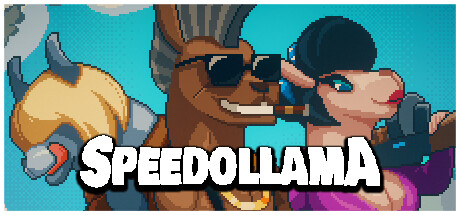
Speedollama is an indie adventure game that combines retro pixel art aesthetics with modern gameplay mechanics. Developed by Chaosmonger, the fast-paced game offers a unique blend of humor and intense action. Players join a group of elite llama mercenaries who must thwart an alpaca army’s plans for world domination. The game features procedurally generated levels across nine different areas, three playable characters, and a variety of enemies, including alpaca soldiers, heavy machinery, and 18 different animal enemies.
Six weapons and 23 upgrades allow players to customize their approach to combat. Speedollama draws inspiration from classics like Metal Slug and modern hits like Broforce, offering a nostalgic yet fresh experience. Hilarious splatter elements and a quirky storyline make the game fun for gamers of all ages. Speedollama also works great on Steam Deck, allowing you to play on the go.
NOTE. Uploaded version: 23 October 2024 [Build 15641889]. This is Full Release and latest version of game. The game is already Packaged in ISO File and ready to run the game after install, read the instruction below.
Game Details
- Title: Speedollama
- Genre: Action, Adventure, Indie
- Developer: Chaosmonger Studio
- Publisher: Chaosmonger Studio
- Release year: 2024
- Available Languages: English, French, Italian, German, Spanish - Spain, Japanese, Korean, Russian, Simplified Chinese, Traditional Chinese
- Release Name: Speedollama-TENOKE
- Game Version: Build 15641889 (upd.23.10.2024)
- Game Releaser: TENOKE
- Size: 1.73 GB
Key Features
-
9 different areas divided into 36 procedurally generated levels and 8 bonus ones
-
3 main characters to choose from
-
6 kinds of alpaca soldiers
-
7 kinds of alpaca’s heavy machinery
-
9 bosses
-
18 foe beasts
-
6 weapons
-
23 upgrades
System Requirements
Minimum:
Requires a 64-bit processor and operating system
OS: Win 10 (64 bit)
Processor: i5-8250U @ 1.60GHz (or equivalent)
Memory: 4 GB RAM
Graphics: Intel(R) UHD Graphics 620 (or equivalent)
Storage: 1 GB available space
Recommended:
Requires a 64-bit processor and operating system
OS: Win 10 (64 bit)
Processor: i7-9700 @ 3.00GHz (or faster)
Memory: 16 GB RAM
Graphics: NVIDIA GeForce GTX 1060 (or newer)
Storage: 1 GB available space
Screenshots


Video
How to Install
1. The first thing we do is download the game’s installation files.
2. Mount or burn the ISO image in the disk emulator (UltraISO program).
3. During the installation, we specify the location on the disk where we want to install it.
4. Wait until the installation process is complete, a shortcut will appear on the desktop.
5. Copy the contents of the folder «TENOKE» in the folder with the game.
6. Start the game.
Download Speedollama Build 15641889 (upd.23.10.2024) — TENOKE
Alternative Download Links
Alternative Mirrors
Game Update History
- Speedollama → Build 15641889 [ 23.10.2024 ]