Figure Shop Simulator Build 24655110 (upd.11.08.2026) - TENOKE
About The Game
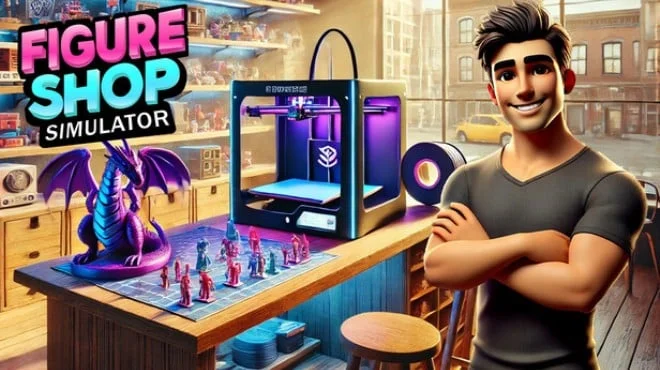
Figure Shop Simulator is an economic strategy in which you create and sell figurines. Everything is important here: production, display, pricing, and even customer sentiment. The slightest mistake means a lost sale. Design figurines, print them on a 3D printer, design shop windows, and build your reputation. From simple models to exclusive collectible sets demand is unpredictable, and fashion changes quickly. Expand your store, hire staff, control logistics. Sell what people want, not what is convenient. Follow trends, create rarities, and don't forget: competitors are always on the lookout.
NOTE. Uploaded version: 11 August 2026 [Build 24655110]. This is Full Release and latest version of game. The game is already Packaged in ISO File and ready to run the game, read the instruction below.
Game Details
- Title: Figure Shop Simulator
- Genre: Casual, Simulation, Management
- Developer: Gnome Games
- Publisher: Gnome Games
- Release year: 2025
- Available Languages: English, French, Italian, German, Spanish - Spain, Simplified Chinese, Portuguese - Brazil, Japanese, Korean, Polish, Portuguese - Portugal, Russian, Turkish, Ukrainian, Hindi
- Release Name: Figure.Shop.Simulator.Build.24655110-TENOKE
- Game Version: Build 24655110 (upd.11.08.2026)
- Game Releaser: TENOKE
- Size: 908.76 MB
Key Features
- Manual customization of 3D models and print control.
- Interaction with capricious customers and collectors.
- Dynamic system of trends and rare goods.
- Step-by-step store expansion with design customization.
System Requirements
Minimum:
OS: Windows (64-bit) 10
Processor: i5 3550 / RYZEN 5 2500X
Memory: 4 GB RAM
Graphics: NVIDIA GTX 1050 / AMD R9 270X
DirectX: Version 11
Storage: 5 GB available space
Recommended:
OS: Windows (64-bit) 10
Processor: i5 7600K / Ryzen 5 2600x
Memory: 8 GB RAM
Graphics: NVIDIA GTX 1060 / AMD RX 480
DirectX: Version 11
Storage: 5 GB available space
Screenshots


Video
How to Install
1. The first thing we do is download the game's installation files.
2. Unzip the archive to the hard disk.
3. Mount or burn the ISO image in the disk emulator (UltraISO program).
4. After mount ISO, go to the folder and run the file «setup.exe».
5. During the installation, we specify the location on the disk where we want to install it.
6. Copy the contents of the folder «CRACK» in the folder with the game.
7. At the end of the unpacking process, a shortcut appears on the desktop.
8. Launch the game!
Download Figure Shop Simulator Build 24655110 (upd.11.08.2026) — TENOKE
Alternative Download Links
Alternative Mirrors
Game Update History
- Figure Shop Simulator Build 23853608 → Build 24655110 [ 11.08.2026 ]
- Figure Shop Simulator Build 19356648 → Build 23853608 [ 30.06.2026 ]
- Figure Shop Simulator → Build 19356648 [ 05.08.2025 ]