The Bards Tale 4 Directors Cut v20191120 + DLC - CODEX

The Bards Tale 4 Directors Cut - full game download
CODEX Full gameFree DownloadLatest version Torrent File
Game updated on 25-11-2019, 19:42. Current version: v20191120 + DLC.
4.4/ 5
Community Rating: 55 votes

About The Game

The Bards Tale 4 Directors Cut will allow gamers to explore an unprecedented dungeon with a full story, find new things and learn an additional bard song. Other important things are the expansion of the number of portraits for heroes, a changed menu, improved support for gamepads, a pumped-in engine, etc., and so on. For many years evil lurked in darkness. And now it decided to go out into the light. Who will fight with him, if not you? An epic adventure of 50+ hours, 350 voiced characters, Nostalgia Mode for fans of the genre and more than 100 background music! The Director’s Cut allows for deep character customization, contains new items and enemies, a redesigned interface and a free add-on dungeon.

Game Details

System Requirements

MINIMUM:
Requires a 64-bit processor and operating system
OS: Windows 7/8/8.1/10 (64 bit)
Processor: Intel Core i5 2500K or equivalent
Memory: 8 GB RAM
Graphics: NVIDIA GeForce GTX 760 or Radeon HD 7970
Storage: 29 GB available space

RECOMMENDED:
Requires a 64-bit processor and operating system
OS: Windows 7/8/8.1/10 (64 bit)
Processor: Intel i5-4590 equivalent or greater
Memory: 8 GB RAM
Graphics: NVIDIA GTX 970/AMD 290 equivalent or greater
Storage: 29 GB available space

Screenshots
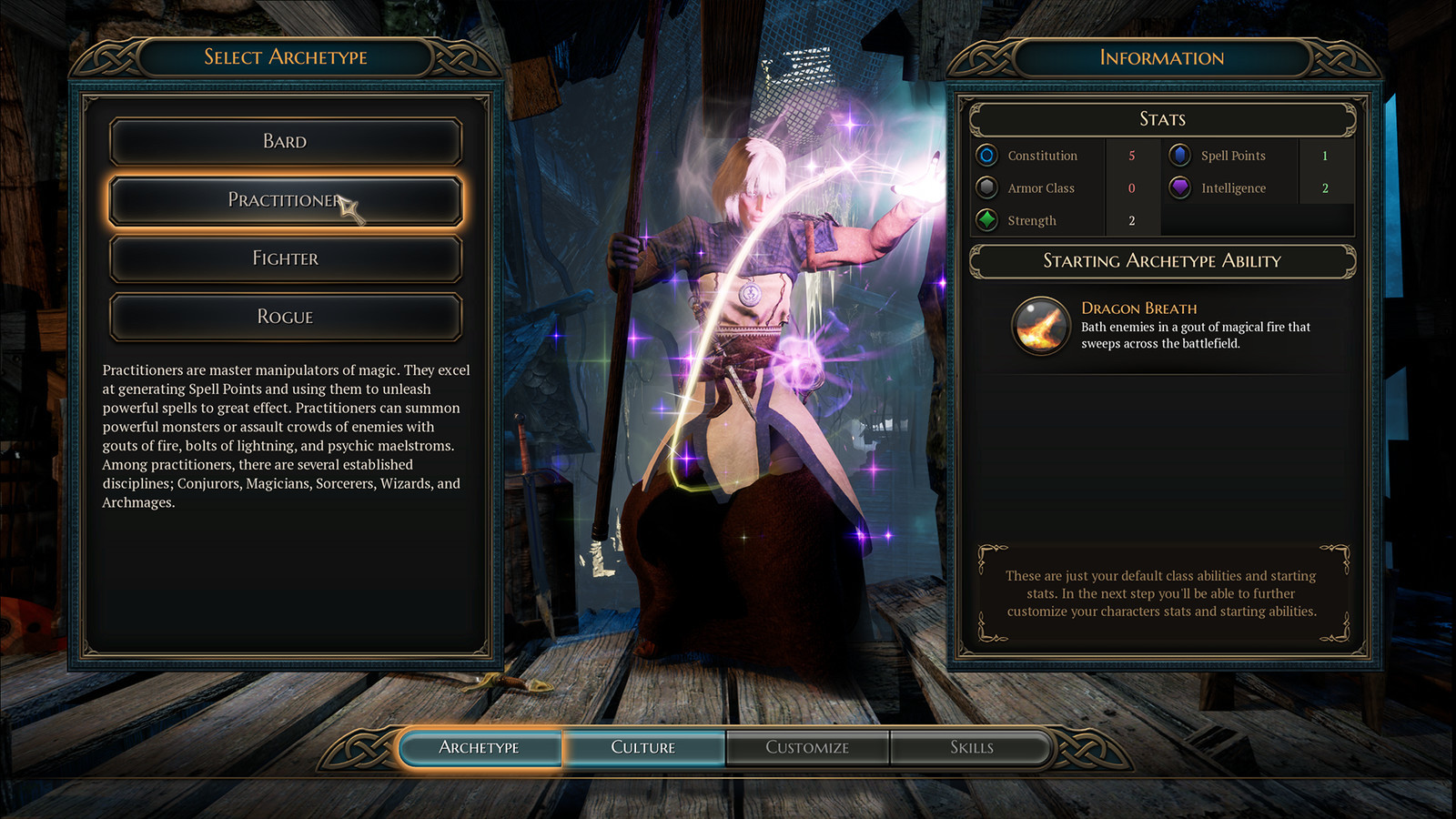
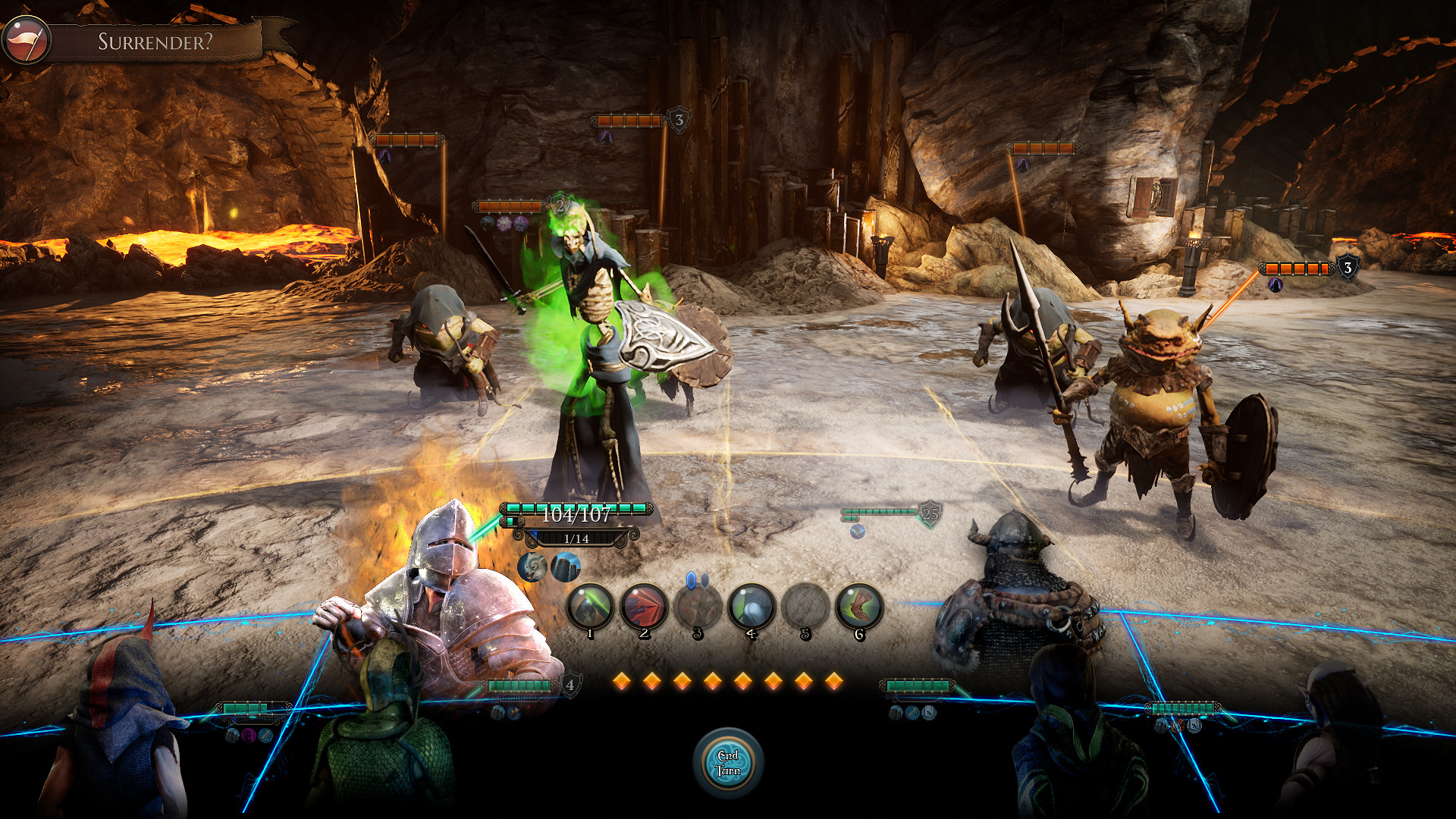
The Bards Tale 4 Directors Cut gameplay screenshot 1
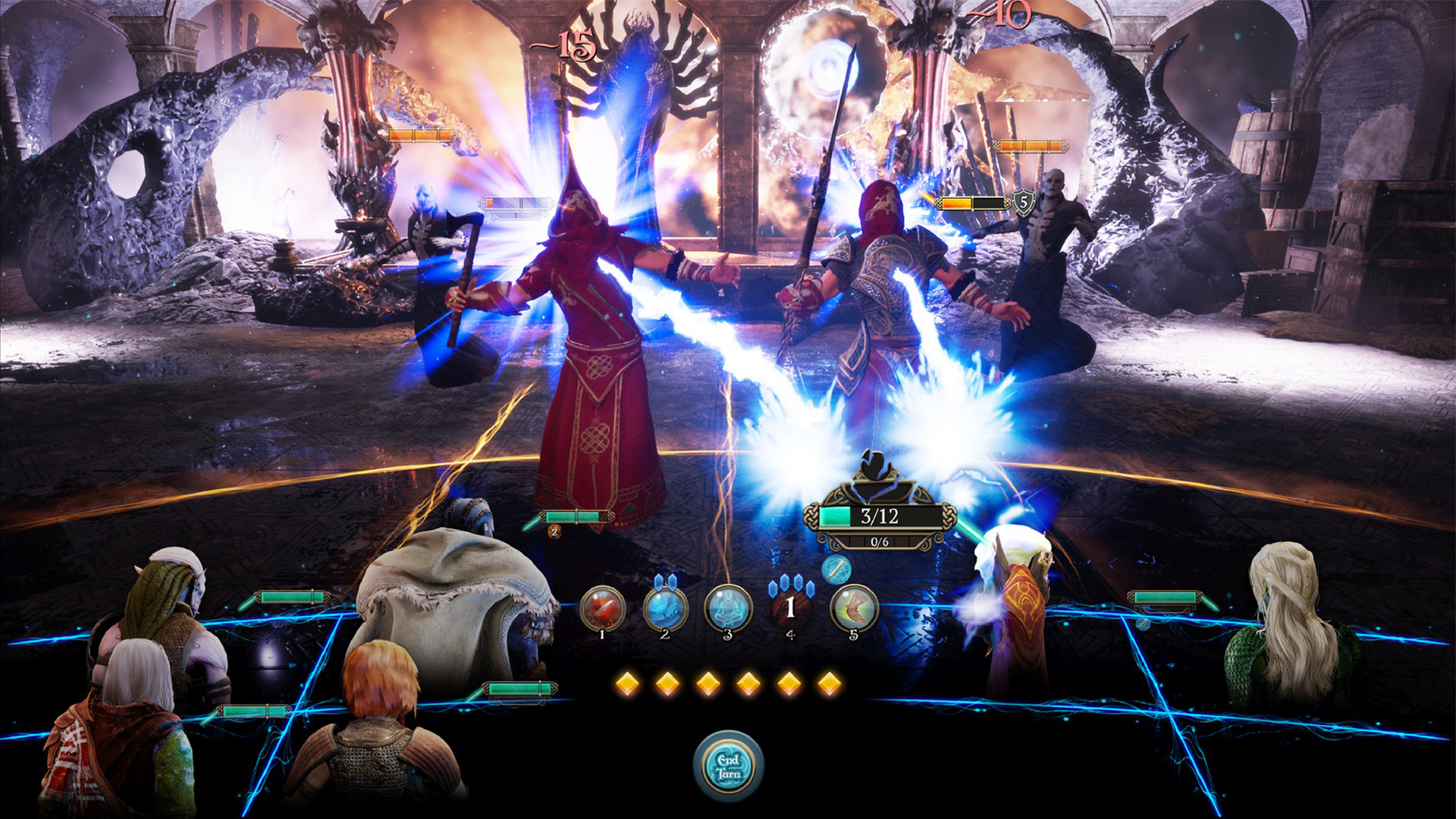
The Bards Tale 4 Directors Cut gameplay screenshot 2
The Bards Tale 4 Directors Cut gameplay screenshot 3

Video

How to Install

1. The first thing we do is download the game’s installation files. 
2. Mount or burn the ISO image in the disk emulator (UltraISO program). 
3. During the installation, we specify the location on the disk where we want to install it. 
4. Wait until the installation process is complete, a shortcut will appear on the desktop.
5. Download and install Update v20190910 / v20191009 / v20191120, in game folder.
6. Copy the contents of the folder «CODEX» in the folder with the game. 
7. Start the game.
Download update only: The.Bards.Tale.IV.Directors.Cut.Update.v20191120-CODEX [ 688.5 MB ]
Download update only: The.Bards.Tale.IV.Directors.Cut.Update.v20191009-CODEX [ 2.50 GB ]
Download update only: The.Bard.s.Tale.IV.Directors.Cut.Update.v20190910.incl.DLC-CODEX [ 4.6 GB ]
  • The following DLC is included:
  • The Bards Tale IV: Directors Cut - Deluxe Edition Extras 

Download The Bards Tale 4 Directors Cut v20191120 + DLC — CODEX

File Size: 25.0 GB
How to get your file — 3 quick steps
VPN detected. Our download does not accept VPN connections. Please disable your VPN to continue.
Re-check
1
Click download
Use any button below
2
Install Opera
On the page that opens
3
Get your file
.torrent unlocks here
Download file
Switch to the tab that just opened — Opera installer is already there. After install, open this page in Opera and click Check install.
Opera not detected. Make sure it's installed and open this page in Opera browser, then click Check install again.
Opera is a free, official browser by Opera Software AS — safe to install. [ Opera Install Guide ]

Alternative Download Links

Alternative Mirrors

Searching mirrors…

Other Versions & DLCs

Game Update History

  • The Bards Tale 4 Directors Cut v20191009 → v20191120 [ 25.11.2019 ]
  • The Bards Tale 4 Directors Cut v20190910 → v20191009 [ 10.10.2019 ]
  • The Bards Tale 4 Directors Cut v1.0 → v20190910 [ 11.09.2019 ]
  • The Bards Tale 4 Directors Cut → v1.0 [ 27.08.2019 ]

Daily Updates

Comments 3

  1. Skigameco 11 September 2019 05:09
    Update v20190910:
    • Fixed an issue where the user is not given the Wildland Whistle at the Adventurers’ Guild after disabling Party Chatter
    • Fixed collision around certain puzzles and ledges that were allowing the player to fall out of bounds in certain circumstances
    • Fixed messaging for when the player does not have a lockpick in their inventory they will not be informed about it being required to open locked doors
    • Added various art optimizations, collision, and asset loading improvements
    • Improved performance when player opens and closes inventory windows
    • Grass is now once again growing in the Forest of Inshriach
    • (PC) Improved NPC shadows and fixed High and Ultra shadow settings
    • (PC) Lighting adjusted throughout Skara Brae Above, Skara Brae Below, and The Cellars of Kylearan's Tower
    • (Xbox One and PS4) Improved framerate in various levels
    • Fixed an issue where rapidly issuing commands may cause one of the spaces on the combat grid to become locked
    • Fix for Forceful Wave attack that may cause the character's position to get out of sync
    • Fixed certain issues where charging specific enemies could result in players getting stuck on the environment or produce a misaligned combat grid
    • Fixed an issue where loading an auto save created before a combat animatic could stop the following combat from occurring
    • Fixed an issue where enemies could fail to launch Mangar’s Mind Jab
    • (Linux) Fixed an issue where enemies in any combat could respawn after reloading the level
    • Removed the Save Game option during animatics
    • Fixes and improvements for various party chatter moments
    • Fixed issues where using songs to quickly solve multiple puzzles could cause the puzzles to break
    • Fixed an issue where translation was missing for the 2nd riddle statue in Kylearan's tower
    • Fixed an issue in Mangar’s Tower where subtitles and VO would fail when ghosts were summoned and interacted with for the first time
    ------
    Guardian of the Online Empire
  2. Skigameco 10 October 2019 03:51
    Update v20191009:
    Art
    Fixed an issue where Priestess Clementia's model would occasionally fail to load.
    Fixed a graphical issue where the fog on Sinister street would behave inconsistently
    Fixed an issue where the animals in Baedish Lowlands sometimes appeared to float when standing on ledges
     
     
    Gameplay
    Fixed an issue where the user is not given the Wildlands Whistle at the Adventurers’ Guild when Group Chatter was disabled
    Fixed an issue where NPCs would fail to play their voice lines
    Fixed an issue where the player could not complete “A Hero’s Rest” quest if Necromancer’s Tome was equipped and not present in the quest inventory
    Fixed an issue where exiting to desktop would fail to create the appropriate auto-save.
    Fixed an issue where reloading a save from before the intro cutscene would return the player to the main menu
    Fixed an issue where players could not interact with objects after defeating Mangar
    Fixed an issue where the Mangar combat would fail to spawn upon reload
    Fixed an issue where enemies would improperly respawn on the Isle of Stonsea.
    Using Wildland Whistle for the first time near fast travel stones will now appropriately bring up the fast travel menu.
    Fixed an issue where party conversations would play out of order
    Added Struggler’s Lament use to the puzzle blocking the Reliquary in Midden Maw
    Fixed an issue in the Attain Tunnel where praying to the Shrine of Noyan gave no experience
    Fixed a minor issue where players could reach a location in Orkan Rookery without solving the required puzzle
    Fixed an issue where Fiona's song tutorial would not play.
    Fixed an issue where the loading screen music could play in-game after the player loaded a level
    Fixed an issue where the "Forceful Wave" enemy ability would occasionally cause characters to become out of sync with their position on the Combat Grid
    Fixed an issue where party conversations would play out of order
    Fixed an issue where players who had visited the Dwarven Ruins early, came back later in the game to find the ruins locked
    (Mac and Linux) Fixed an issue where story recap videos were not playing
    (Mac and Linux) Fixed an issue where chests that have been lockpicked would need to be lockpicked again upon reload
    (Mac and Linux) Fixed an issue where the "apply changes” button would not appear after making changes in the options menu.
    (Linux) Fixed an issue where the grappling hook shortcut in Orkan Rookery would fail to save it's state upon reload
    ------
    Guardian of the Online Empire
  3. Skigameco 25 November 2019 15:44
    Update v20191120:

    Art
    Dual wielding enemies should now have their second weapon
    When Illusory Dalgliesh transforms, he should now have his appropriate weapon
    Fixed some texture issues that display on models at a particular distance
    Revealing multiple suspicious citizens with a single move will no longer cause issues with their models
     
    Gameplay
    Players can no longer deploy barricades on occupied squares
    Players will now receive Songs of Exploration, regardless of whether or not Party chatter is on or off
    Fixed several issues related to combat positioning and respawning
    Fixed an issue with a ladder in Mangar's Tower
    Fixed movement nodes in the chambers beneath Skyhenge
    Fixes to the puzzle at the top of the Sentry Tower
    Door to Dwarven ruins will no longer be locked
    The Redcap will now damage Dwarven party members with its "Headbutt" ability
    Luck Stones will no longer respawn when transitioning levels
    Fixed an issue where Gaufroi would not give loot when killed in a specific manner
    Fixed a rare issue in which loading an auto-save before a specific battle would prevent the player from interacting with the world
    Fixed audio distortion in several places around the world
    Healing potions are no longer consumed twice when in battle
    Skill cooldown should always trigger in waved combats now
     
    HUD/UI
    Fixed issues relating to corrupted save files, and fixes to the save/load game menus
    Added the "History of Caith" cinematic into the "special Features" menu.
    Cursor will no longer disappear when pressing ESC during the skill tree tutorial
    Cursor should no longer disappear when talking to NPCs
    Adjustments to HUD elements for better readability
    Fixed an issue where a black screen will be displayed at a particular point in the game after loading a generated autosave
    Moving an equipped trinket item in your inventory will no longer unequip it
    Using the escape key will no longer fully back out of the Options menu
    Fixed a rare issue where a spell couldn't be cast if spell points were gained through the "Blood Pact†passive
     
    Stability
    Improvements to game-wide performance, asset loading, stability, and world collision
    Equipping archmage robes on a Trow will no longer crash the game
    Fixed some isolated and specific combat crashes
    Users are no longer able to launch multiple instances of the game simultaneously
    Fixed an issue with the final level when settings are on Low
    Fixed a rare issue in which loading an auto-save before a specific battle would prevent the player from interacting with the world
    ------
    Guardian of the Online Empire
Add comment

Add comment

Got a Question? Feel free to ask for help
Technical Issues? Describe your error clearly
Write a Review Share your gaming experience