Danganronpa V3 Killing Harmony v1.1.3.0 (Anniversary Edition) upd.19.09.2022 - Razor1911
About The Game
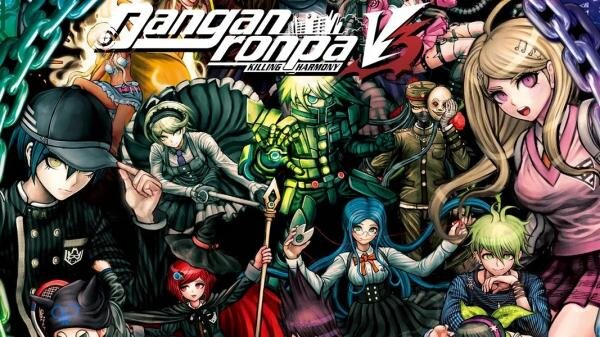
Danganronpa V3 Killing Harmony Anniversary Edition — is a visual novel and the third installment in the series. It takes place after the anime series The End of Hope’s Peak Academy. In it, an arc about the Academy Hopes Peak was completed. So it’s not a direct sequel to the previous two games. However, the gameplay and storytelling are similar to those of its predecessors. Users are watching what is happening with a first-person view. They are able to investigate, interact with characters and environments, improve relationships with NPCs, and participate in Class Trials.
Game Details
- Title: Danganronpa V3 Killing Harmony Anniversary Edition
- Genre: Action, Adventure
- Developer: Spike Chunsoft
- Publisher: Spike Chunsoft
- Release year: 2022
- Available Languages: English
- Release Name: Danganronpa_V3_Killing_Harmony_Anniversary_Edition-Razor1911
- Game Version: v1.1.3.0 (Anniversary Edition) upd.19.09.2022
- Game Releaser: Razor1911
- Size: 37.55 GB
Full Description
In Danganronpa V3 Killing Harmony, all content including the school, characters, and story is completely new. This time, 16 other heroes are locked in a different educational institution. They don’t remember anything. To get out, they need to take part in a deadly show: kill one of the other guys and do it in such a way that they are not revealed. Basically, it’s a reboot of the franchise. Only Monokuma remained in his original place. The detective story is divided into 12 chapters. As you progress through the story, new locations open up. The school premises can be explored at your leisure. At these events, students try to figure out the killer, provide facts and evidence found, and actively discuss. During such events, users participate in mini-games. Old entertainments have been reworked, plus additional fun has been added to them. In addition to bullets of truth, there are now bullets of lies, so from now on the protagonist is allowed to lie.
System Requirements
Requires a 64-bit processor and operating system
OS: Windows 7/8/10 64-bit
Processor: 3.2 GHz Dual Core Processor
Memory: 4 GB RAM
Graphics: GeForce GTX 660, Radeon RX 460 or equivalent with 2 GB of video RAM
DirectX: Version 11
Storage: 8 GB available space
Sound Card: DirectX compatible
RECOMMENDED:
Requires a 64-bit processor and operating system
OS: Windows 7/8/10 64-bit
Processor: 3.2 GHz Dual Core Processor
Memory: 8 GB RAM
Graphics: GeForce 970, Radeon RX 580 or equivalent with 4GB of video RAM
DirectX: Version 11
Storage: 8 GB available space
Sound Card: DirectX compatible
Screenshots


Video
How to Install
1. The first thing we do is download the game’s installation files.
2. Mount or burn the ISO image in the disk emulator (UltraISO program).
3. During the installation, we specify the location on the disk where we want to install it.
4. Wait until the installation process is complete, a shortcut will appear on the desktop.
5. Copy the contents of the folder «CRACK» in the folder with the game.
6. Install Microsoft VCLibs (support folder).
7. Start the game.
Download Danganronpa V3 Killing Harmony v1.1.3.0 (Anniversary Edition) upd.19.09.2022 — Razor1911
Alternative Download Links
Alternative Mirrors
Other Versions & DLCs
Game Update History
- Danganronpa V3 Killing Harmony → v1.1.3.0 (Anniversary Edition) [ 19.09.2022 ]