Chocolate Factory Build 14775409 (upd.20.06.2024) - TENOKE

About The Game
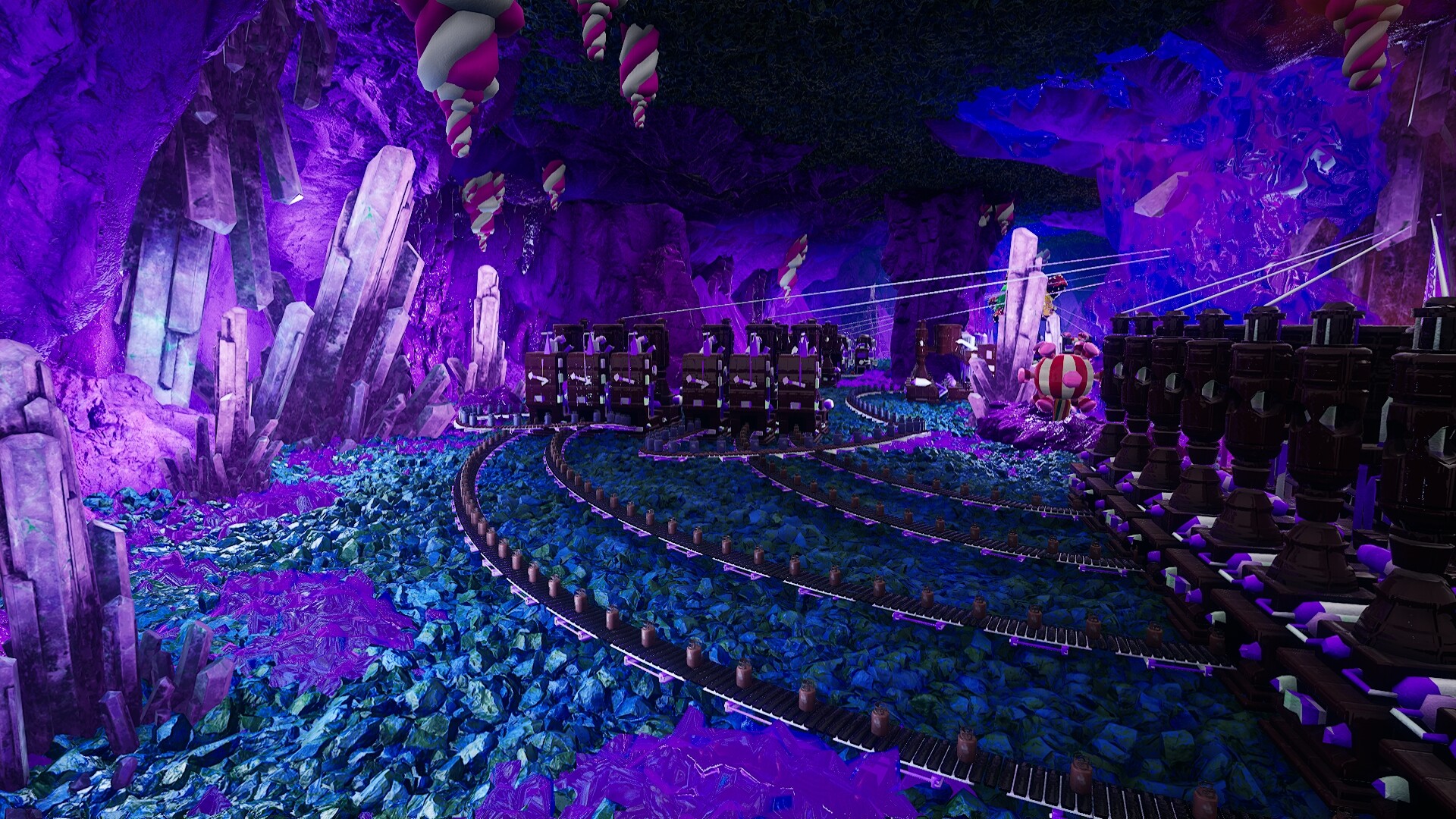
Chocolate Factory invites players to build their confectionery empire in a whimsical world filled with cane forests and gummy hills. Assemble a complex network of machines and conveyor belts to automate the production of delectable sweets. From a first-person perspective, observe the bustling activity of your factory, where every cog and gear works smoothly to create mouth-watering delicacies. The game offers a delightful mixture of factory management, exploration and random combat encounters. Users must strategize their factory layout to optimize efficiency and maximize candy production. Navigate through enchanting locations, discovering new ingredients and resources to improve your recipes.
However, beware of lurking dangers in the form of mischievous creatures or rival candy barons who may try to sabotage the protagonist’s victory. Embark on an exciting journey as you fine-tune production lines and experiment with different recipes to satisfy your customers' desires. From creamy chocolate truffles to sweet lollipops, the possibilities are endless. Immerse yourself in the whimsical atmosphere of the Chocolate Factory, watching as the confectionery empire blossoms and expands with each successful batch of sweets.
Game Details
- Title: Chocolate Factory
- Genre: Action, Adventure, Casual, Indie, Simulation
- Developer: Tbjbu2
- Publisher: Tbjbu2
- Release year: 2024
- Available Languages: English, French, Italian, German, Spanish - Spain, Japanese, Korean, Portuguese - Brazil, Russian, Simplified Chinese, Turkish
- Release Name: Chocolate.Factory-TENOKE
- Game Version: Build 14775409 (upd.20.06.2024)
- Game Releaser: TENOKE
- Size: 12.5 GB
System Requirements
MINIMUM:
Requires a 64-bit processor and operating system
OS: Windows 10+
Processor: Intel Core i5-7400 @ 3.3 GHz or AMD Ryzen 3 3300X
Memory: 8 GB RAM
Graphics: NVIDIA GeForce GTX 1050-TI or AMD Radeon RX 5500 XT
Storage: 15 GB available space
Additional Notes: Minimum requirements are an estimate for 30-60 FPS.
RECOMMENDED:
Requires a 64-bit processor and operating system
Screenshots


Video
How to Install
1. The first thing we do is download the game’s installation files.
2. Mount or burn the ISO image in the disk emulator (UltraISO program).
3. During the installation, we specify the location on the disk where we want to install it.
4. Wait until the installation process is complete, a shortcut will appear on the desktop.
5. Copy the contents of the folder «TENOKE» in the folder with the game.
6. Start the game.
Download Chocolate Factory Build 14775409 (upd.20.06.2024) — TENOKE
Alternative Download Links
Alternative Mirrors
Other Versions & DLCs
Game Update History
- Chocolate Factory → Build 14775409 [ 20.06.2024 ]