Celestial Empire v0.9.375 (upd.04.06.2026)

About The Game
Celestial Empire takes you back to the Han Dynasty, when the Chinese Empire was one of the most powerful in the world. Here, the user is given the role of a provincial governor who has been personally chosen by the emperor. Now, everything must be done to make this place better and provide a high standard of living for people. And given that there are quite a few ways to develop the structure, you can not limit yourself to a single strategy, but try different options.
In addition to exploring the surrounding areas, an important development factor will be the formation of partnerships with other communities and settlements. Trade and exchange of valuable resources will not only improve your financial situation, but also provide you with previously inaccessible materials to speed up the construction process or strengthen your army. The higher the user’s status among neighbors, the greater the chance of forming relationships with larger partners.
NOTE. Uploaded version: 4 June 2026 [v0.9.375]. This is Early Access Release and latest version of game. The game is already Pre-Installed and ready to run the game, read the instruction below.
Game Details
- Title: Celestial Empire
- Genre: Simulation, Strategy
- Developer: President Studio
- Publisher: PlayWay S.A., President Studio
- Release year: 2023
- Available Languages: English, French, German, Spanish - Spain, Traditional Chinese, Polish, Simplified Chinese, Italian, Korean, Portuguese - Portugal, Portuguese - Brazil, Russian, Thai, Turkish
- Release Name: Celestial.Empire.v0.9.375
- Game Version: v0.9.375 (upd.04.06.2026)
- Size: 28.1 GB
System Requirements
MINIMUM:
Requires a 64-bit processor and operating system
OS: Windows 7/8/8.1/10 64-bit
Processor: 3.2 GHz Dual Core Processor
Memory: 8 GB RAM
Graphics: GTX 970 or similar
DirectX: Version 10
Storage: 30 GB available space
RECOMMENDED:
Requires a 64-bit processor and operating system
OS: Windows 7/8/8.1/10 64-bit
Processor: 3.2 GHz Quad Core Processor
Memory: 16 GB RAM
Graphics: RTX 2060 or similar
DirectX: Version 12
Storage: 30 GB available space
Screenshots


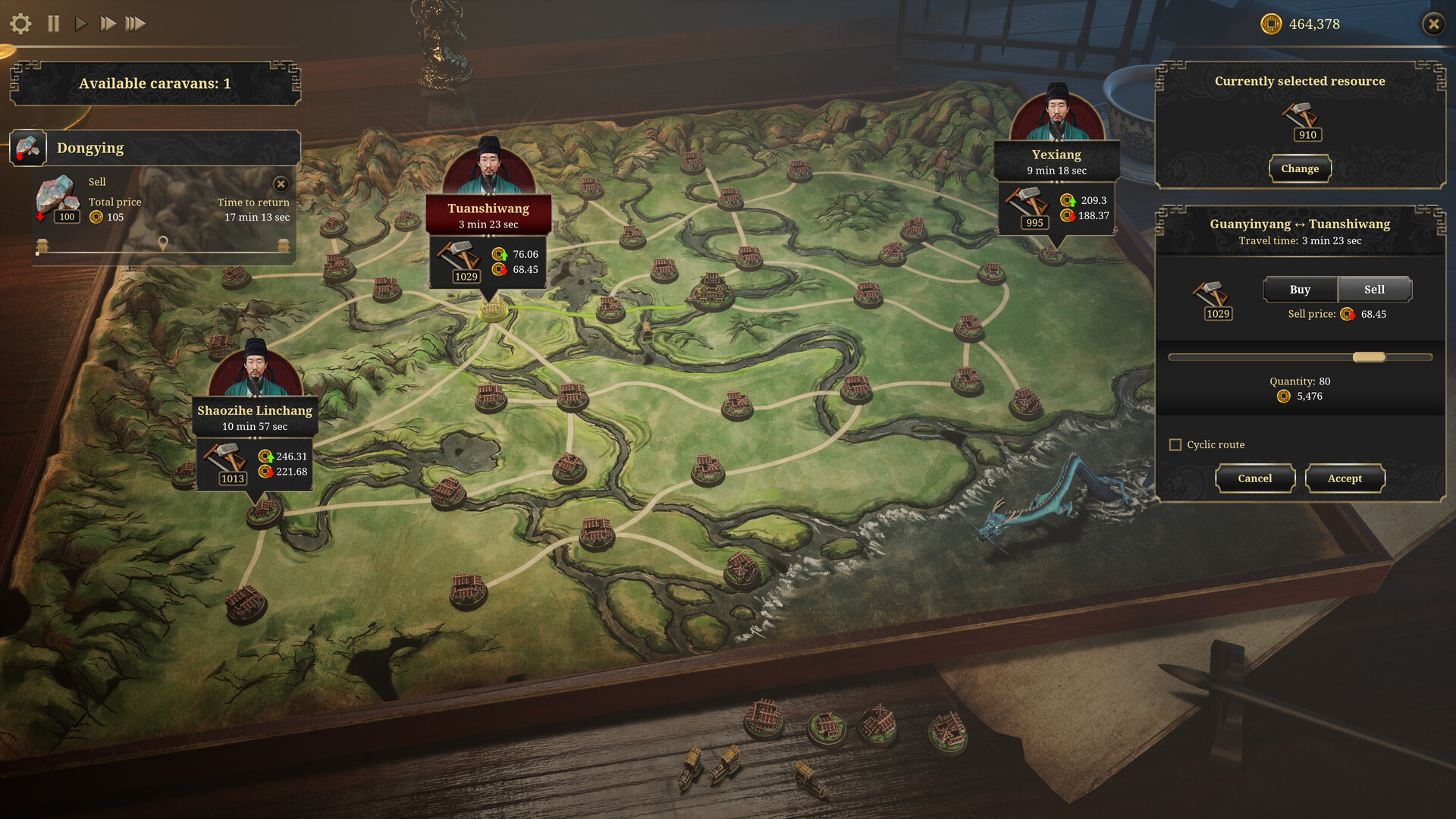
Video
How to Install
1. The first thing we do is download the game files.
2. Unzip the archive to the hard disk. (how to unzip .rar)
3. Wait for the unpacking process to finish.
4. Start the game «Celestial Empire.exe» from game folder.
5. The language changes in the menu.
Download Celestial Empire v0.9.375 (upd.04.06.2026)
Alternative Download Links
Alternative Mirrors
Game Update History
- Celestial Empire v0.9.313 → v0.9.375 [ 04.06.2026 ]
- Celestial Empire Build 20100462 → v0.9.313 Build 20425066 [ 19.10.2025 ]
- Celestial Empire Build 27359902 → Hotfix 24.09 Build 20100462 [ 24.09.2025 ]
- Celestial Empire Upcoming → Build 27359902 [ 17.02.2025 ]
- Celestial Empire → Upcoming [ 30.11.2023 ]