Capcom Fighting Collection 2 v1.0.0.4 (upd.06.11.2025) - RUNE
About The Game
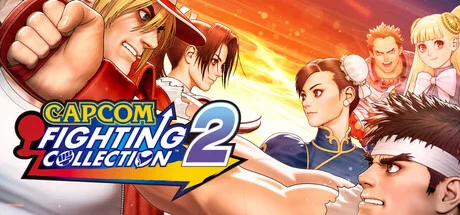
Capcom Fighting Collection 2 brings together eight fighting games from the company’s archive. This set includes such projects as Capcom vs SNK 2 Mark of the Millennium 2001 and Project Justice. In addition, the collection includes 3D action games such as Power Stone and Power Stone 2, representing a range of titles covering different time periods. Players have access to this set of experiences within a single edition. Network capabilities are a component of Capcom Fighting Collection 2, where each title presented supports such functionality for online interactions. Gamers can enter into rating battles or participate in regular fights. The mechanics allow you to organize lobbies in which some compete with friends, others team up to go through together, and others watch the matches in progress.
The use of rollback netcode technology is aimed at ensuring the stability of online battles, along with the High Score Challenge mode for fighting for places on the leaderboards. Each game here offers an online component. This collection implements several mechanisms for mastering. Difficulty levels can be adjusted to suit different people, which gives a customizable challenge parameter. There is a training mode for practicing combat skills, as well as an option to perform special moves with one button, which makes it easier to enter commands. In addition, you can save your progress at almost any point in the game and continue from the same place later, which adds flexibility during gaming sessions.
NOTE. Uploaded version: 16 May 2025 [v1.0 Build 17878692] + Update v1.0.0.4 (upd.06.11.2025). This is Full Release and latest version of game. The game is already Packaged in ISO File and ready to run the game after install, read the instruction below.
Game Details
- Title: Capcom Fighting Collection 2
- Genre: Action
- Developer: CAPCOM Co., Ltd.
- Publisher: CAPCOM Co., Ltd.
- Release year: 2025
- Available Languages: English, French, Italian, German, Spanish - Spain, Arabic, Japanese, Korean, Polish, Portuguese - Brazil, Russian, Simplified Chinese, Spanish - Latin America, Traditional Chinese
- Release Name: Capcom.Fighting.Collection.2-RUNE + Update v1.0.0.4 (upd.06.11.2025)
- Game Version: v1.0.0.4 (upd.06.11.2025)
- Game Releaser: RUNE
- Size: 3.0 GB
System Requirements
Minimum:
Requires a 64-bit processor and operating system
OS: Windows10 (64-BIT Required) / Windows11 (64-BIT Required)
Processor: IntelⓇ Core™ i5-4460, AMD FX-8300
Memory: 4 GB RAM
Graphics: NVIDIA®: GeForce® GTX 760 with 2GB Video RAM, AMD: Radeon™ R9 290x with 4GB Video RAM
DirectX: Version 11
Network: Broadband Internet connection
Storage: 4 GB available space
Sound Card: DirectSound (DirectX® 9.0c or later)
Additional Notes: Xinput compatible controller recommended. *As the game is under development, the specifications listed are subject to change.
Recommended:
Requires a 64-bit processor and operating system
OS: Windows10 (64-BIT Required) / Windows11 (64-BIT Required)
Processor: IntelⓇ Core™ i5-4460, AMD FX-8300 (or better)
Memory: 4 GB RAM
Graphics: NVIDIA®: GeForce® GTX 970 with 4GB Video RAM, AMD: Radeon™ RX480 with 4GB Video RAM
DirectX: Version 11
Network: Broadband Internet connection
Storage: 4 GB available space
Sound Card: DirectSound (DirectX® 9.0c or later)
Additional Notes: Xinput compatible controller recommended. *As the game is under development, the specifications listed are subject to change.
Screenshots


How to Install
1. The first thing we do is download the game’s installation files.
2. Mount or burn the ISO image in the disk emulator (UltraISO program).
3. During the installation, we specify the location on the disk where we want to install it.
4. Wait until the installation process is complete, a shortcut will appear on the desktop.
5. Copy the contents of the folder «RUNE» in the folder with the game.
6. Download and install Update v1.0.0.2 + Update v1.0.0.3 + Update v1.0.0.4, in game folder. (how to Update the game)
7. Start the game.
Download update only: Capcom.Fighting.Collection.2.Update.v1.0.0.4-RUNE, MIRROR, MIRROR 2 [ 40.6 MB ]
- Extract.
- Run setup.exe and install the update.
- Copy crack from RUNE dir to install dir.
- Play!
Download update only: Capcom.Fighting.Collection.2.Update.v1.0.0.3-RUNE [195.1 MB ]
Download update only: Capcom.Fighting.Collection.2.Update.v1.0.0.2-RUNE [ 71.6 MB ]
Download Capcom Fighting Collection 2 v1.0.0.4 (upd.06.11.2025) — RUNE
Alternative Download Links
Alternative Mirrors
Other Versions & DLCs
Game Update History
- Capcom Fighting Collection 2 v1.0.0.3 → Update v1.0.0.4 [ 06.11.2025 ]
- Capcom Fighting Collection 2 v1.0.0.2 → Update v1.0.0.3 [ 08.08.2025 ]
- Capcom Fighting Collection 2 Build 17878692 → Update v1.0.0.2 [ 05.06.2025 ]
- Capcom Fighting Collection 2 → Build 17878692 [ 16.05.2025 ]