Moonglow Bay v1.0.3 upd.02.01.2022 - CODEX

CODEX Full gameFree DownloadLatest version Torrent File
Game updated on 2-01-2022, 19:33. Current version: v1.0.3 upd.02.01.2022.
About The Game
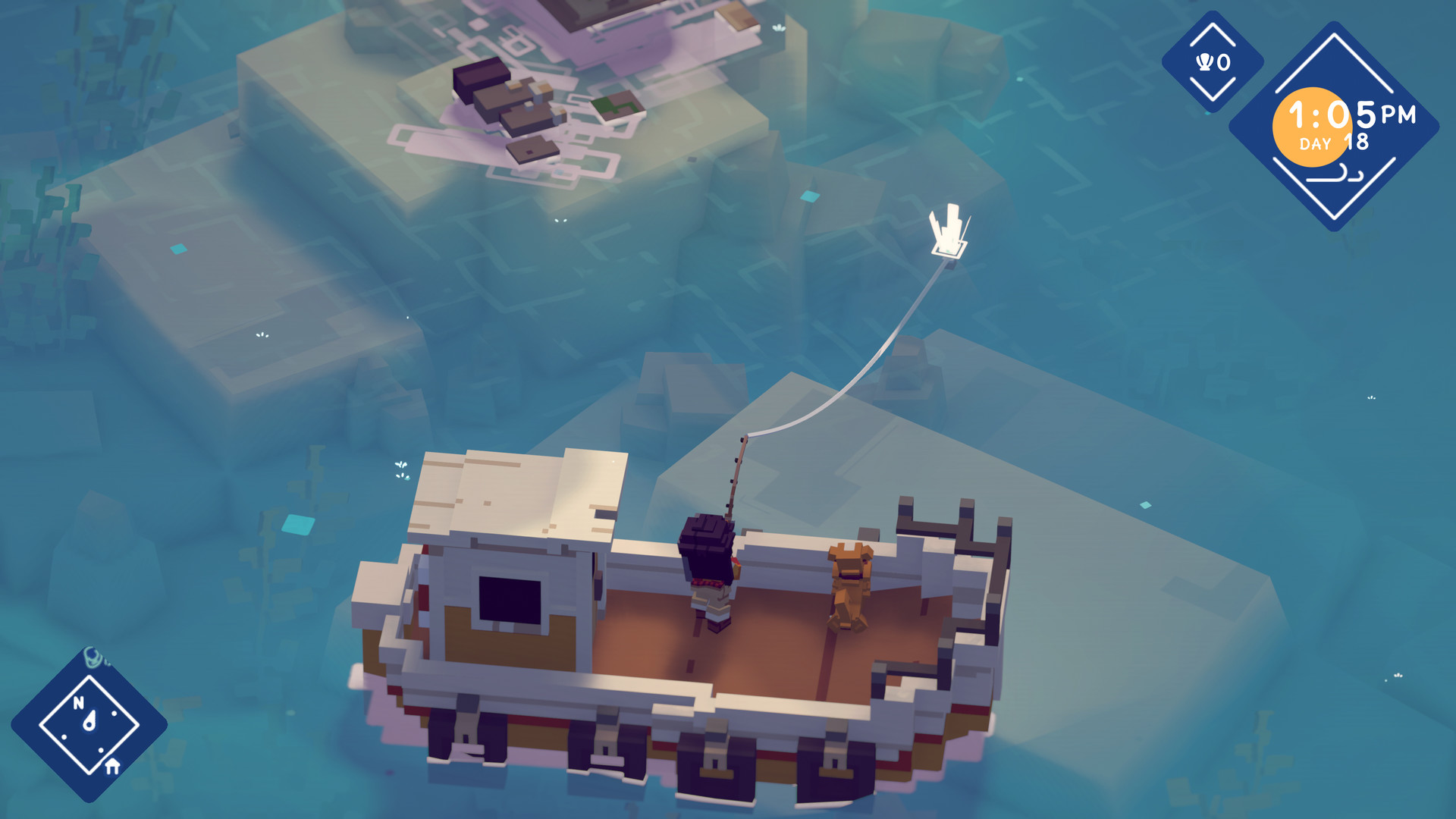
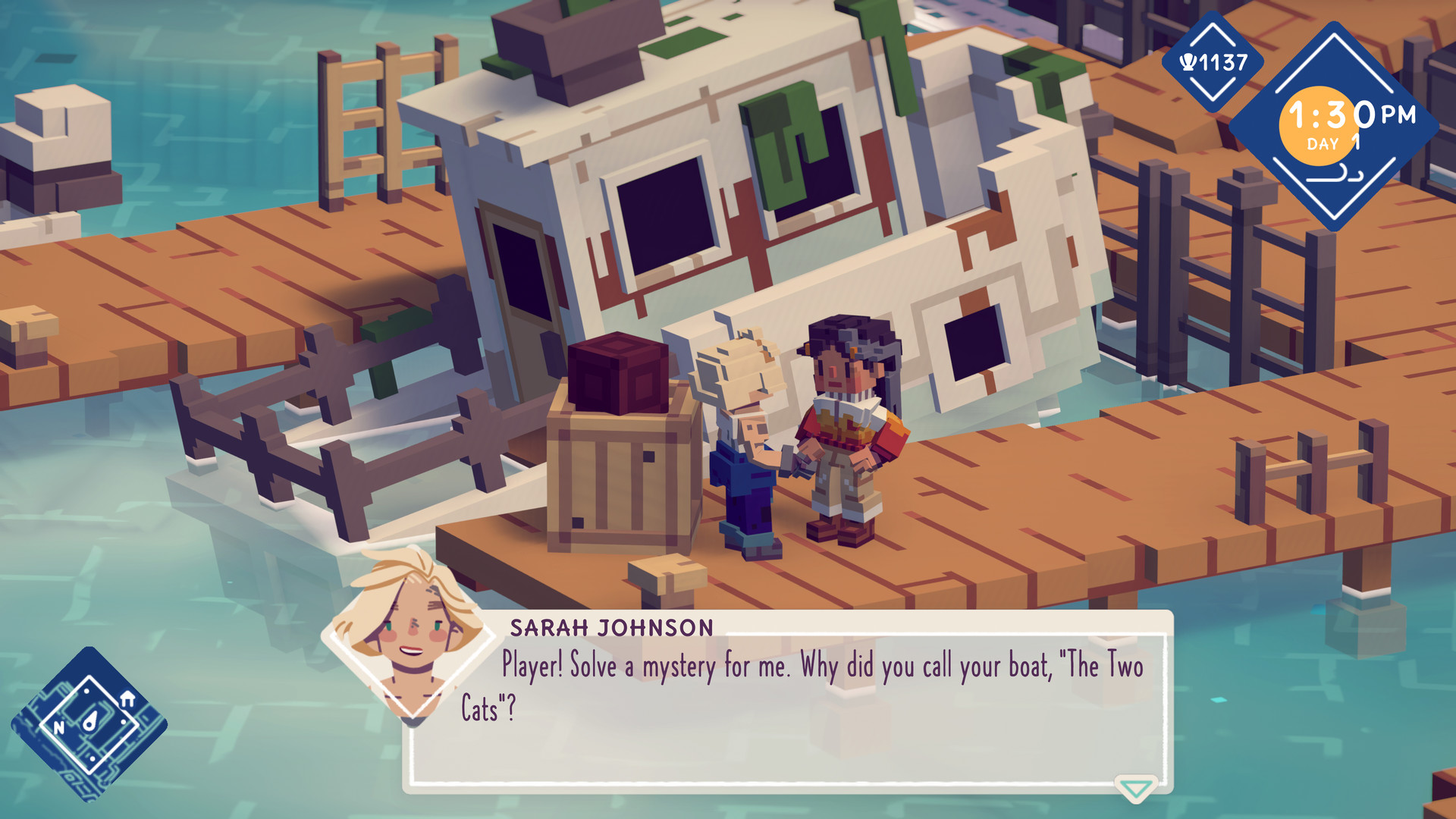
Moonglow Bay — the action is shown from a bird’s eye view. The game gives us a huge world in which we can find a picturesque coast and seaside town, giant glaciers and impressive geysers. We move on land on foot, and on the ocean we sail by boat. During the game, we mainly fish. Over a hundred different types of aquatic creatures are waiting to be caught. Since not all of them can be caught with a line, we catch them in other ways setting traps or casting nets. We prepare and sell the catch, and the funds obtained in this way are invested in the development of the store, as well as in the development of fishing tackle and boats. Over time, we acquire new skills, improving both fishing and cooking. All of this means that as we progress, we can go further and take on increasingly difficult tasks, such as uncovering the secrets of the bay and testing the stories of the sea monsters living in it.
Game Details
- Title: Moonglow Bay
- Genre: Adventure, Casual, Indie, RPG
- Developer: Bunnyhug
- Publisher: Coatsink
- Release year: 2021
- Available Languages: English, French, German, Korean, Portuguese - Brazil, Simplified Chinese, Spanish - Latin America
- Release Name: Moonglow.Bay-CODEX + Update v1.0.3
- Game Version: v1.0.3 upd.02.01.2022
- Game Releaser: CODEX
- Size: 800 MB
Full Description
Moonglow Bay is an RPG with life simulation elements. The game was developed by the independent studio Bunnyhug and released by Coatsink. We have to go fishing to save our drowning business.
System Requirements
MINIMUM:
OS: Windows 10 64-bitProcessor: Intel i3 Skylake | AMD FX-6000
Memory: 8 GB RAM
Graphics: AMD Radeon R7 260X | NVIDIA GeForce GTX 750 Ti
Storage: 4 GB available space
RECOMMENDED:
OS: Windows 10 64-bit
Processor: Intel i5 Coffee Lake | AMD Ryzen 3
Memory: 8 GB RAM
Graphics: AMD Radeon RX 570 | NVIDIA GeForce GTX 970
Storage: 4 GB available space
Screenshots

Video
How to Install
1. The first thing we do is download the game’s installation files.
2. Mount or burn the ISO image in the disk emulator (UltraISO program).
3. During the installation, we specify the location on the disk where we want to install it.
4. Wait until the installation process is complete, a shortcut will appear on the desktop.
5. Download & install Update v1.0.3, in game folder.
6. Copy the contents of the folder «CODEX» in the folder with the game.
7. Start the game.
Download update only: Moonglow.Bay.Update.v1.0.3-CODEX [ 25.0 MB ]
2. Mount or burn the ISO image in the disk emulator (UltraISO program).
3. During the installation, we specify the location on the disk where we want to install it.
4. Wait until the installation process is complete, a shortcut will appear on the desktop.
5. Download & install Update v1.0.3, in game folder.
6. Copy the contents of the folder «CODEX» in the folder with the game.
7. Start the game.
Download update only: Moonglow.Bay.Update.v1.0.3-CODEX [ 25.0 MB ]
Download Moonglow Bay v1.0.3 upd.02.01.2022 — CODEX
File Size: 800 MB
How to get your file — 3 quick steps
VPN detected. Our download does not accept VPN connections. Please disable your VPN to continue.
Re-check
1
Click download
Use any button below
2
Install Opera
On the page that opens
Switch to the tab that just opened — Opera installer is already there. After install, open this page in Opera and click Check install.
Opera not detected. Make sure it's installed and open this page in Opera browser, then click Check install again.
Opera is a free, official browser by Opera Software AS — safe to install. [ Opera Install Guide ]
Alternative Download Links
Alternative Mirrors
Searching mirrors…
Source Name
Size
Seeds
Leeches
Other Versions & DLCs
Game Update History
- Moonglow Bay v1.0 → v1.0.3 [ 02.01.2022 ]
- Moonglow Bay → v1.0 [ 27.10.2021 ]